A Wireshark alternative for everyday packet capture
GraphDagger's Packet Capture keeps the parts of Wireshark you use every week, the display filter language, live dissection and stream follow, and puts them in the same window as a web debugger, an API client, a log explorer and 11 more tools.
Wireshark is the reference tool for packet analysis, and nothing here pretends otherwise. But most captures are not deep forensics. They are an engineer checking whether DNS resolved, whether the TLS handshake completed, or what a misbehaving box is actually sending.
For that everyday work, GraphDagger gives you a Wireshark-style display filter language with real-time inspection across every protocol layer, without a separate install, and with the rest of your diagnostic toolkit one tab away. We have trimmed Wireshark's rarely-touched dissector tail. For deep-forensics edge cases Wireshark still goes further, and we will point you there rather than pretend otherwise.
GraphDagger vs Wireshark, feature by feature
| Capability | Wireshark | GraphDagger |
|---|---|---|
| Live capture | Any interface, every dissector ever contributed | Live multi-interface capture with real-time inspection |
| Filtering | Display filter language | The same familiar display filter style, checked as you type |
| Protocol dissection | Thousands of dissectors, including the obscure long tail | The protocols engineers hit daily: TCP, UDP, DNS, TLS, HTTP/2 |
| Stream analysis | Follow stream, conversations, expert info | TCP stream reassembly and follow, protocol hierarchy and conversation statistics |
| Files | pcap and pcapng, deep import and export options | pcap import and export for round trips with Wireshark |
| Beyond packets | Packet analysis only | 13 more tools in the same app: HTTPS debugging, API testing, log analysis, port scanning and more |
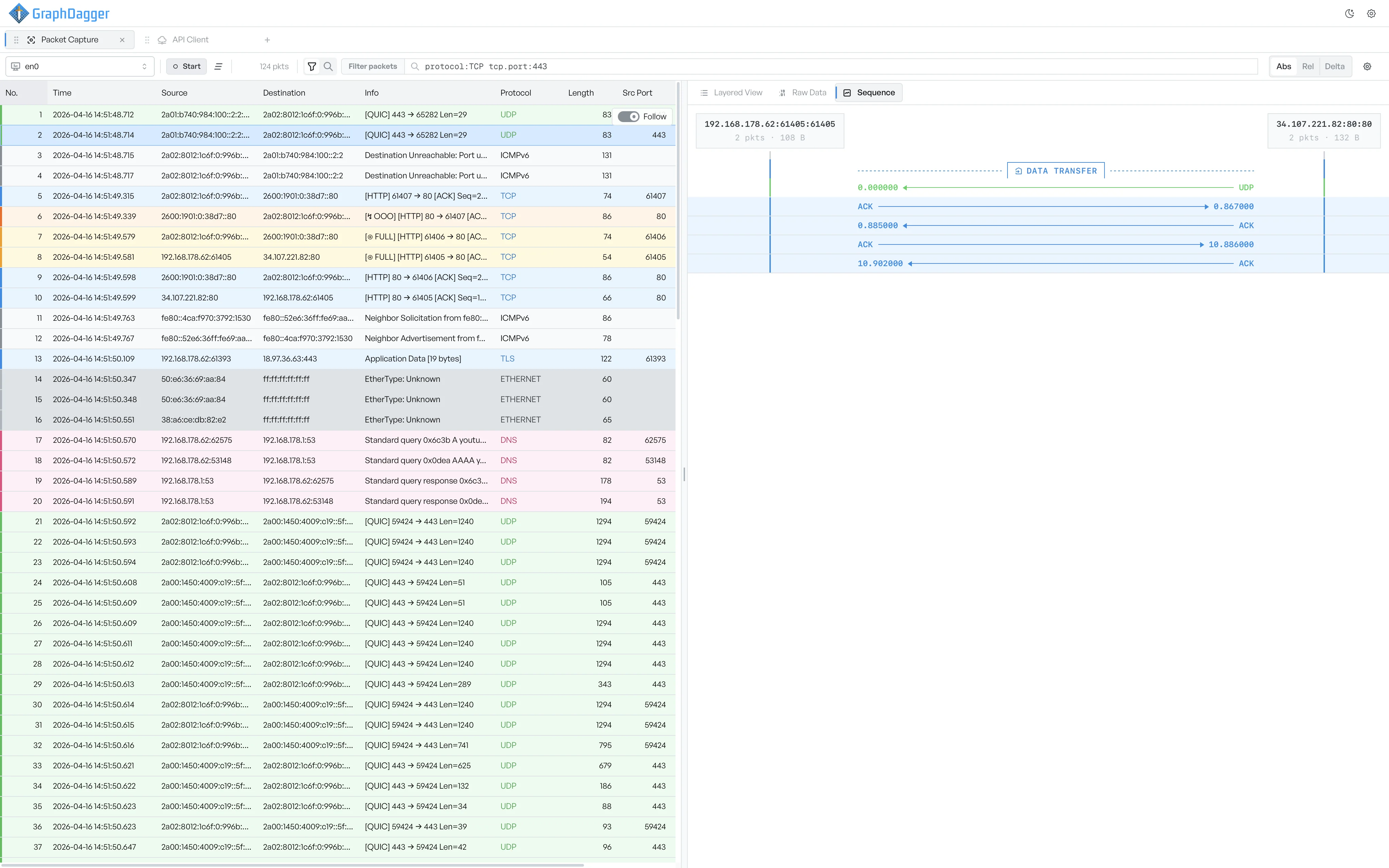
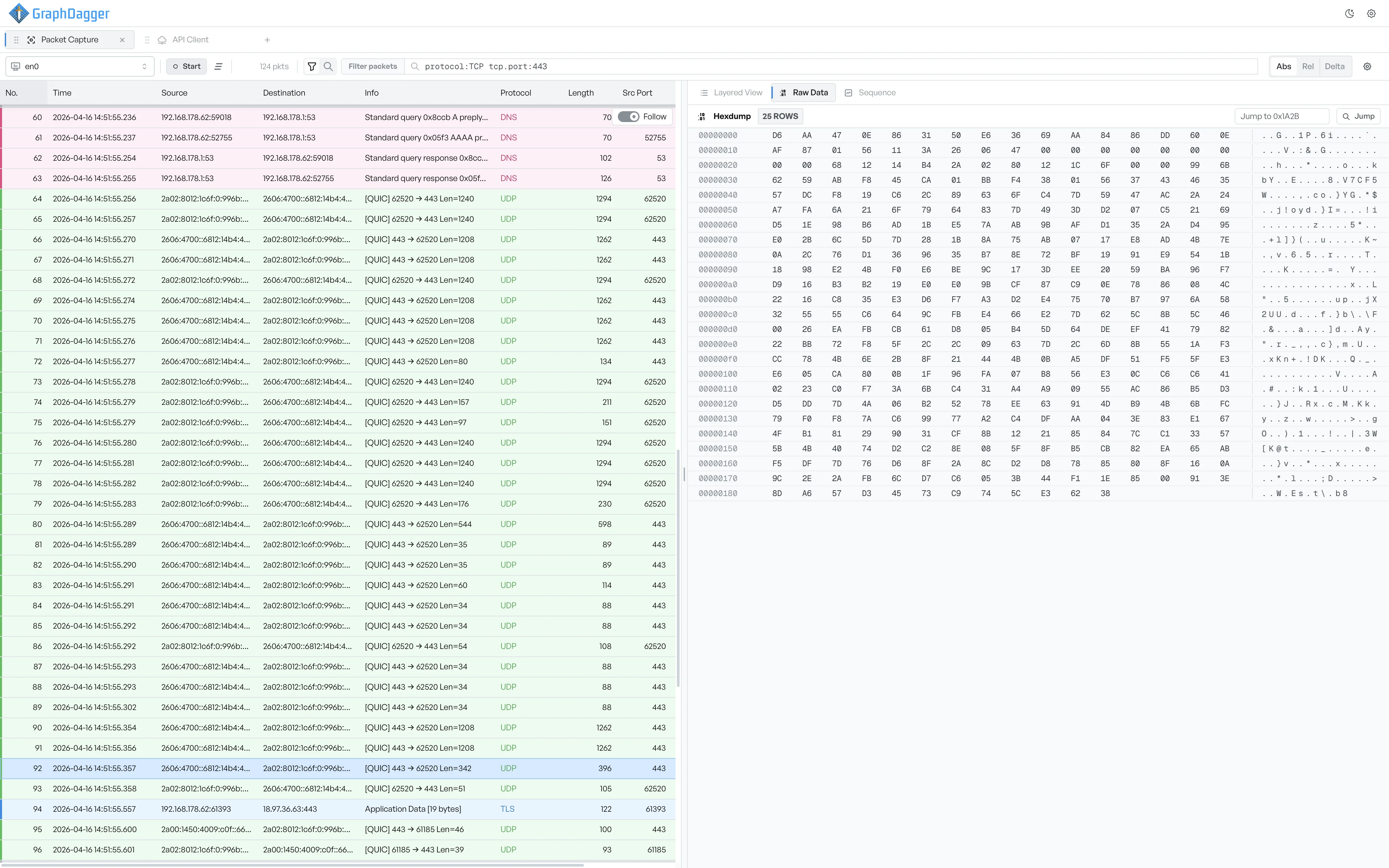
Explore the full tool: Packet Capture in GraphDagger
More than a Wireshark replacement
A capture rarely ends the investigation. The next step is usually an HTTPS session you need to decrypt and inspect, a log file to search, or an endpoint to probe. In GraphDagger those are the same window, not four more installs.
- Web Debugger for HTTPS interception with breakpoints and rewrite rules
- Log Explorer to query millions of log rows in SQL
- Network Recon for port scanning, DNS, WHOIS and TLS lookups
- One licence covers all 14 tools on macOS and Windows
- Local-first: captures never leave your machine
When to stay with Wireshark
Keep Wireshark for deep forensics: exotic protocol dissection, malformed-frame archaeology and the long tail of dissectors a general-purpose toolkit will never carry. It is also the answer on Linux, which GraphDagger does not currently support. Plenty of engineers run both, GraphDagger for the daily read and Wireshark when a capture turns into a rabbit hole, and pcap export makes the handoff clean.
How the licence compares
Wireshark is free and open source, and always will be. GraphDagger is a paid subscription, but the comparison is not one tool against one tool: a single licence includes packet capture plus 13 other tools that would otherwise each be a separate install, account or purchase.
Frequently asked questions
- Does GraphDagger use the same display filters as Wireshark?
- The filter language is Wireshark-style on purpose, so expressions like filtering by protocol, host or port read the way you already write them. You do not have to relearn the syntax you use today.
- Can I open my existing pcap files in GraphDagger?
- Yes. Packet Capture imports pcap files and exports back to pcap, so you can open old captures, or start a capture in GraphDagger and finish the deep analysis in Wireshark when you need to.
- Which protocols does GraphDagger dissect?
- The protocols everyday diagnosis actually touches: TCP, UDP, DNS, TLS and HTTP/2, with TCP stream reassembly and follow, protocol hierarchy and conversation statistics. Wireshark's obscure dissector tail is deliberately not replicated.
- Is GraphDagger free like Wireshark?
- No. GraphDagger is a paid desktop app with a 14-day free trial: you go through checkout, nothing is charged while the trial runs, and cancelling before day 14 costs nothing. One subscription includes all 14 tools.
Related comparisons
Try the capture workflow, keep Wireshark for the rabbit holes
Start the 14-day free trial and run your next everyday capture in GraphDagger. Every tool is unlocked and nothing is charged during the trial.