Packet Capture
Live network traffic capture with a Wireshark-style display filter language and real-time packet inspection across all protocol layers.
Live packet capture
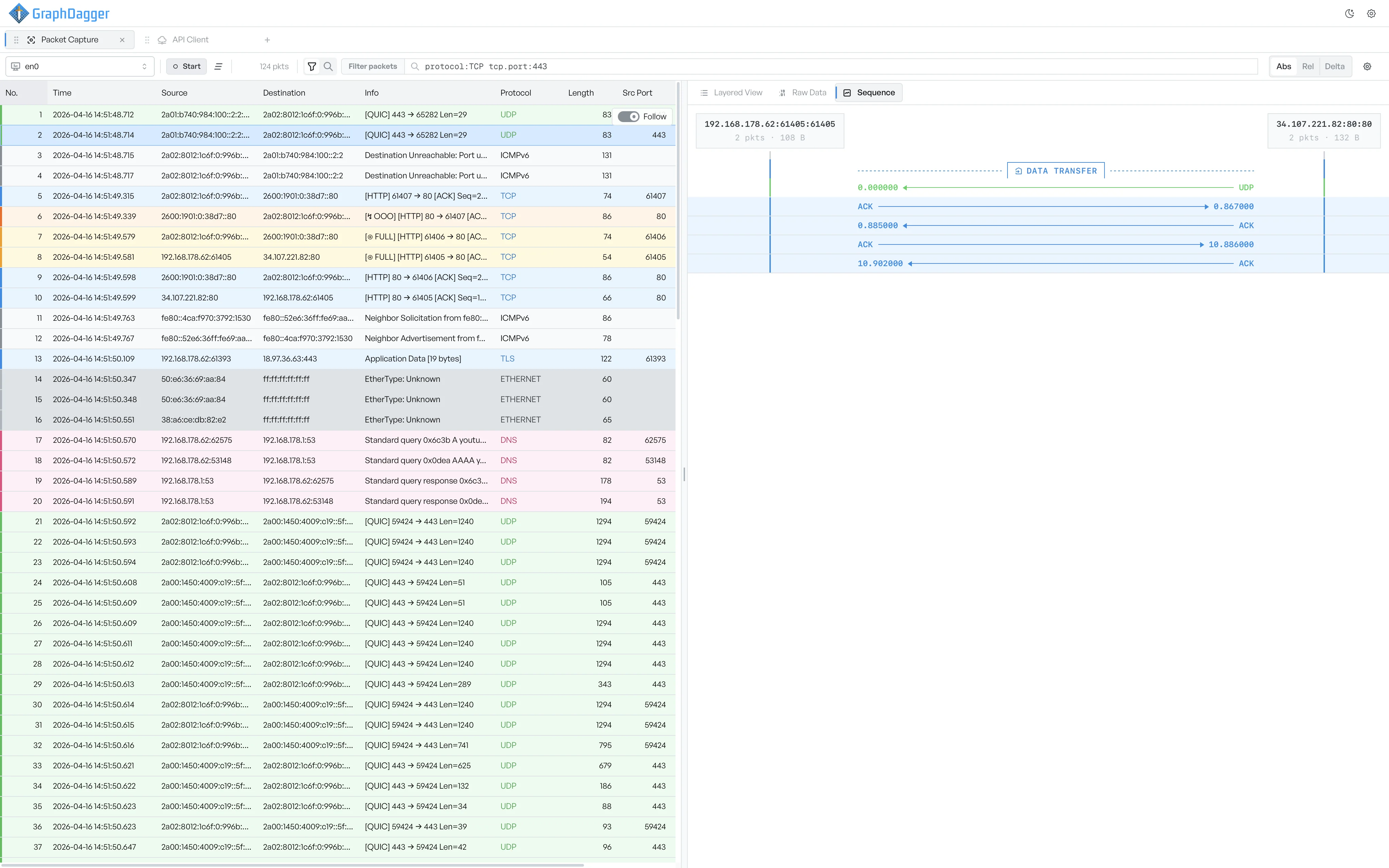
Pick an interface, press Start, and frames stream into a colour-coded packet list as they arrive. Follow a TCP conversation to see it drawn as a sequence diagram, with the handshake, data transfer and teardown phases labelled segment by segment, or plot any column on a chart to see how traffic changes over time.
- Capture on any interface with one-click start and stop
- Sequence diagram of each TCP conversation, phase by phase
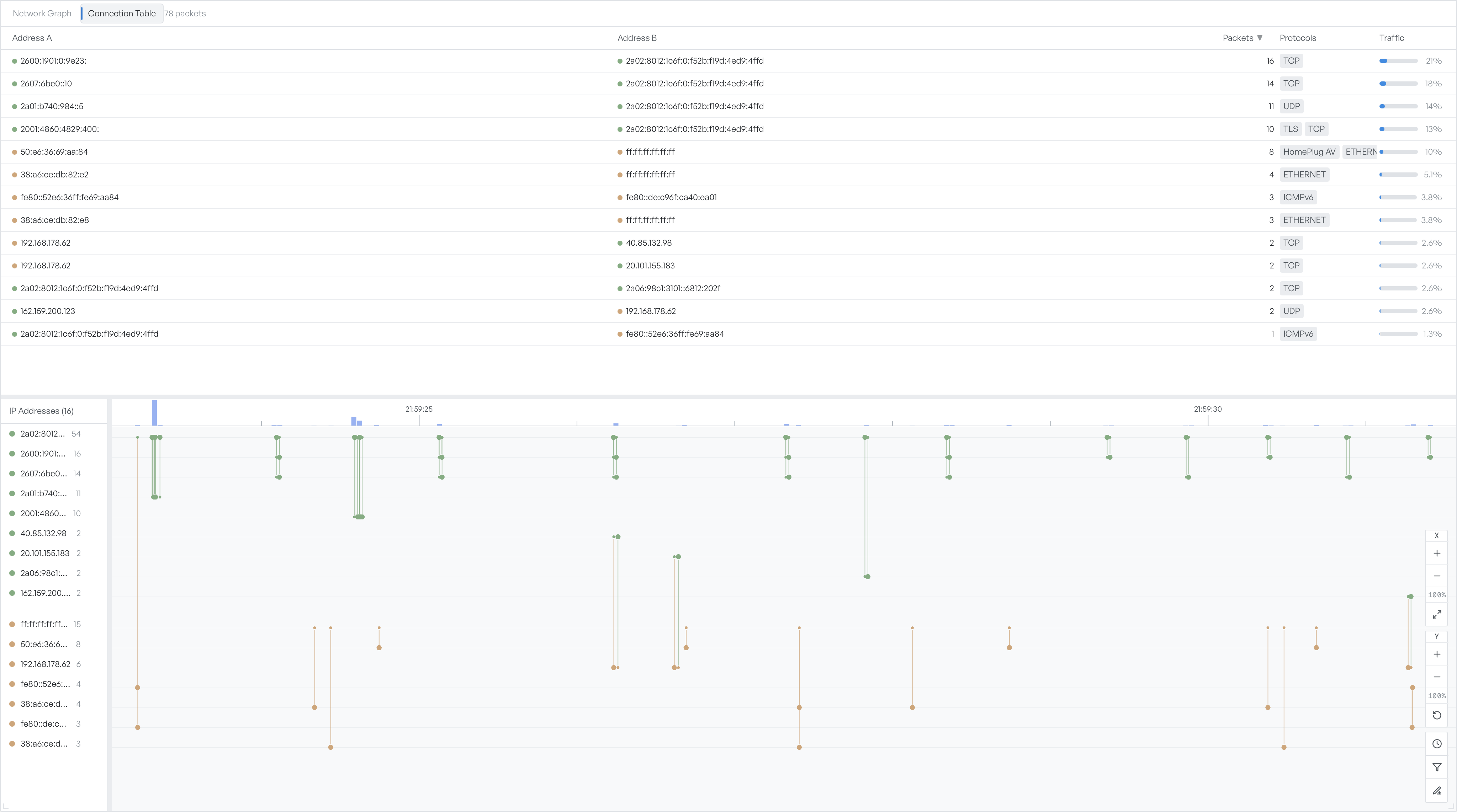
- Chart any column to spot traffic patterns over time
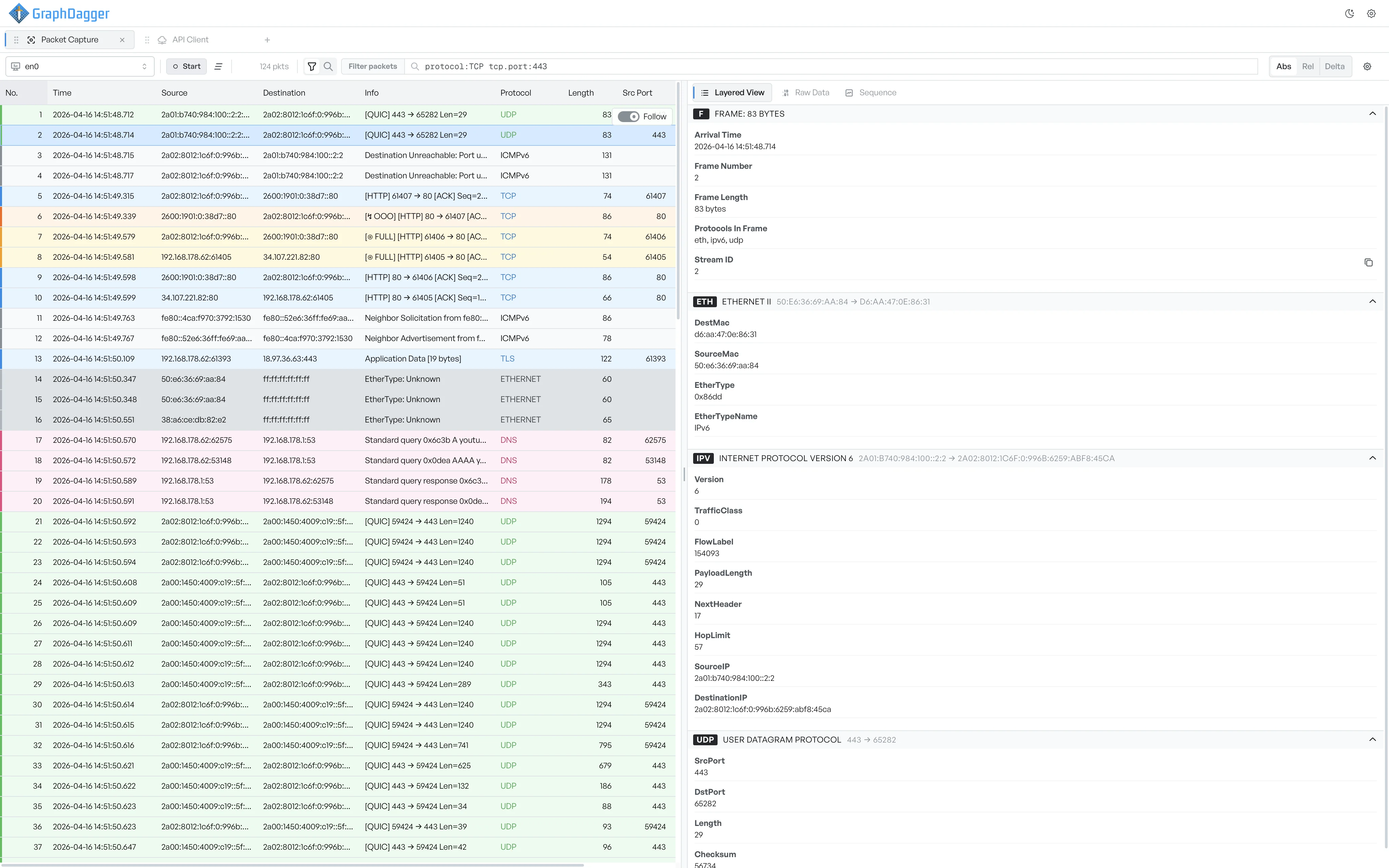
Decode every frame layer by layer
Select any frame and the Layered View breaks it into collapsible protocol cards, from the link layer up to the application protocol. Each card lists every decoded field with its value: MAC addresses and EtherType on the Ethernet layer, hop limit and payload length on IP, ports and flags on transport. Hover any value to copy it.
- Protocol cards for frame, link, IP, transport and application layers
- Field-level detail with one-click copy
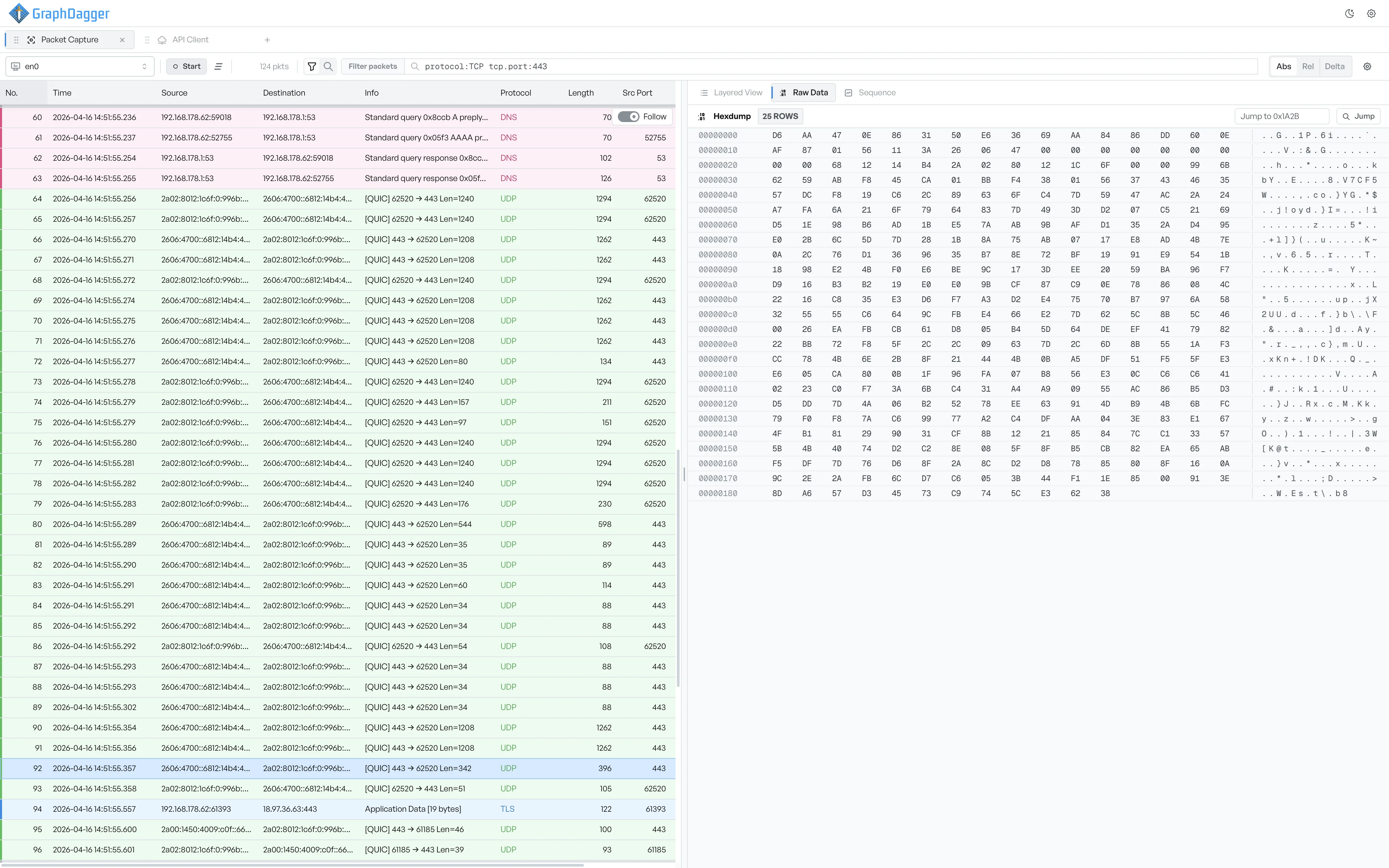
- Raw Data hex view for the bytes underneath any field
Filter the capture as you type
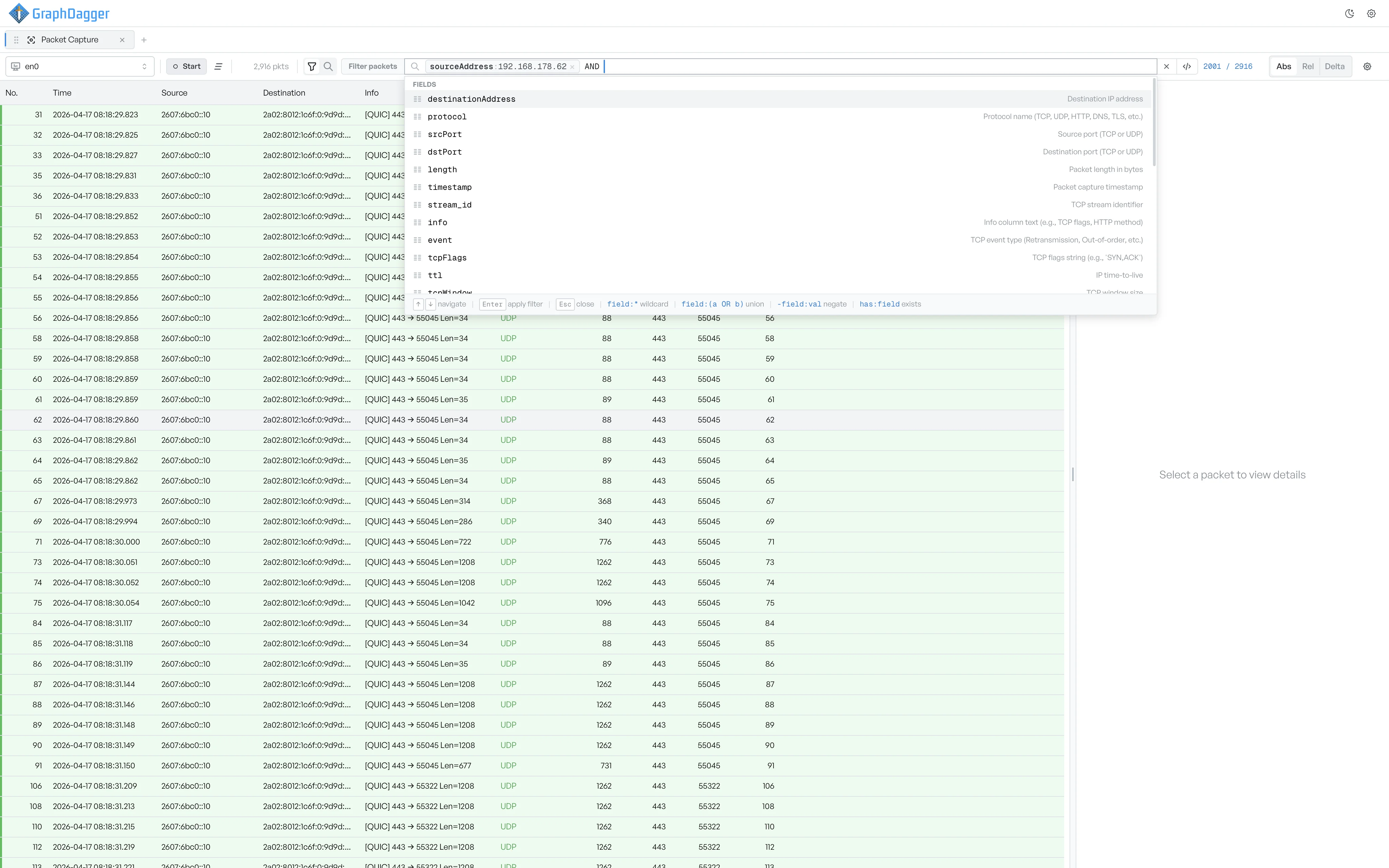
Narrow the list with field-based filter expressions that apply on every keystroke, no separate apply step. Autocomplete lists every field with a one-line description, then suggests operators and values for the next clause, and a live count shows how many frames the expression matches against the whole capture. Switch the toggle next to the bar to search for text inside payloads instead, and flip the Time column between absolute, relative and delta modes to line events up the way the investigation needs.
- Autocomplete for every field, operator and value
- Live match count against the whole capture
- Payload search alongside list filtering
- Absolute, relative and delta time display modes
Follow streams and export captures
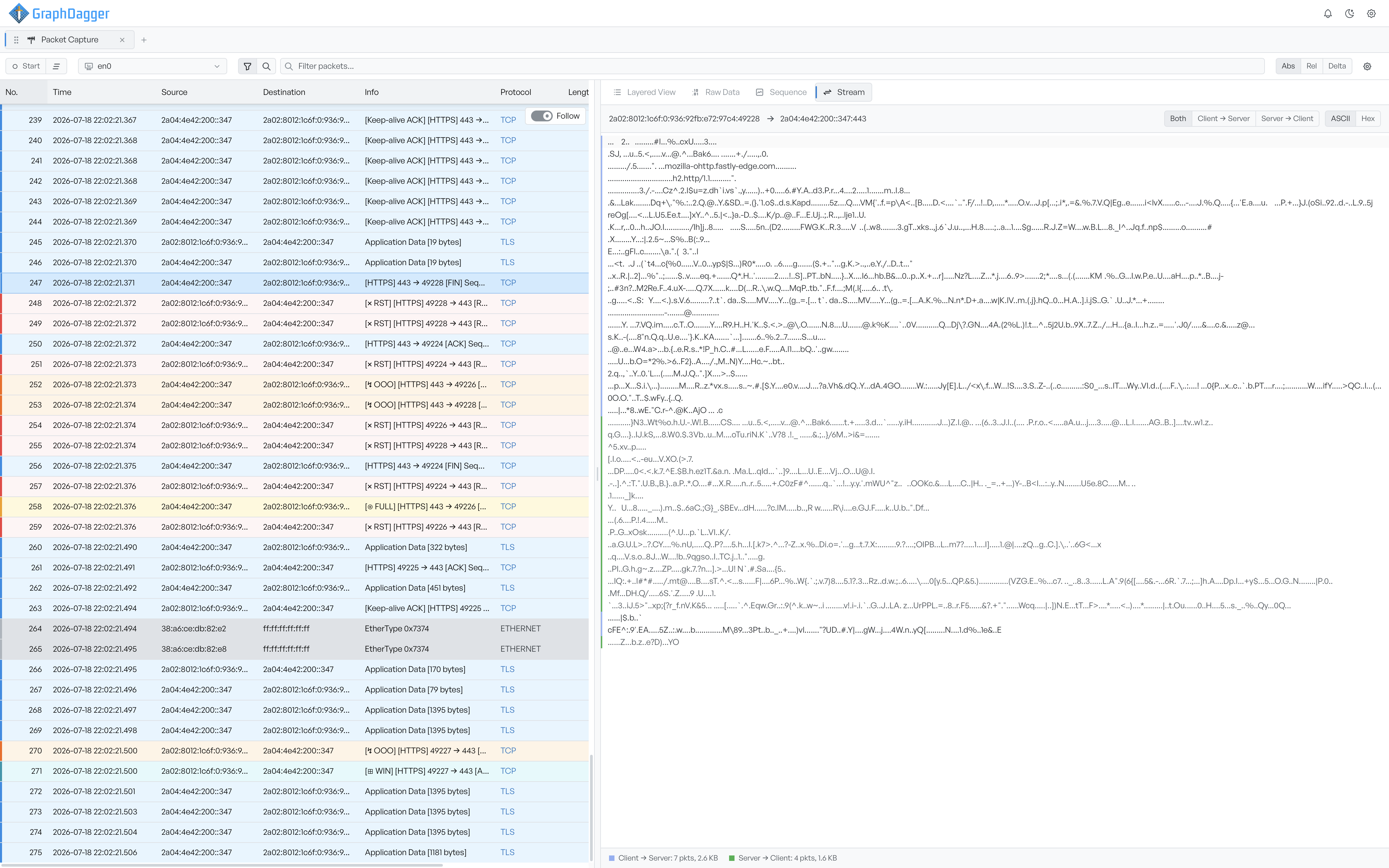
Right-click any TCP row and choose Follow TCP Stream to read the reassembled payload the two sides exchanged, interleaved in capture order or one direction at a time, in ASCII or hex. A footer counts the packets and bytes each way. When you are done, export every frame, or a chosen range, to a standard .pcap file, and open saved pcap files in the same workspace.
- TCP stream reassembly with direction and ASCII or hex controls
- Per-direction packet and byte counts for every stream
- Import and export standard .pcap files