Check authentication verdicts#
SPF, DKIM, DMARC, ARC, and Authentication-Results each get a plain-language verdict with every tag unpacked underneath.
The Security tab is the authentication view for the open message. The receiving mail server writes headers when it checks the sender. The tab parses those headers: SPF, DKIM, DMARC, ARC, and the combined Authentication-Results record. It shows each one with a plain-language verdict. You do not need to remember the tag conventions of each standard. Email Forensics labels every field inline.
Read a check section#
Every check follows the same shape. A short line explains what the check does, and rows underneath unpack each tag or component. To collapse a section after you read it, select the chevron.
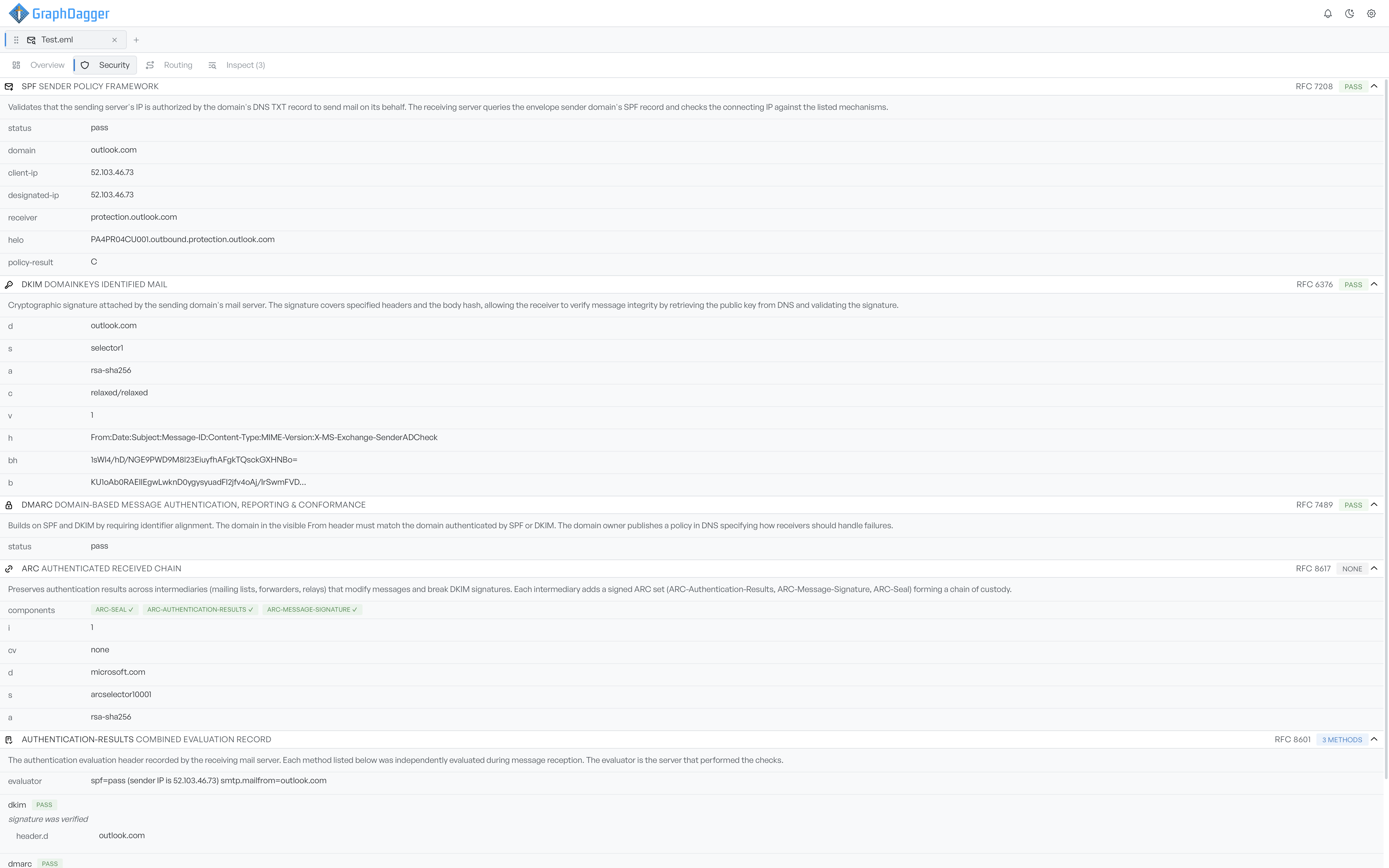
SPF, DKIM, DMARC, and ARC#
- SPF (
RFC 7208) confirms the sending server's IP address is allowed to send for the envelope domain. The rows show the result, the domain queried, the connecting IP, and the server that ran the check. - DKIM (
RFC 6376) is the cryptographic signature the sending domain attached. The rows unpack the signing domain, the selector, the algorithm, the signed headers, and the body hash, so you can see exactly what the signature covers. - DMARC (
RFC 7489) sits on top of SPF and DKIM and requires that the authenticated domain lines up with the visibleFromdomain. The status row is its outcome. - ARC (
RFC 8617) preserves earlier authentication results across intermediaries that would otherwise break DKIM, such as mailing lists and forwarders. The components row shows which of the three ARC headers are present. A complete chain needs all three. - Authentication-Results (
RFC 8601) is the final record the receiving server stamped on the message. It lists each method it evaluated with its own verdict, so you can see which checks contributed to the overall picture.
Read the verdict badges#
Every section and every method row carries a badge that summarises the outcome:
- PASS: the check succeeded.
- FAIL: the check ran but did not succeed.
- NONE: the check did not run, or the headers it needs were not present.
Use the badges to triage at a glance. A pass across SPF, DKIM, and DMARC is the baseline for a legitimately authenticated message. Check a fail, or an unexpected none, against the full header values on the Overview tab.