Auth Inspector
A local credential workbench, not just a JWT decoder: it auto-handles JWTs, SAML, OAuth and OpenID Connect and X.509 certificates, with a security audit for weak algorithms, expiry and signature checks.
Decode any credential
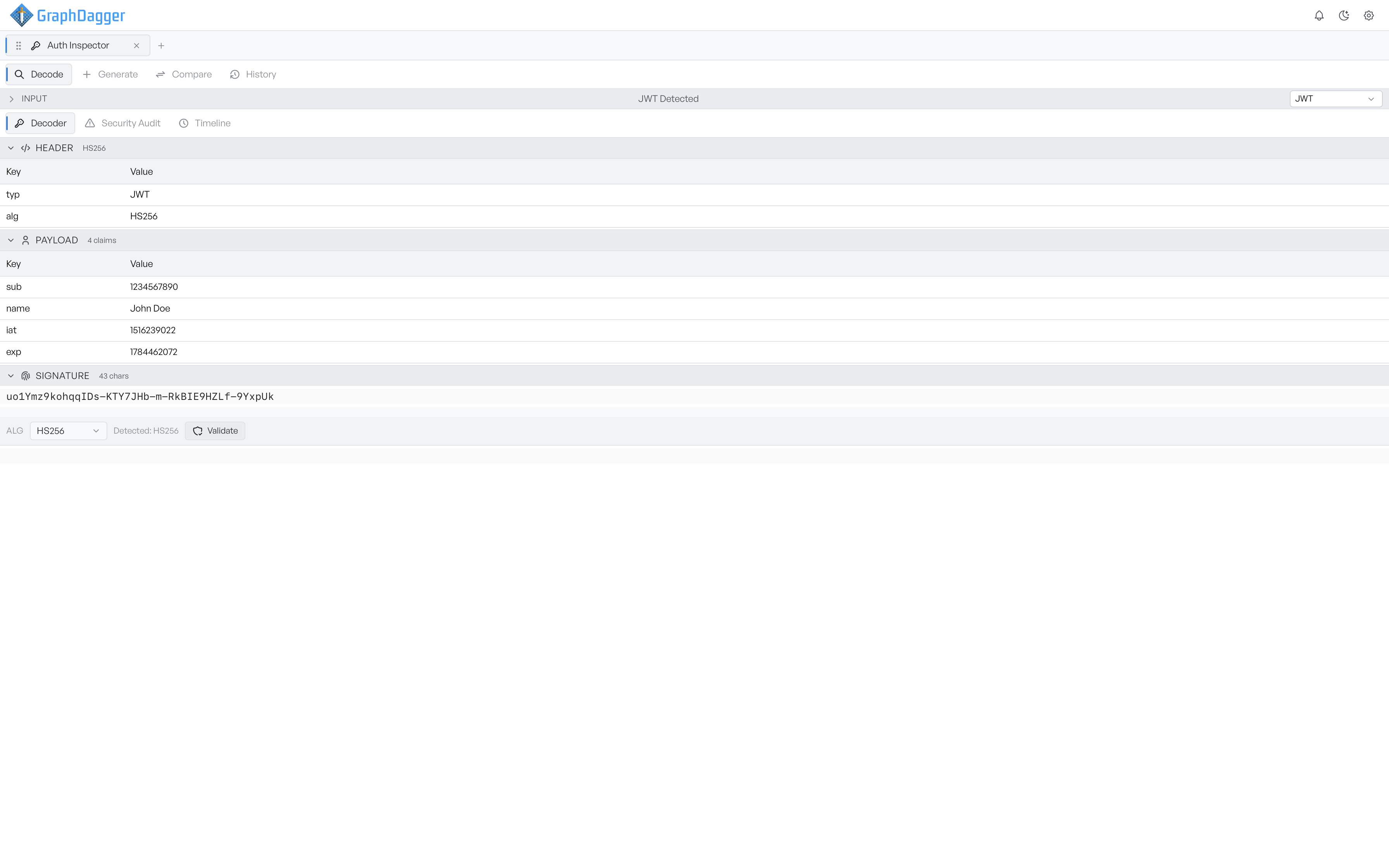
Paste a JWT, a SAML response, an OAuth authorisation URL, an X.509 certificate or a Kerberos ticket, and Auth Inspector detects which one it is as you type, then breaks it into readable sections. A JWT becomes header, payload and signature, with every claim in a readable table and a signature validator underneath.
- Automatic detection of five credential types, with a manual override
- Collapsible sections with a summary badge on each part
- Raw source kept alongside the decoded view
An automatic security audit
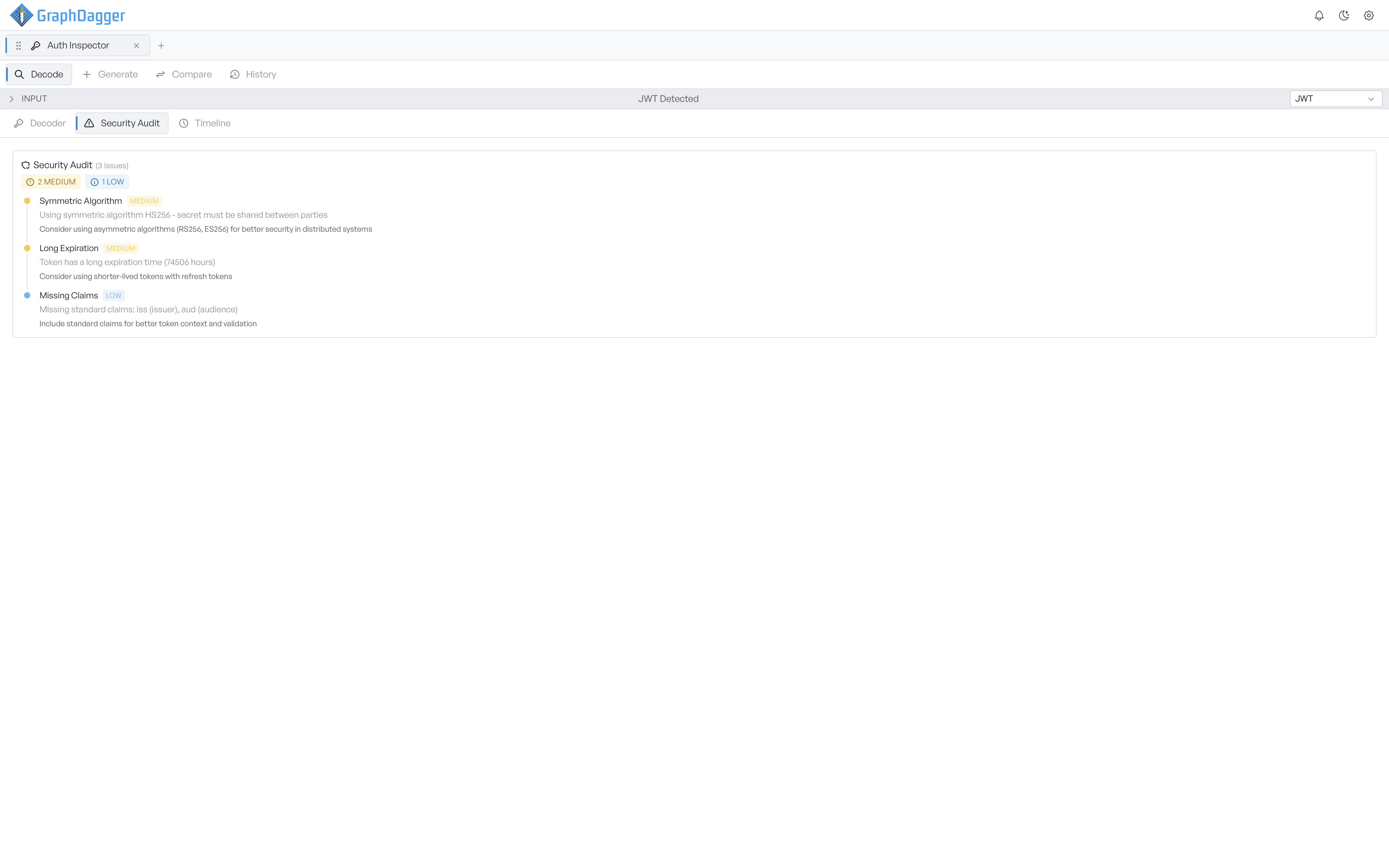
Every decode runs a security audit for that protocol, no button to press. Findings are ranked from critical to info, each with a description of what is wrong and a recommendation. A symmetric signing algorithm, a lifetime over 24 hours or missing standard claims are all caught the moment you paste.
- Protocol-specific checks for JWT, SAML, OAuth, X.509 and Kerberos
- Five severity bands, from critical down to info
- An alg of none, an unsigned assertion or an HTTP endpoint is flagged as critical
Verify signatures and follow the protocol
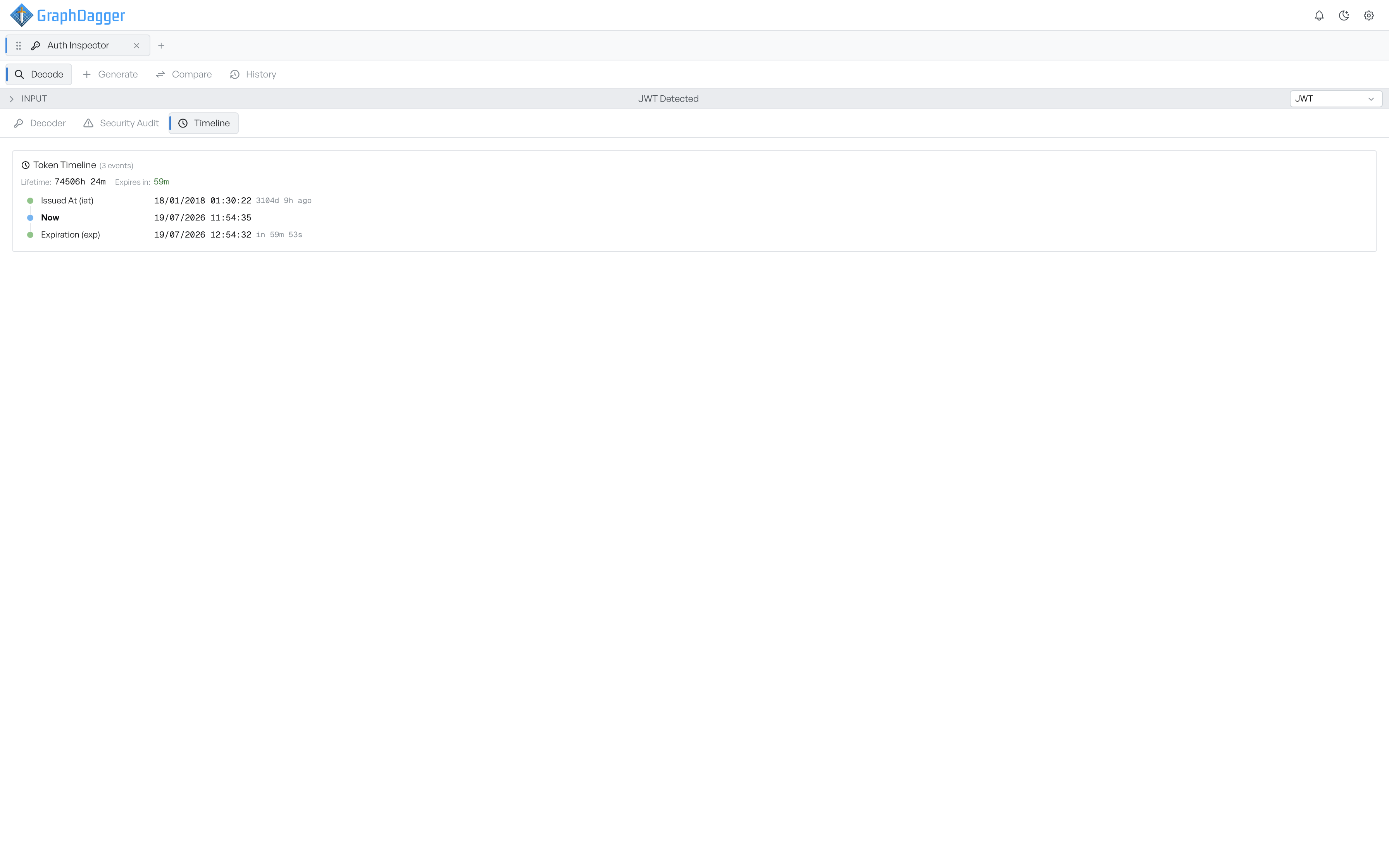
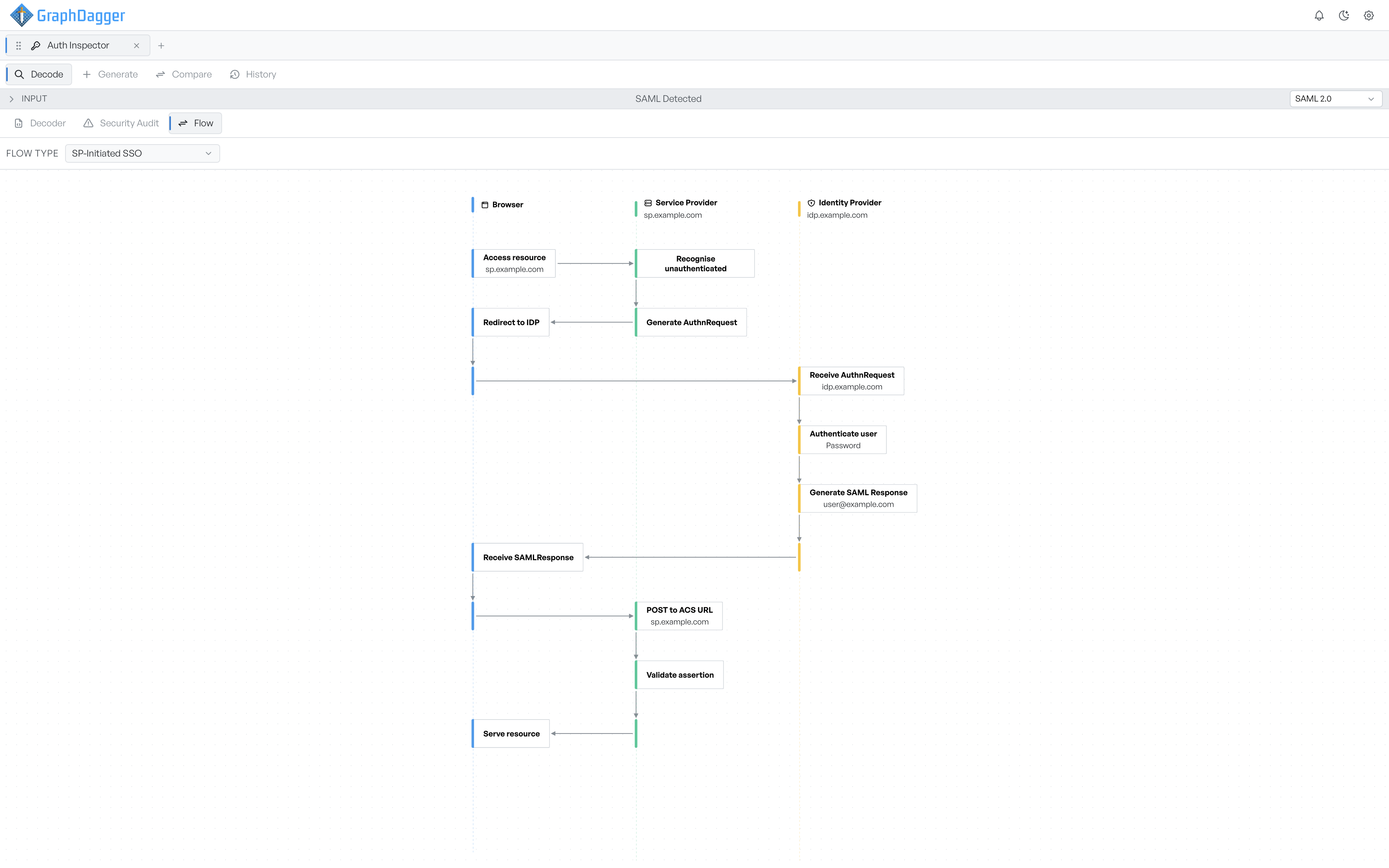
Decoding a JWT does not prove it is genuine, so the Signature section carries its own validator: pick the algorithm you expect, supply the secret or public key, and get a clear valid or invalid result. Each protocol also gets a third tab suited to it. SAML, OAuth and Kerberos are drawn as swimlane flow diagrams, one column per participant, with the lanes labelled from your own credential rather than placeholders.
- Signature validation against the algorithm you expect, not the one the token claims
- Swimlane diagrams of the SAML, OAuth and Kerberos exchanges
- A dropdown picks the variant, from IdP-initiated SSO to device code
Generate test credentials
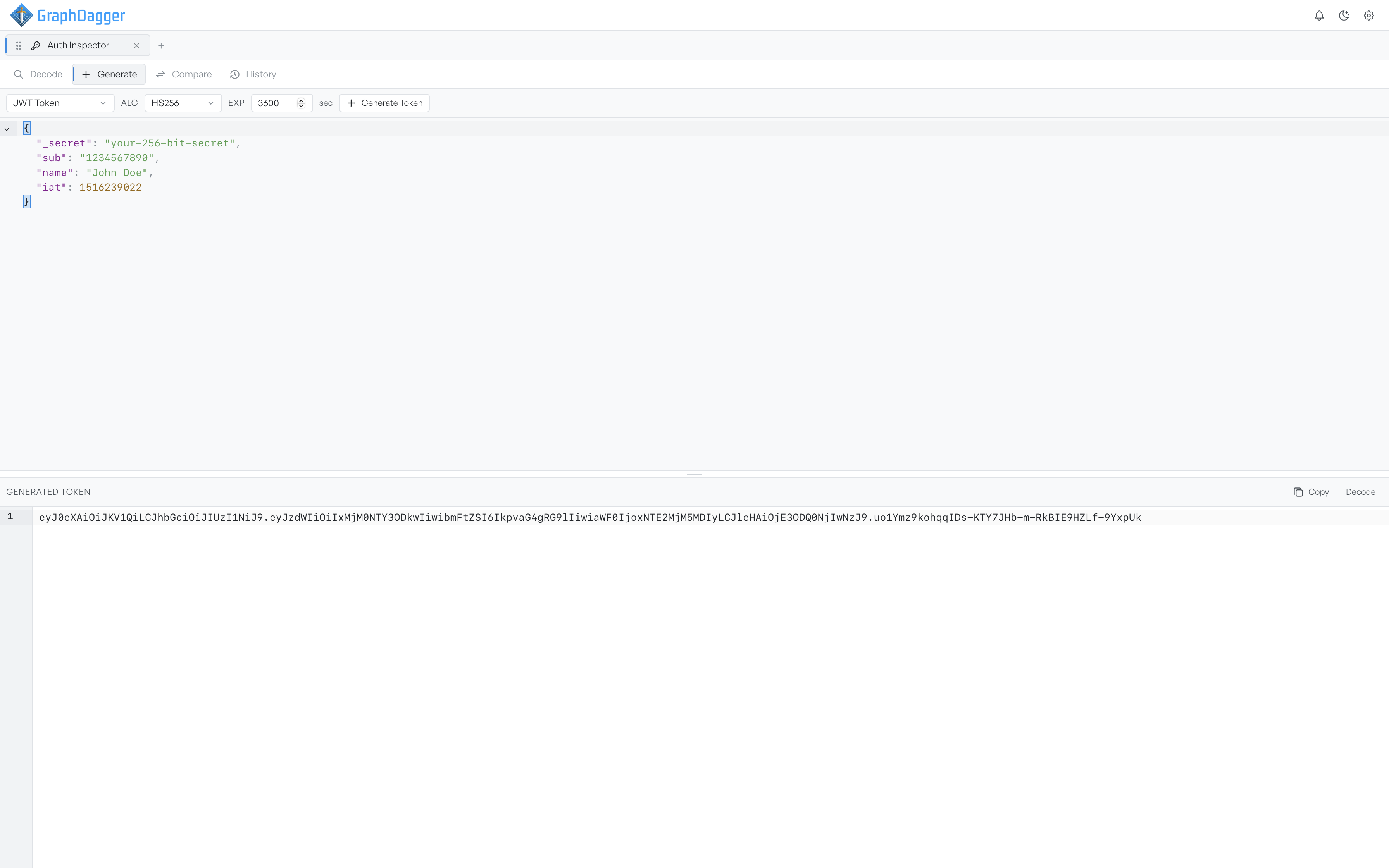
Generate mode signs whatever claims you put in the editor and hands back a token you can paste straight into a request. Pick from eleven signing algorithms, set the lifetime in seconds, or set it to zero to build a token that never expires and see whether your service accepts it. Choosing an asymmetric algorithm generates a key pair for you.
- Every key in the JSON becomes a claim in the signed token
- Eleven algorithms, with key pairs generated for RS, ES and PS
- Send the result into Decode to see what a reviewer would say about it
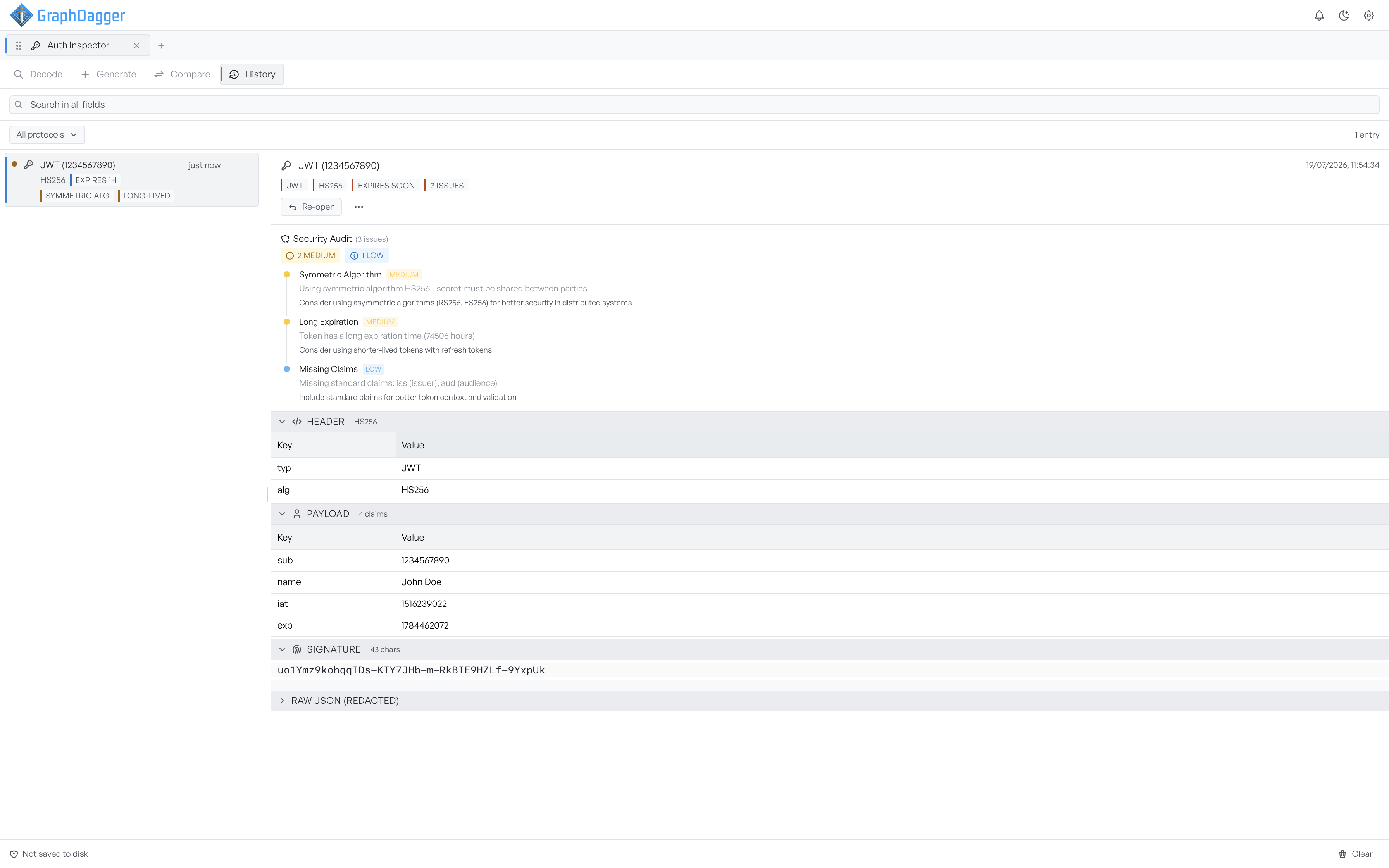
A history that remembers what was wrong
Everything you decode is kept for the session, labelled from its contents and carrying its audit findings, so the list doubles as a list of problems. Chips flag expiry and the most serious findings without opening anything, and Re-open puts a credential back into Decode with its original input restored. Nothing is written to disk.
- The 50 most recent entries, searchable and filterable by protocol
- Secrets and signatures are redacted in the stored view
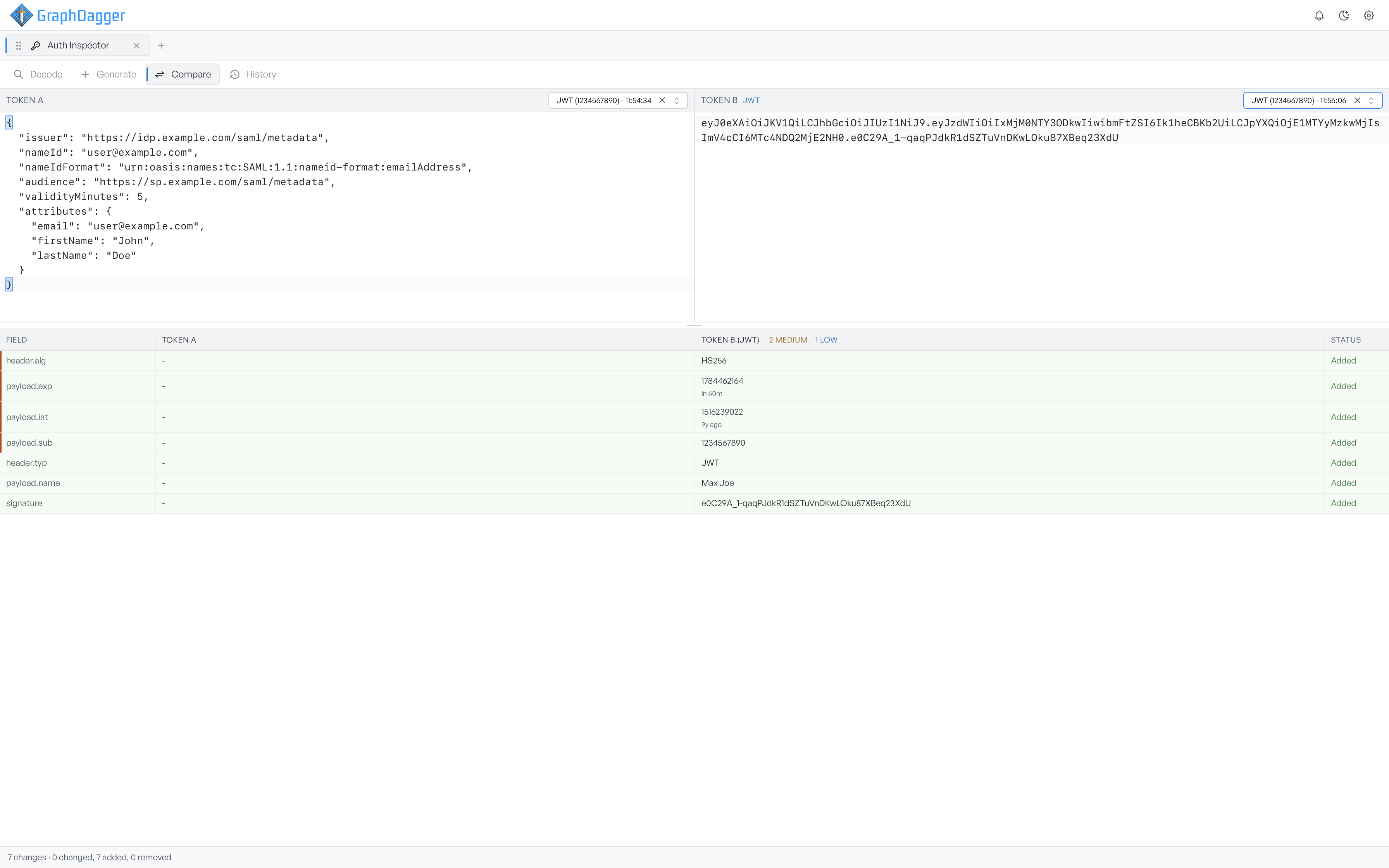
- Send any two entries into Compare as Token A and Token B