Network Recon
Network lookup toolkit: DNS, WHOIS, port scan, traceroute and SSL certificate checks.
Read the public record for a domain
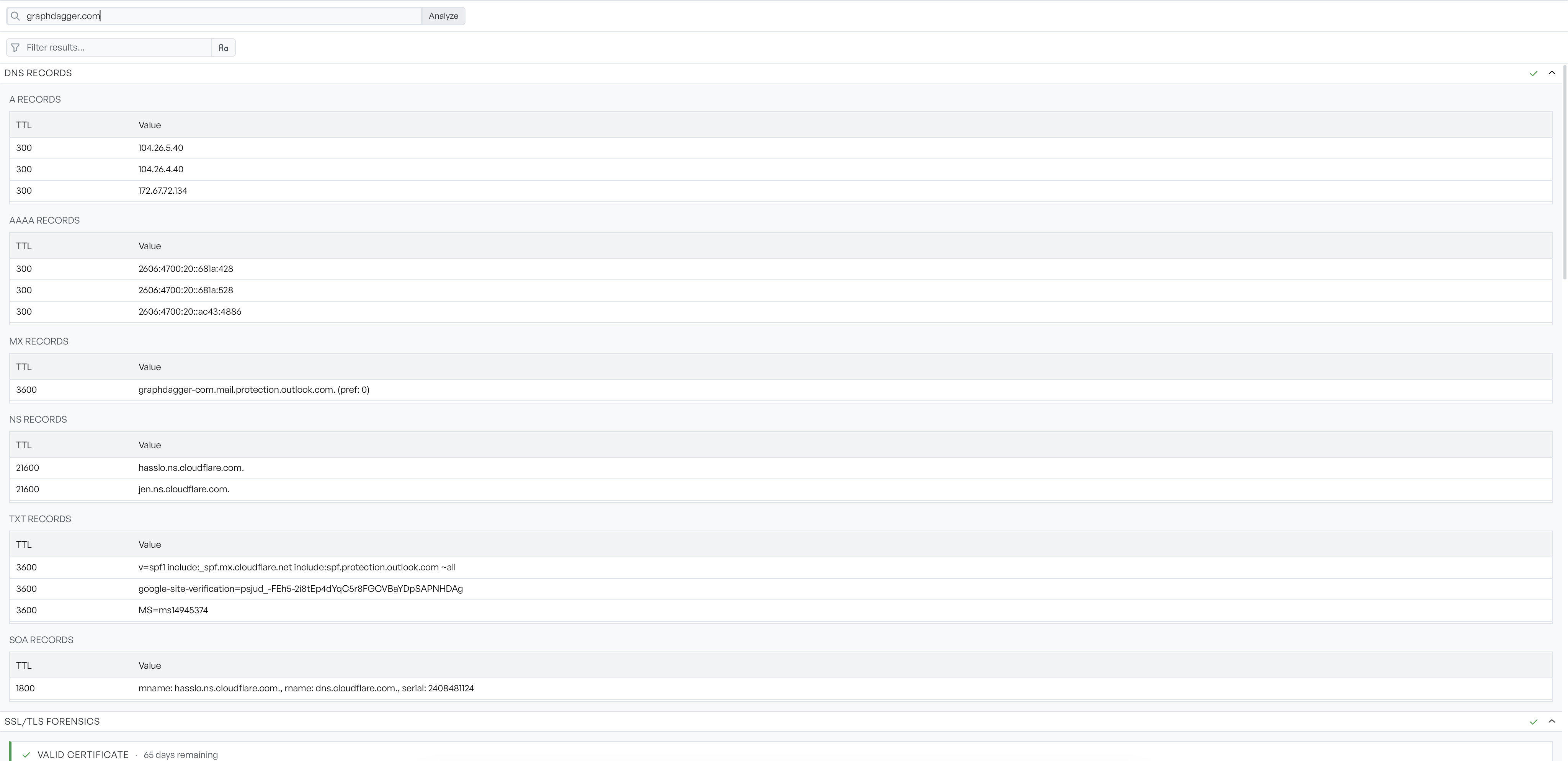
Give the Reconnaissance tab a domain and it runs six read-only lookups at once, filling in as each answer arrives. DNS comes back grouped by record type, A, AAAA, MX, NS, TXT and SOA, each a small table you can read for what it says about the infrastructure behind the name.
- Six lookups run in parallel and stream in as they finish
- Record types that returned nothing are left out entirely
- One filter box narrows every section at once
Check whether a host actually answers
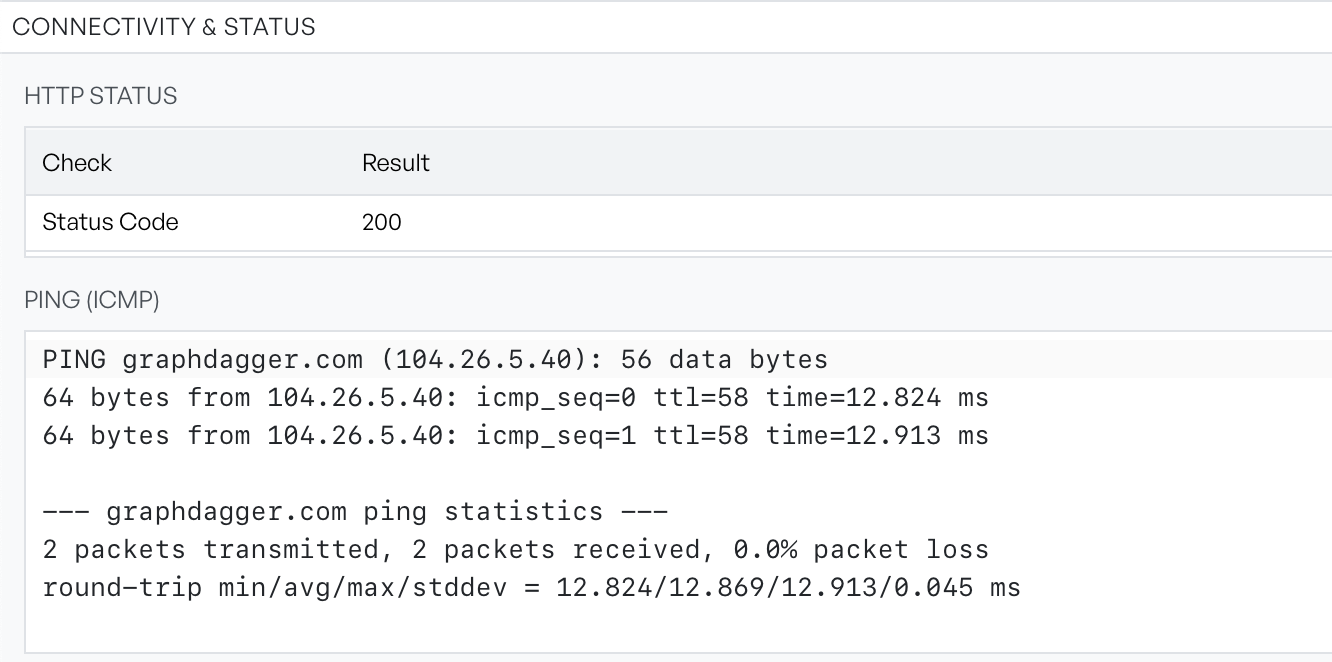
The connectivity section stops asking what the records say and checks what happens. An HTTP request reports the status code the target returned, and two pings report whether it replies and how fast. The ping output is shown verbatim, with the per-packet lines and the round-trip statistics kept intact.
- HTTP status and ping run together and fail independently
- Traceroute maps the route hop by hop with per-hop latency
- Unresolved and silent hops are marked rather than hidden
Scan a range for what is listening
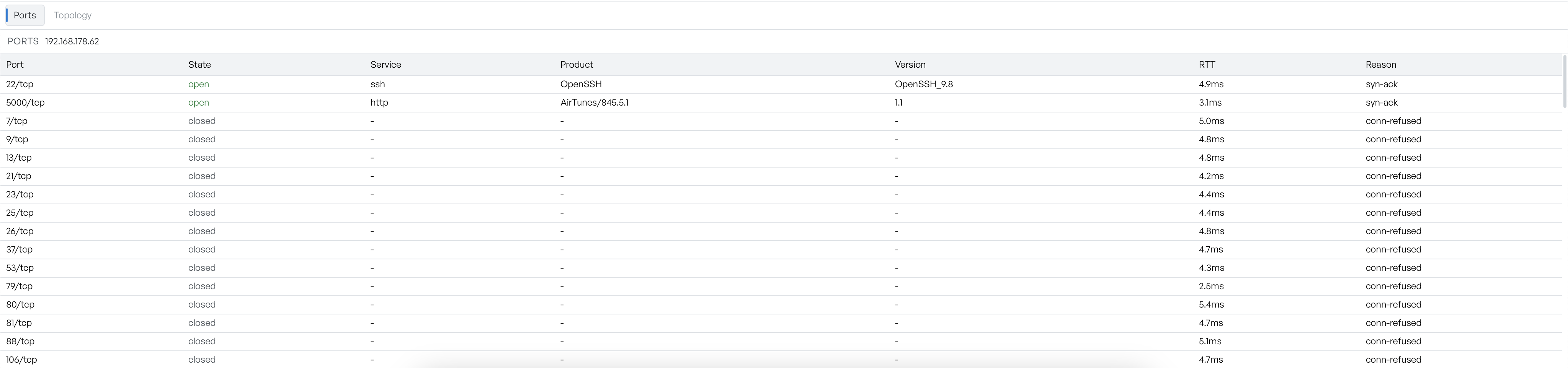
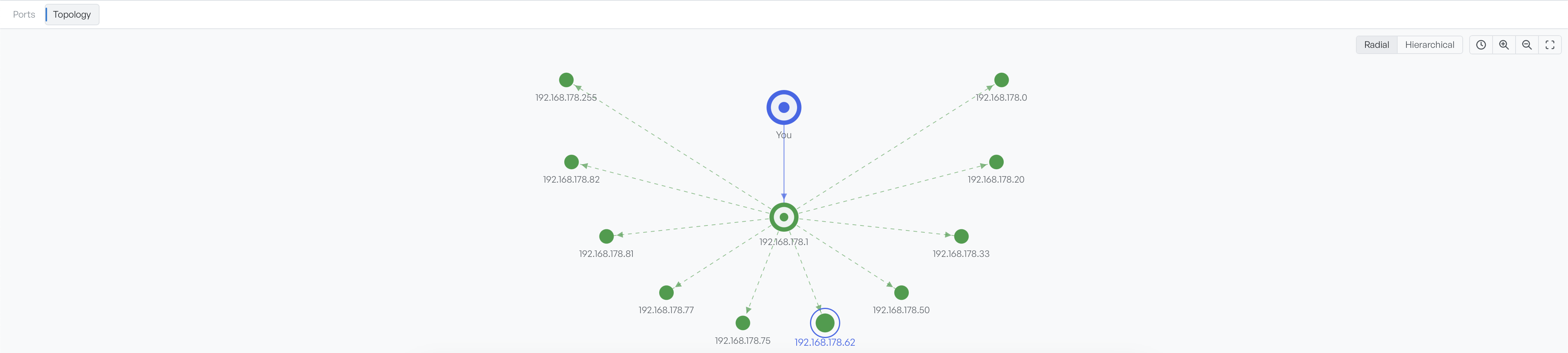
The Port Scanner takes single addresses, hostnames or CIDR ranges, finds which hosts are alive, then which ports accept a connection and what is answering on them. Service detection names the software and often its version, OS detection guesses the operating system, and a verbose panel streams the engine's own log as the scan runs.
- Port presets from Top 100 to every port, plus custom lists
- Service and OS detection with adjustable intensity
- Timing templates trade speed against how quiet the scan is
Who can send mail as the domain, and who owns it
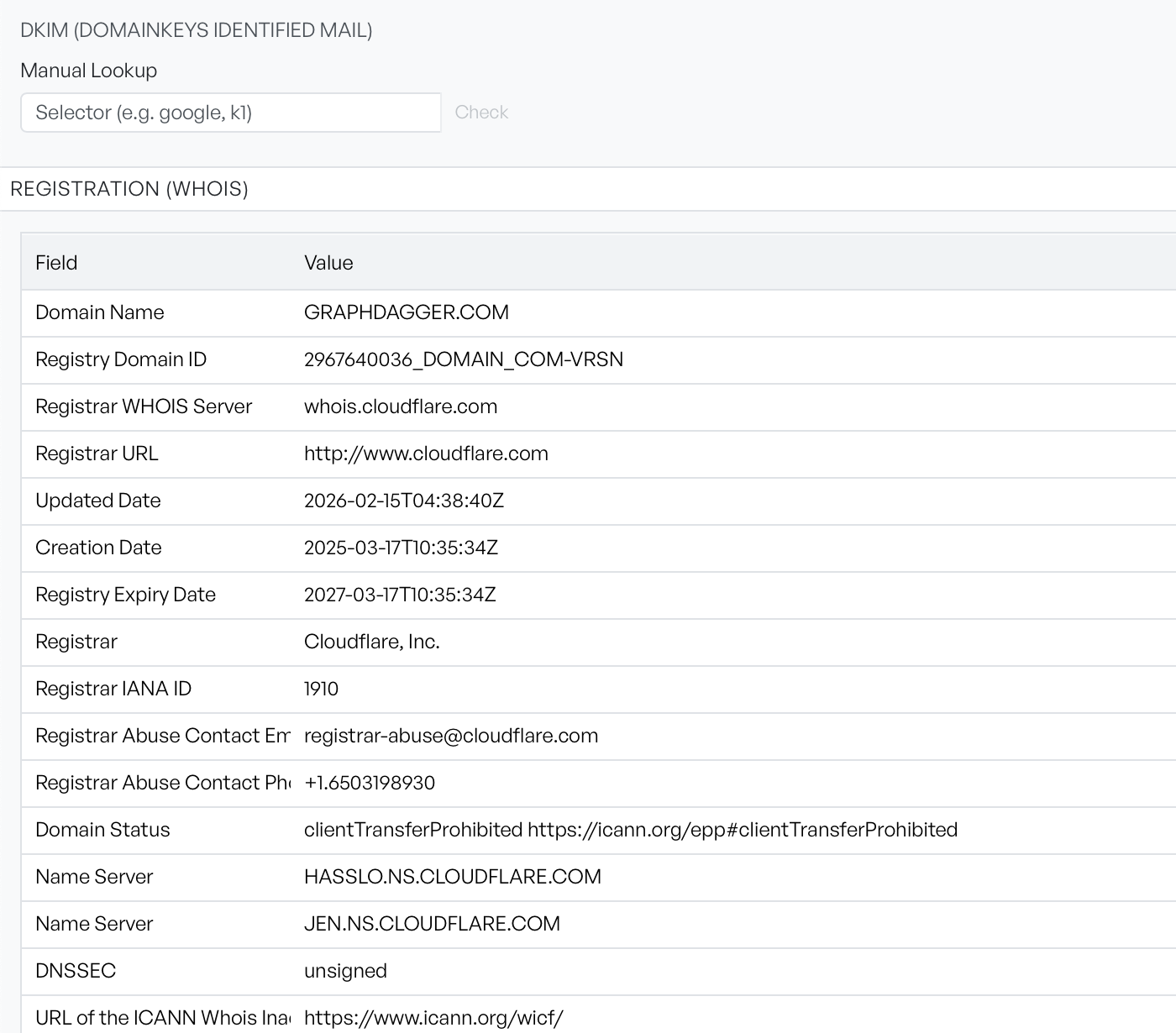
Three DNS-published records decide whether mail claiming to come from a domain will be believed, and the Email Security section reads all of them: the SPF policy followed through every nested include and shown as a flattened tree, the DMARC record, and DKIM keys found by trying nine common selectors, with a manual lookup for the rest. The Registration section underneath parses the WHOIS record into a field table.
- SPF include chains followed and flattened, with failures marked
- DKIM selector guessing plus a manual lookup field
- WHOIS parsed into registrar, dates, status codes and name servers
Crawl a web application and audit what comes back
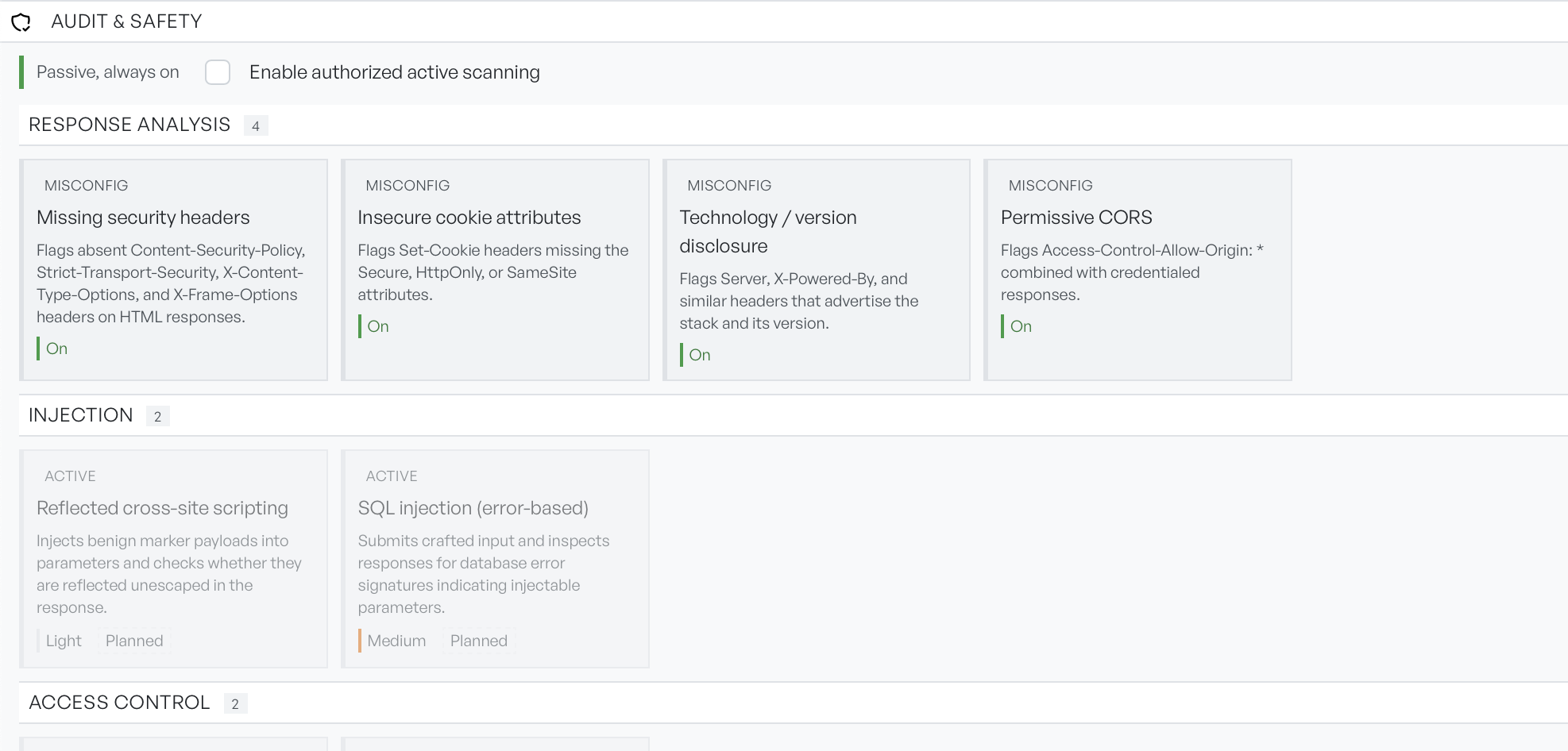
The Crawl & API Scan tab starts at a URL, follows what it finds the way a browser would, and checks every response for common misconfigurations. The defaults are safe against a site you do not own: robots.txt is respected, requests are rate limited, and only passive checks run unless you explicitly authorise active scanning. An API can be scanned directly from its OpenAPI definition instead.
- Passive checks for missing headers, insecure cookies, version disclosure and permissive CORS
- Active checks sit behind an explicit authorisation step
- Scope, limits and discovery are all configurable before you start