Database Client
Connect to SQLite, PostgreSQL, MySQL and SQL Server, several at once: visual schema, data browsing with inline cell editing, an auto-generated ERD and a SQL editor with autocomplete.
Work across every database at once
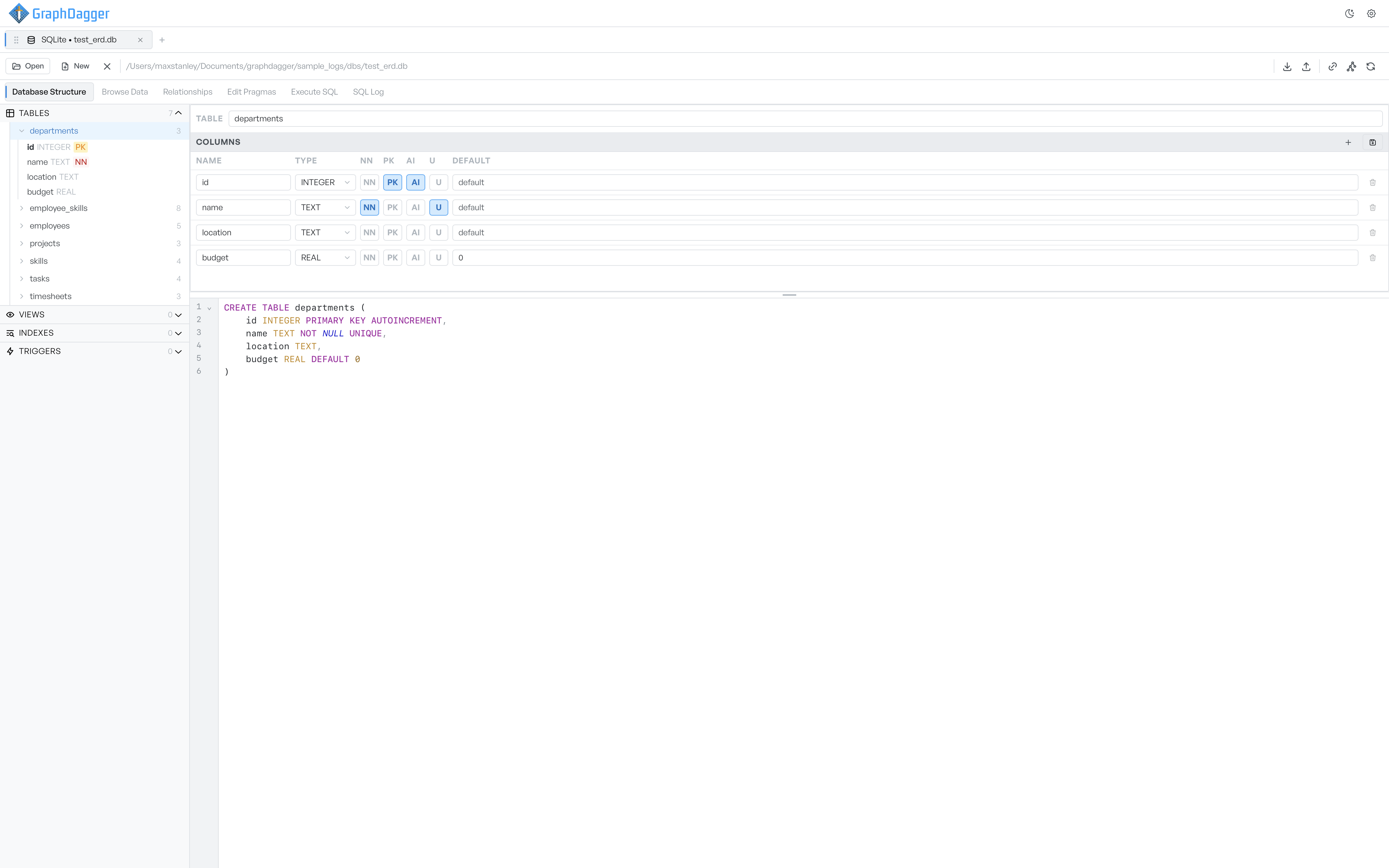
Connect to SQLite, PostgreSQL, MySQL and SQL Server and keep them side by side in one sidebar. Each connection expands into its tables, views, indexes and triggers with a live count beside every heading, and selecting a table opens its columns and the CREATE statement that built it.
- Multiple connections open together, each labelled by engine
- Object tree with row counts on every table
- Browse data and read the schema in the same view
Run SQL and read the result
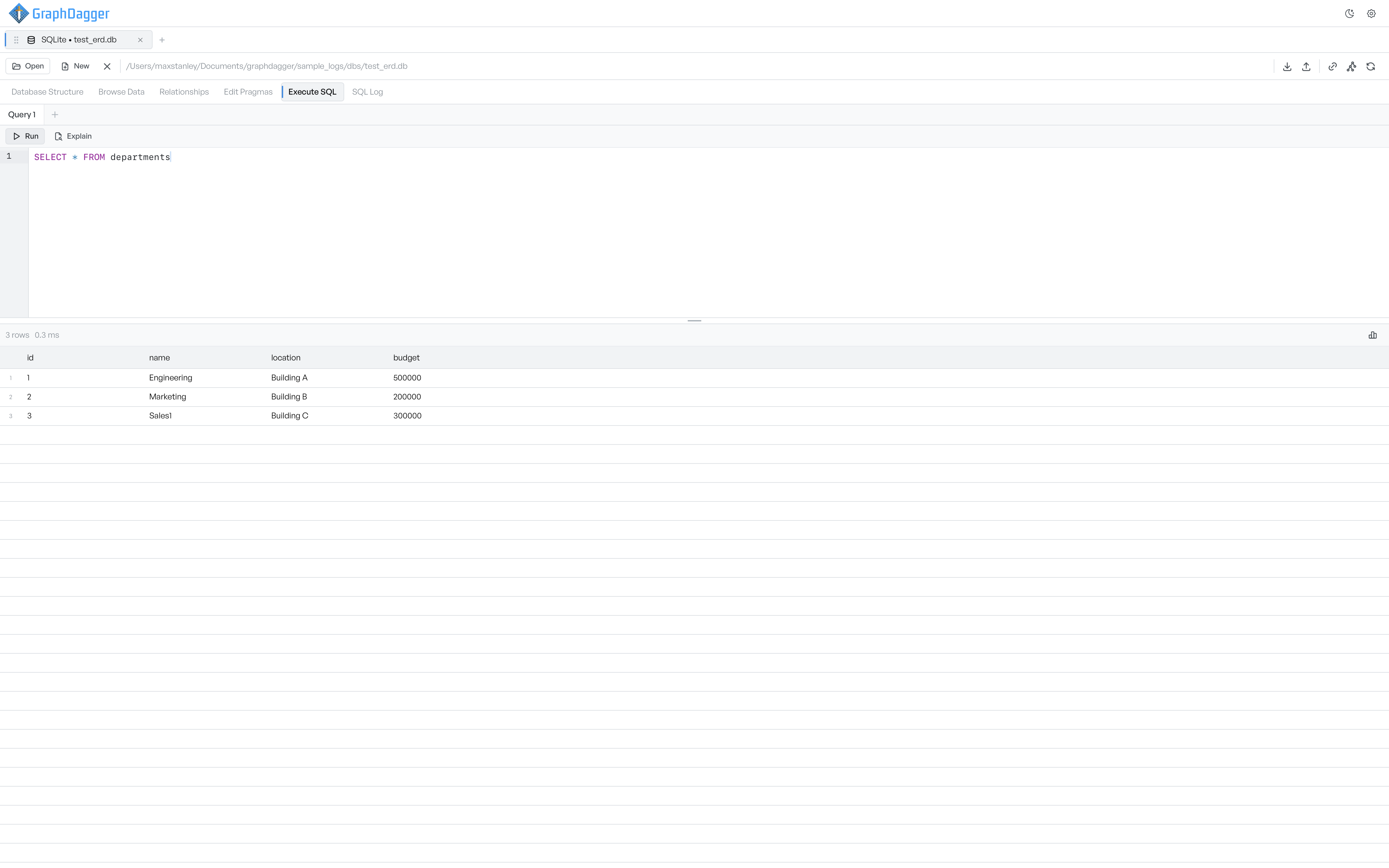
The Execute SQL tab is a line-numbered editor with keyword highlighting. Run a statement and the rows appear in a grid below with the count and execution time, or use Explain to see the query plan. Each query keeps its own tab so you can compare variants side by side.
- Run and Explain from the editor toolbar
- Status line reports row count and time, for example 3 rows in 0.3 ms
- Separate query tabs, each with its own editor buffer
Edit any cell in place
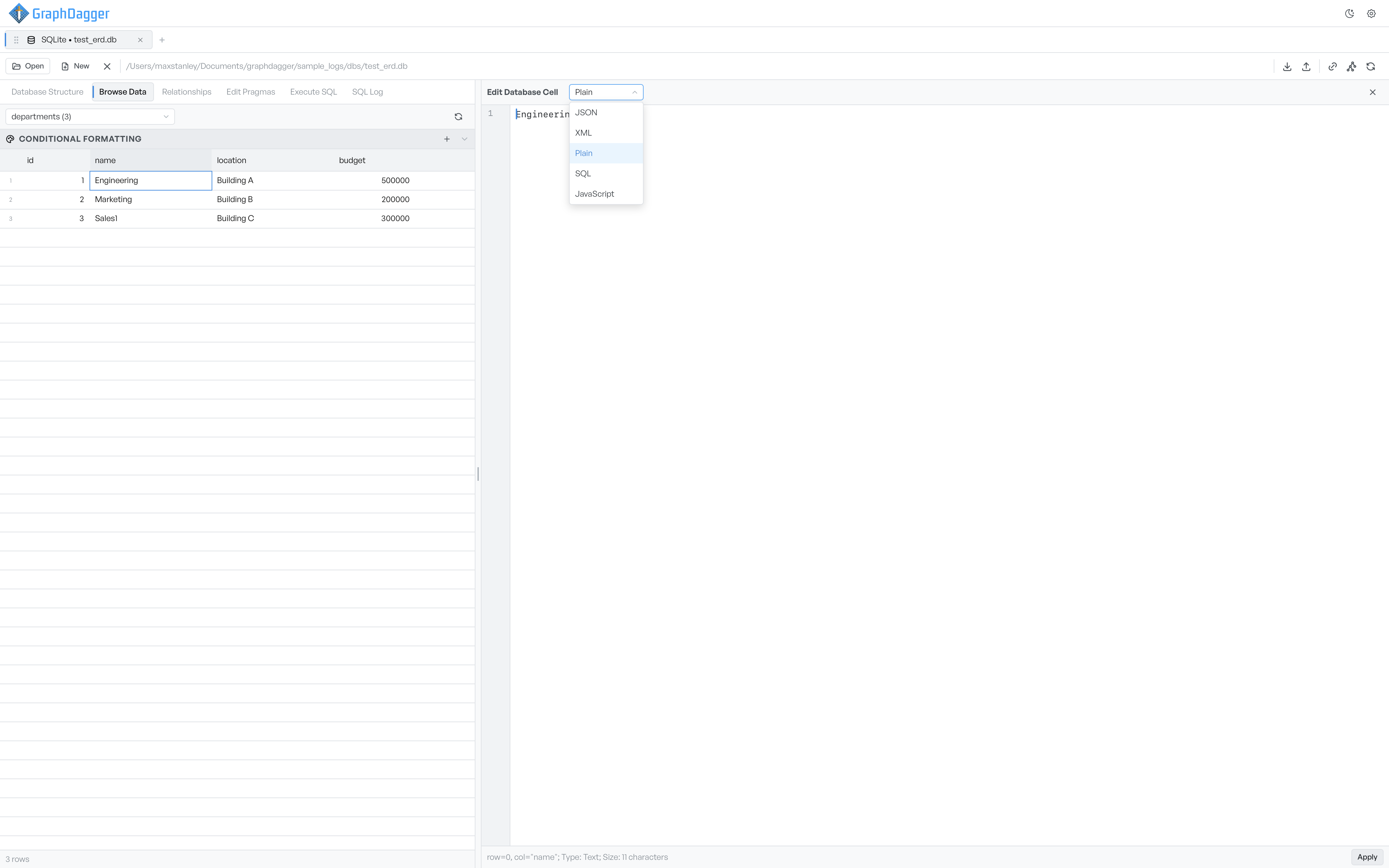
Browse a table's rows in a grid and change them where they sit. Open a cell in the editor and treat its value as plain text, JSON, XML, SQL or JavaScript, and set conditional formatting rules that colour rows by what they contain.
- Edit, insert and delete rows straight from the grid
- Open a cell as plain text, JSON, XML, SQL or JavaScript
- Conditional formatting highlights rows by their values
Tune the engine with pragmas
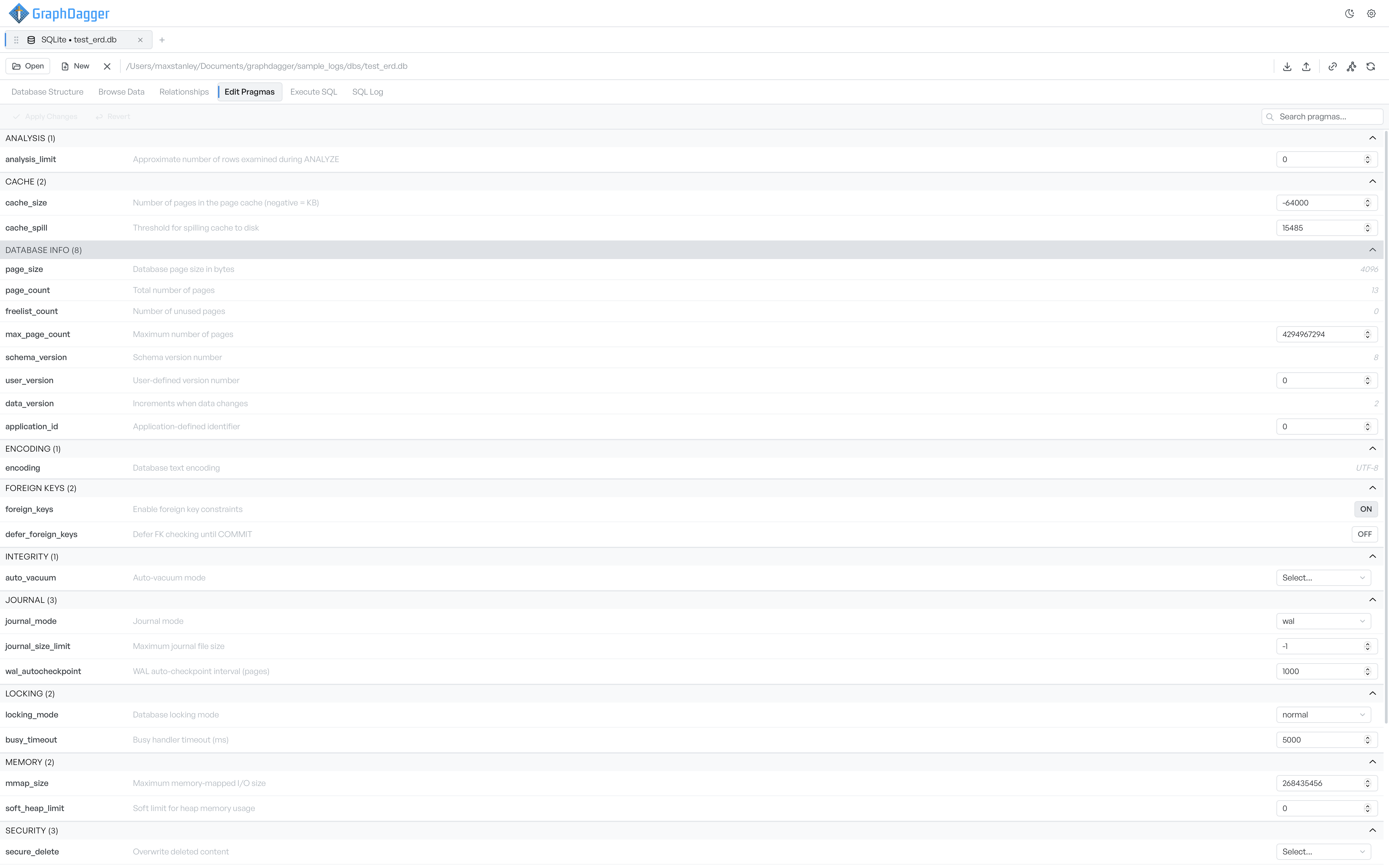
The Edit Pragmas tab gathers a SQLite database's own settings in one place, grouped by purpose. Read the page size, page count and encoding, or change the journal mode, cache size, foreign-key enforcement and locking, then apply the changes to the file.
- Every pragma grouped: cache, journal, locking, memory and security
- Read-only values like page size and encoding shown inline
- Change and apply settings without writing PRAGMA statements by hand
Open encrypted SQLite databases
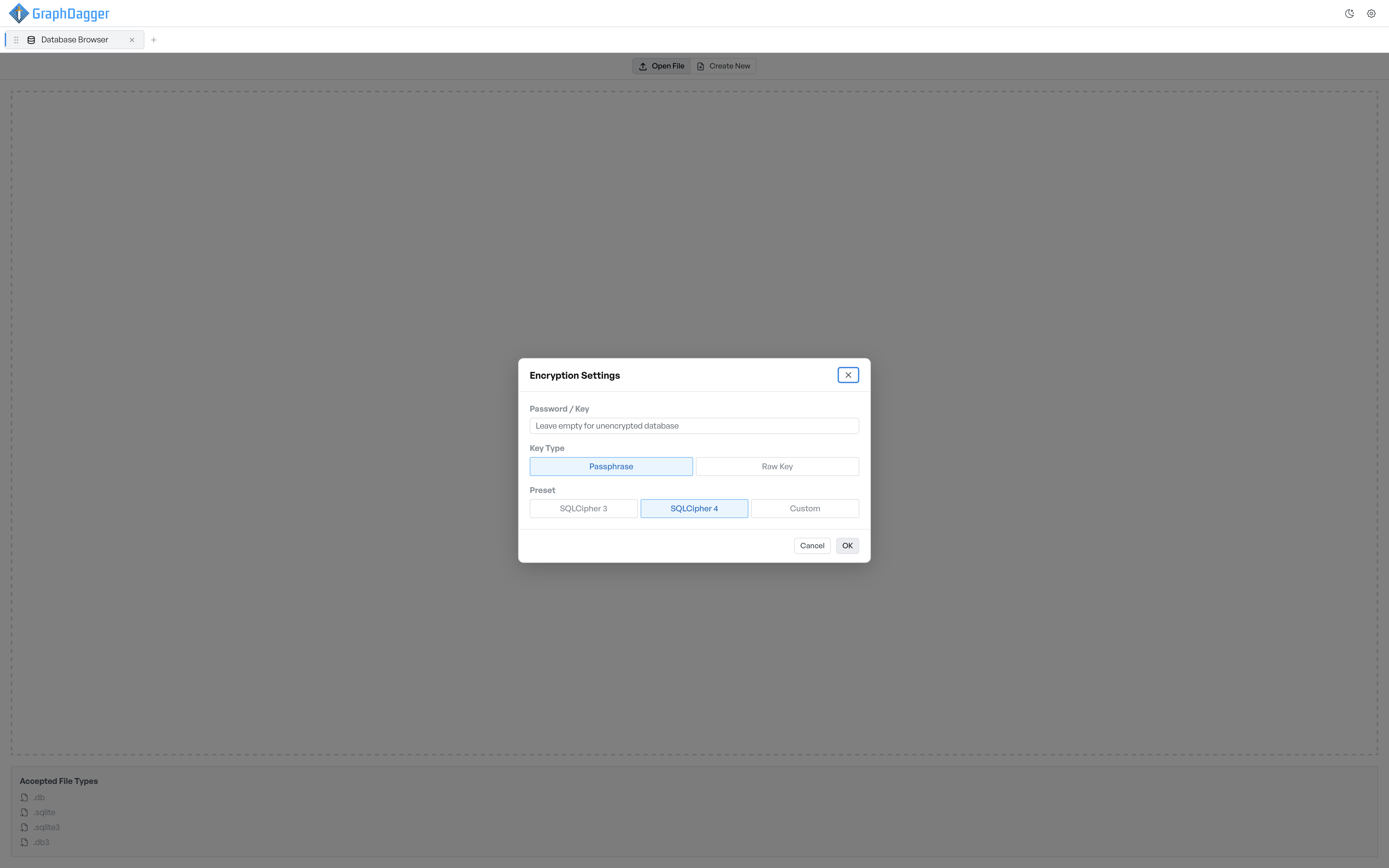
Encrypted SQLite files open through the same window as any other. Enter the passphrase or raw key, pick the SQLCipher version that made the file, and the database opens in place alongside your other connections.
- SQLCipher 3, SQLCipher 4 or a custom cipher profile
- Unlock with a passphrase or a raw key
- Opens .db, .sqlite, .sqlite3 and .db3 files
A tab for every job, and a log of every query
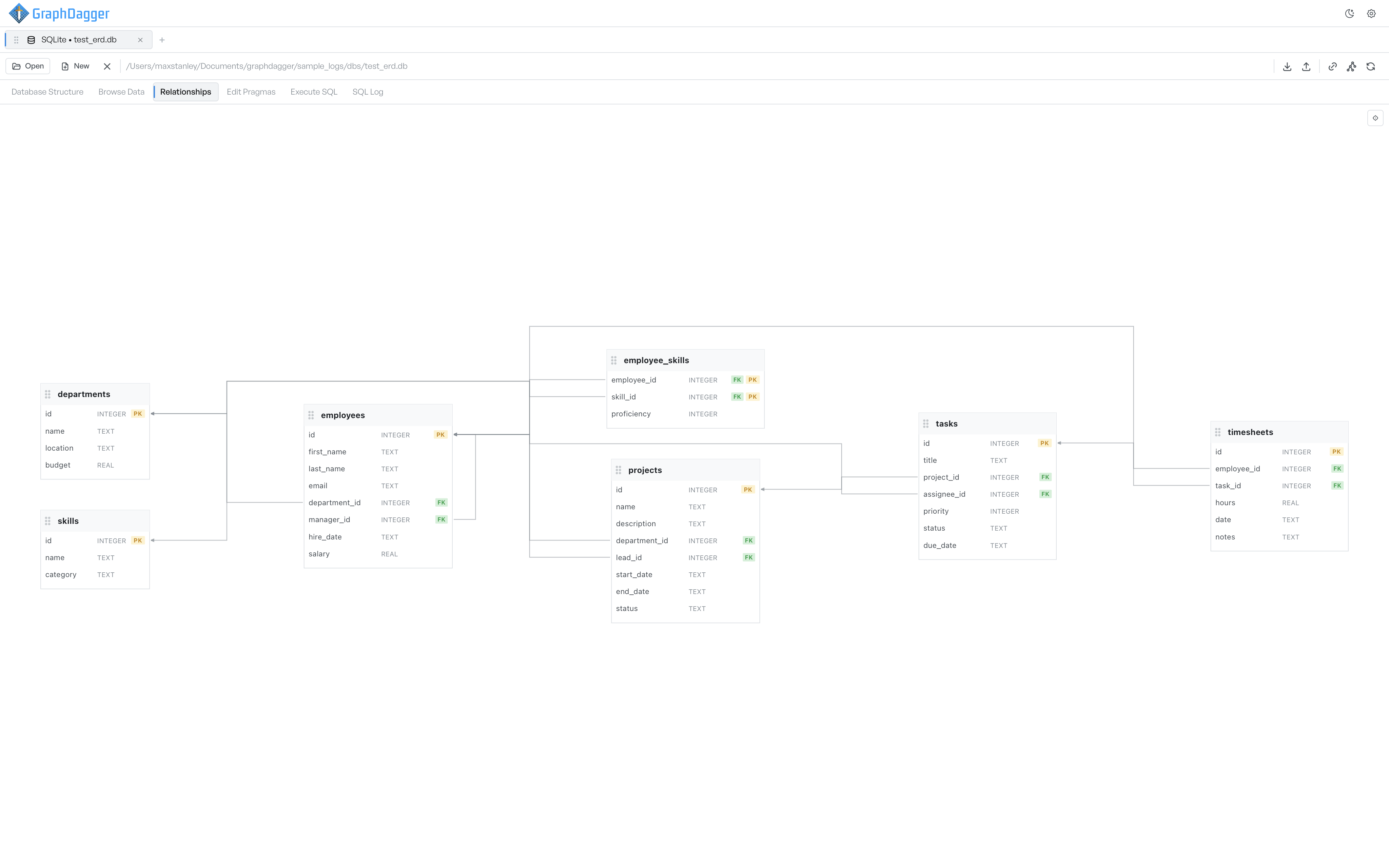
Every database opens the same six tabs in the same order: Database Structure for the schema, Browse Data for the rows, Relationships for the foreign-key graph, Edit Pragmas for settings, Execute SQL for statements and SQL Log for a timestamped record of everything the workspace has run.
- Six tabs in a fixed order, the same for every engine
- SQL Log records each statement with a timestamp, status and duration
- Open, create and close databases without leaving the tab