Email Forensics
Check whether an email really came from who it claims: headers, routing, attachments and SPF, DKIM and DMARC validation.
Authentication results, unpacked field by field
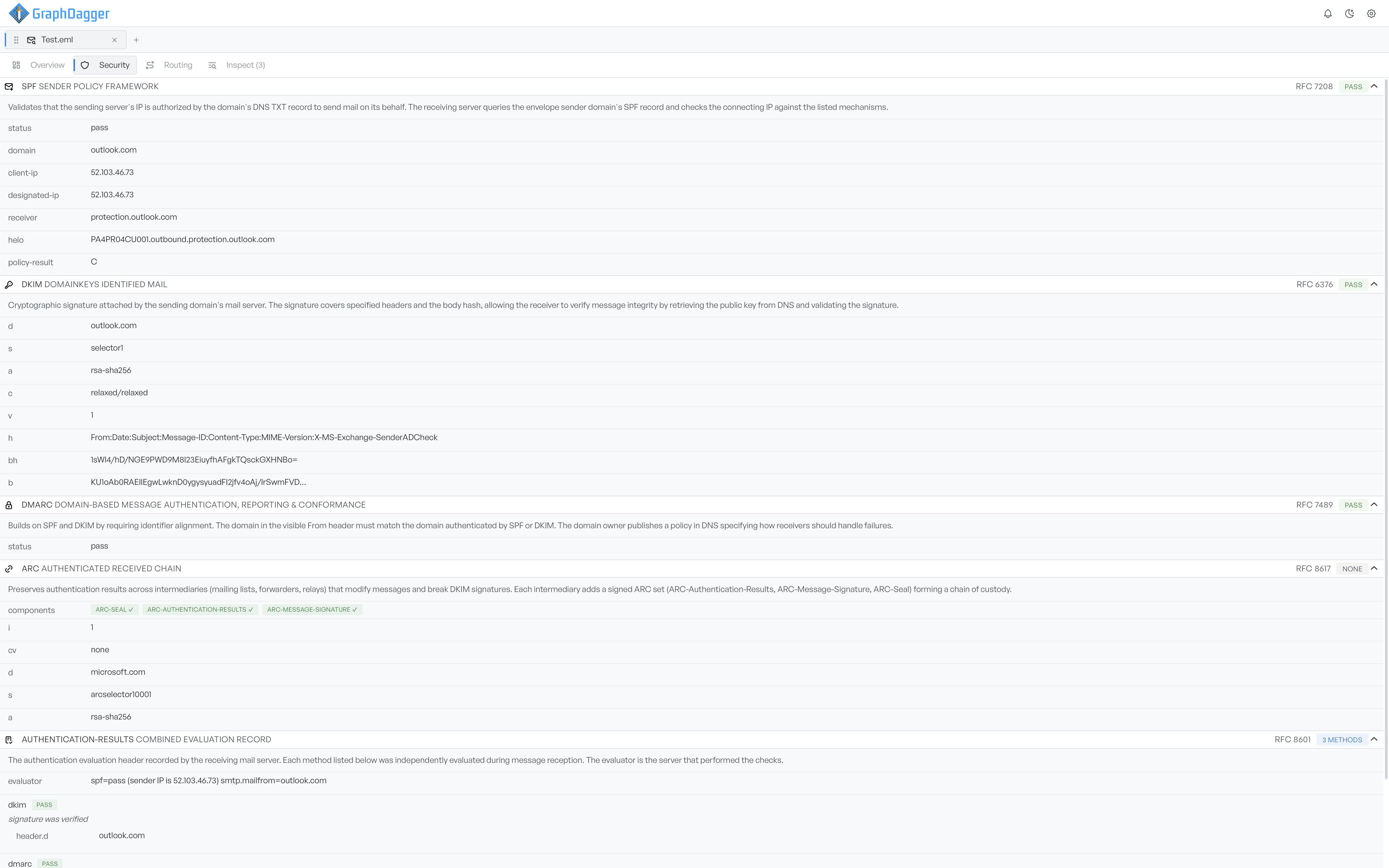
The Security tab parses the headers the receiving mail server wrote when it checked the sender. SPF and DKIM are broken down row by row, with the domain queried, the connecting IP, the signing selector, the algorithm and the body hash each labelled in plain language, so you never have to remember the tag conventions of each standard.
- Every field explained inline, with the RFC it comes from
- PASS, FAIL and NONE verdict badges on each check
- DKIM rows show exactly what the signature covers
Trace the route a message really travelled
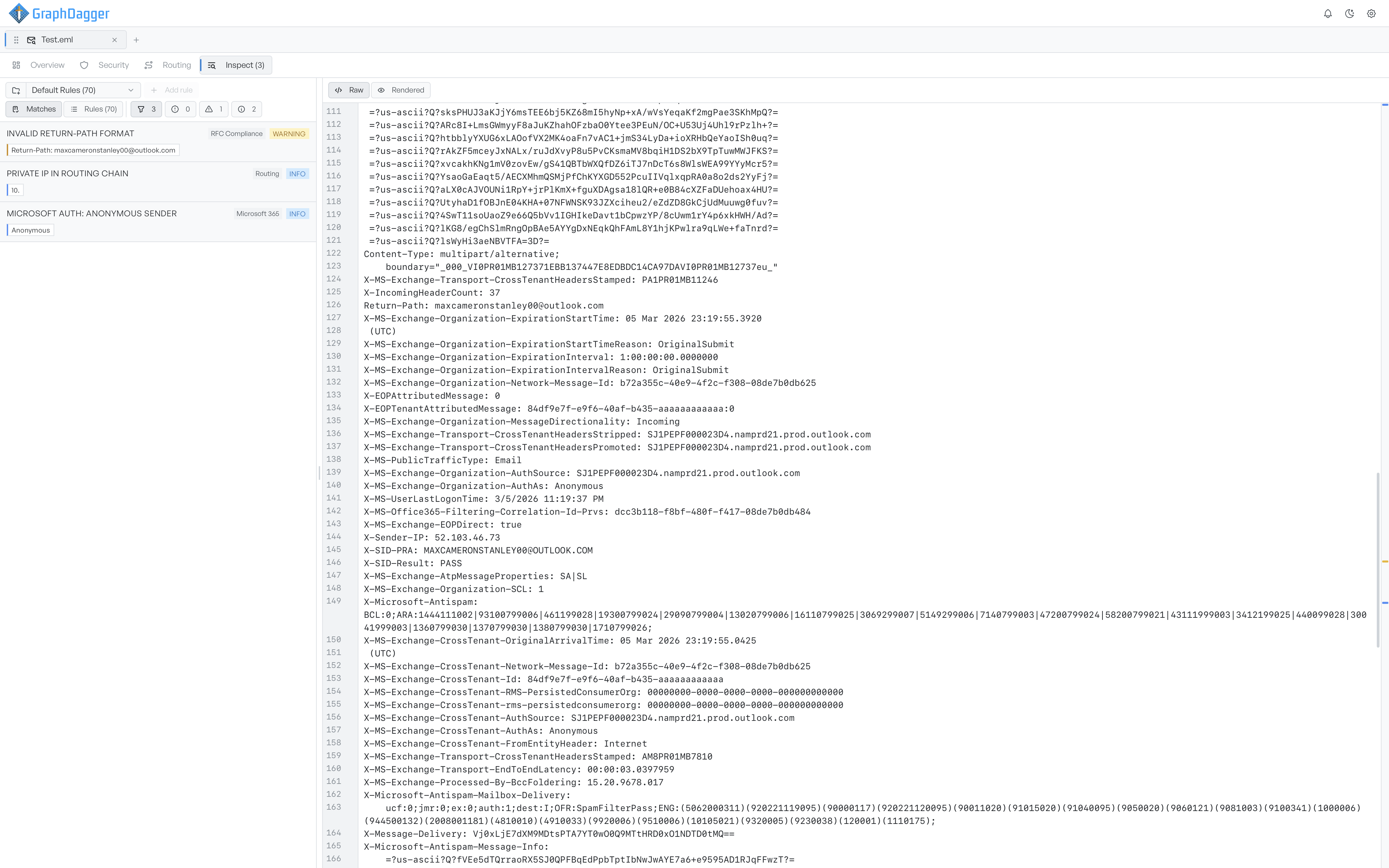
The Routing tab rebuilds the delivery path from the Received headers and draws it as a chain of hops, origin to destination, with relays in between. Select any server to see the fields parsed from its header: hostname, IP, protocol and TLS parameters, and the timestamp when it handled the message.
- Hop-by-hop chain with origin, relay and destination labels
- Per-hop details: hostname, IP, protocol, TLS and timestamp
- Copy buttons and expand controls on every field
Run a ruleset against the message
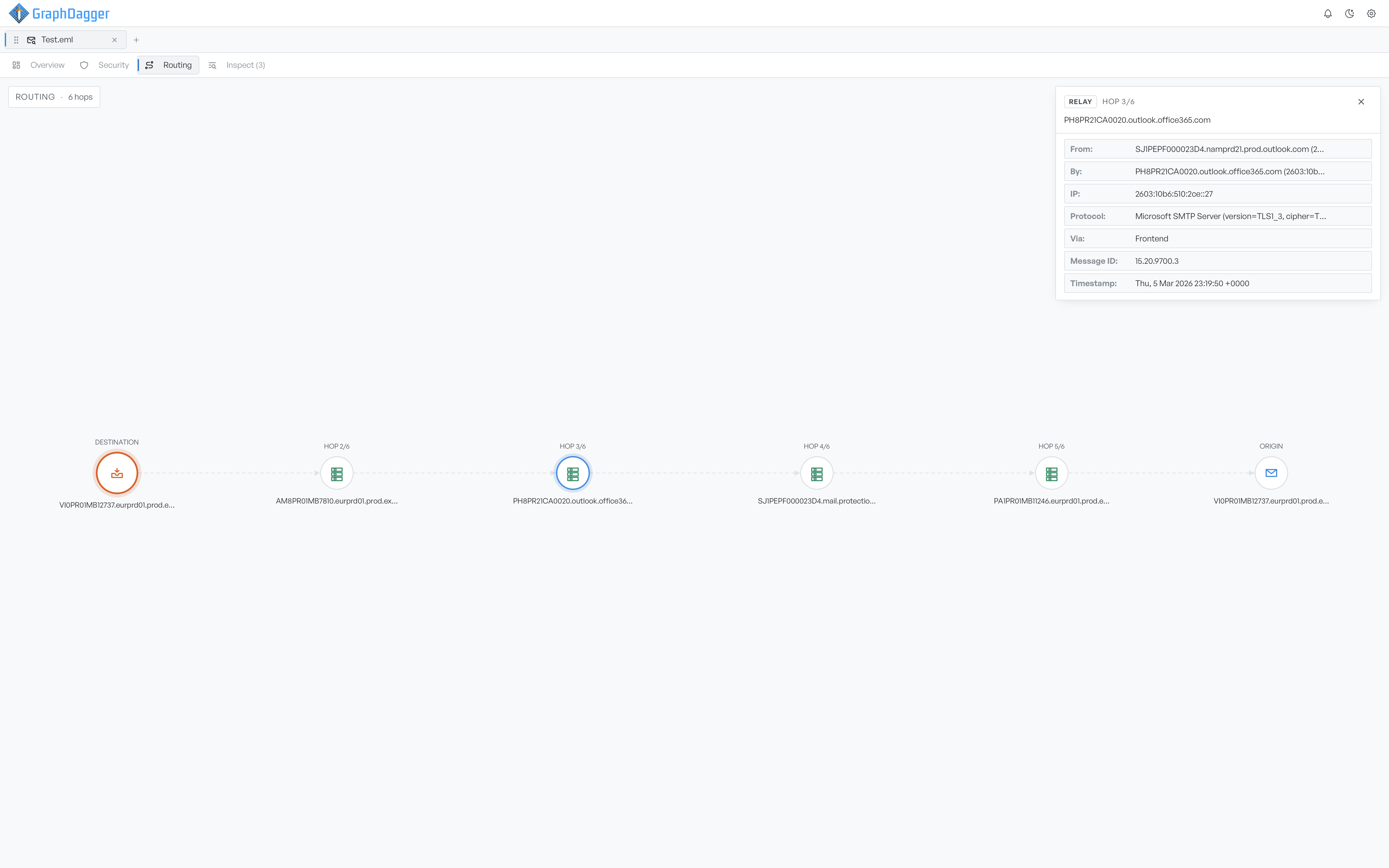
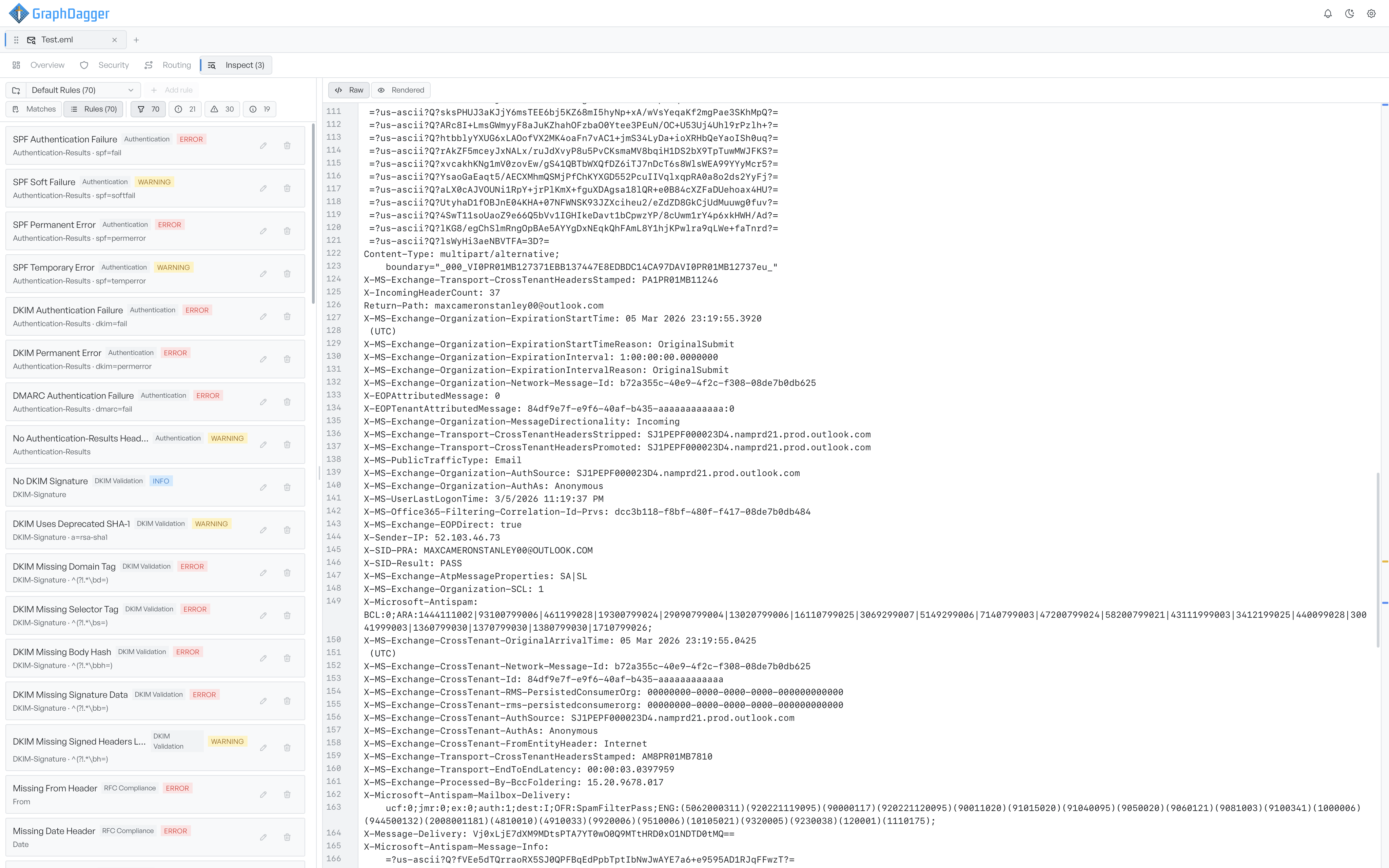
The Inspect tab measures every opened message against a ruleset and pins each finding to the exact source text that triggered it. The built-in set holds 70 checks covering authentication, spoofing, routing, spam-filter verdicts and RFC compliance, and the Rules view lets you browse everything the set looks for even when a message triggers none of it.
- 70 built-in checks with severity filters and counts
- Matches shows what fired, Rules shows the whole set
- Switching rulesets re-runs its checks instantly
Write the checks your team cares about
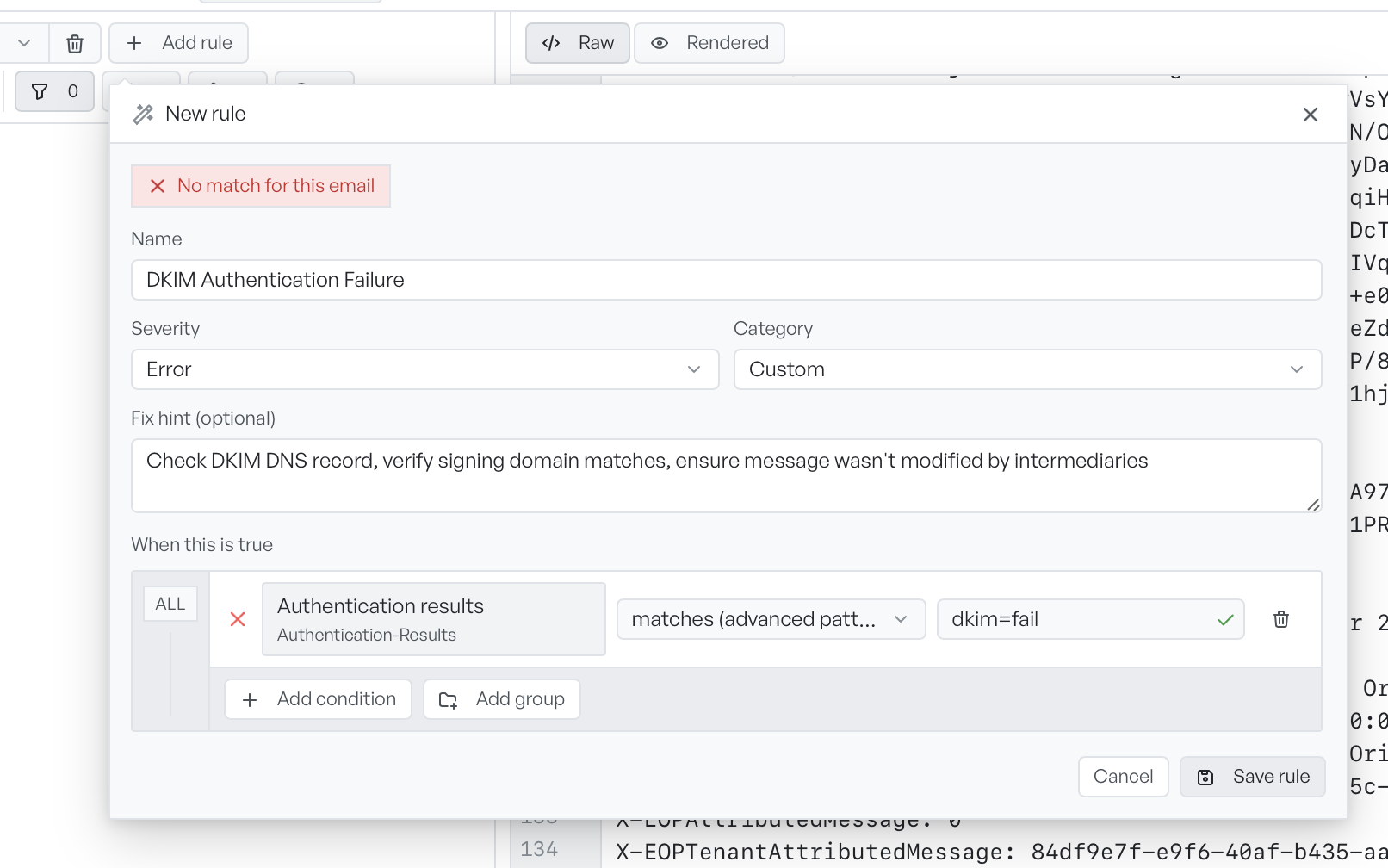
Custom rules are built visually, condition by condition. Each condition reads as a sentence: a field, an operator and a value, with headers grouped under friendly names so you never hunt for the exact one. A dot on each condition and a badge at the top of the builder show whether the rule matches the open message as you type.
- Start from a template of any built-in check, or from blank
- Text, pattern, presence and numeric operators
- ALL and ANY condition groups that nest for combined logic
- Severity, category and an optional fix hint on every rule
Every header, grouped and searchable
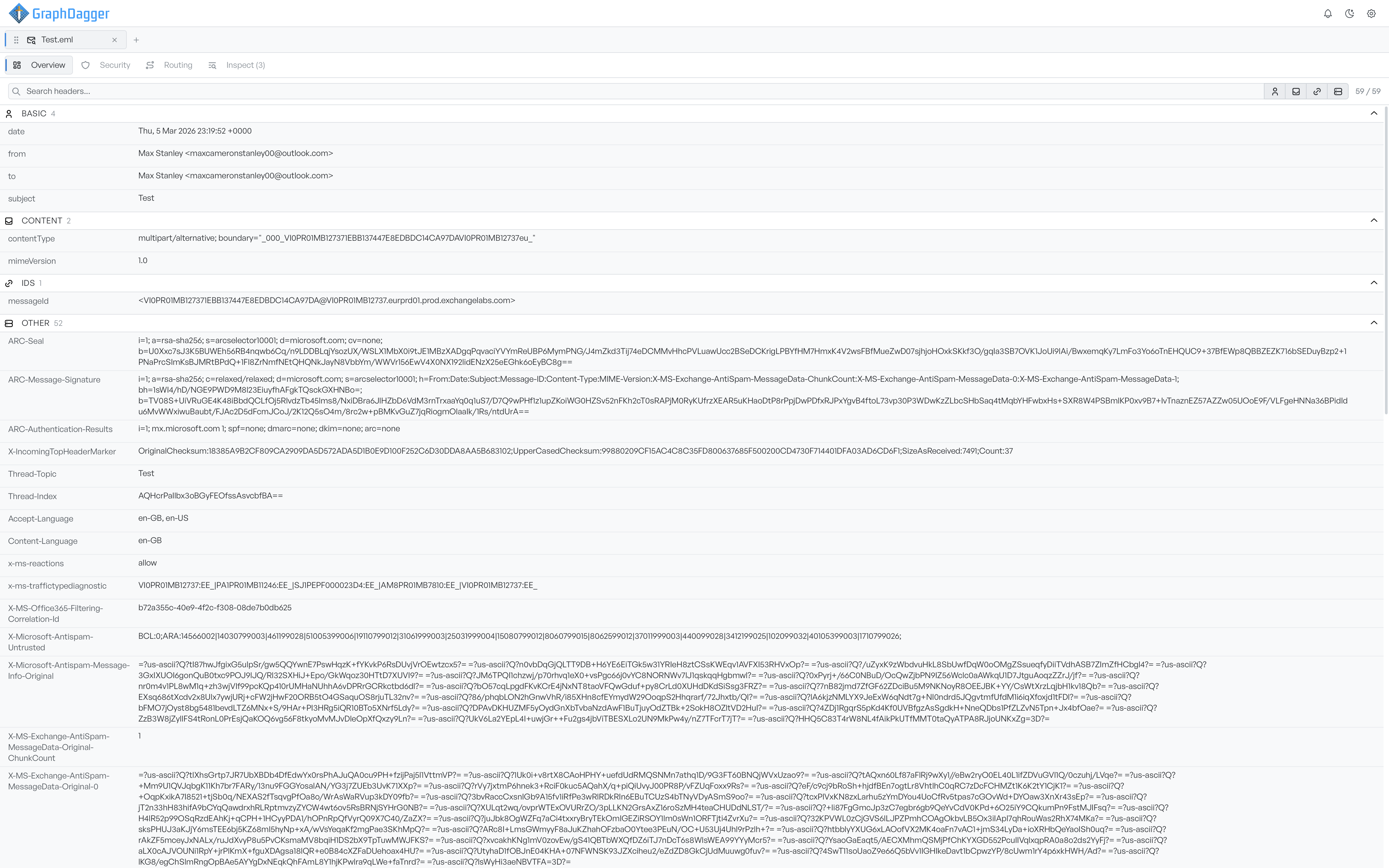
Open a message by dragging in a file, choosing one from disk, or pasting raw headers straight into the editor. The Overview tab lists every header grouped into Basic, Content, IDs and Other, with live search across names and values, and long values such as ARC signatures wrap so nothing runs off the pane. Each message opens in its own tab, so you can keep several investigations side by side.
- Reads .eml, .mbox, .txt, .headers and .hdr files, or pasted headers
- Header groups you can toggle to cut provider noise
- One workspace tab per message, switchable without losing your place