File Triage
Inspect unknown or suspicious files: hex viewer, entropy heatmap, string extraction and YARA rule scanning.
Know what a file really is
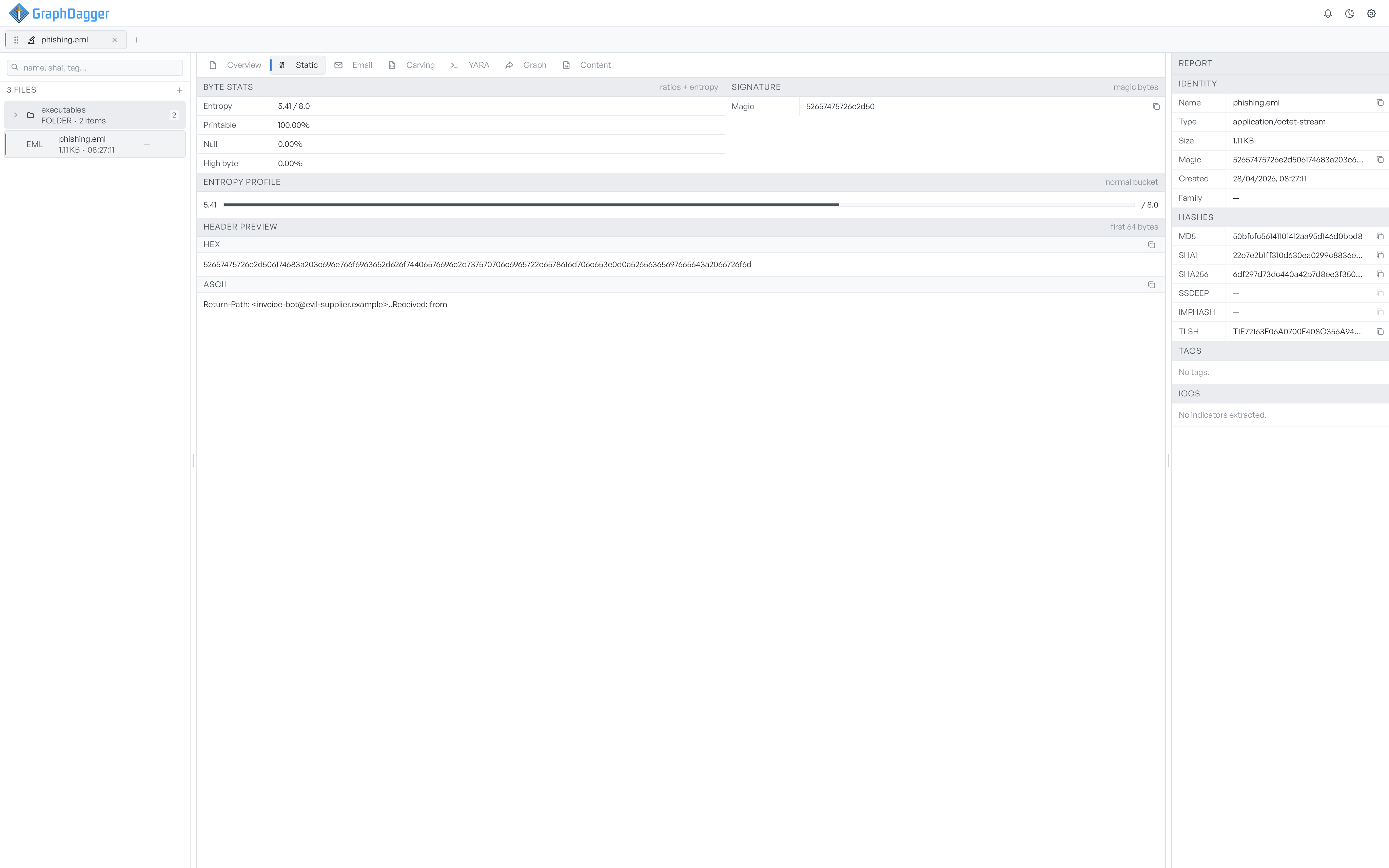
Opening a file runs the static pipeline automatically: hashing, signature detection, byte statistics, entropy and string extraction. The Static tab reads straight from the bytes, with the magic signature, printable and null byte ratios, an entropy profile and a hex and ASCII preview of the first 64 bytes, while the report panel keeps the hashes pinned alongside.
- MD5, SHA-1, SHA-256, SSDEEP and TLSH computed on open
- Entropy in bits per byte with low, normal, high and packed buckets
- First 64 bytes as hex and ASCII with one-click copy
See what a file connects to
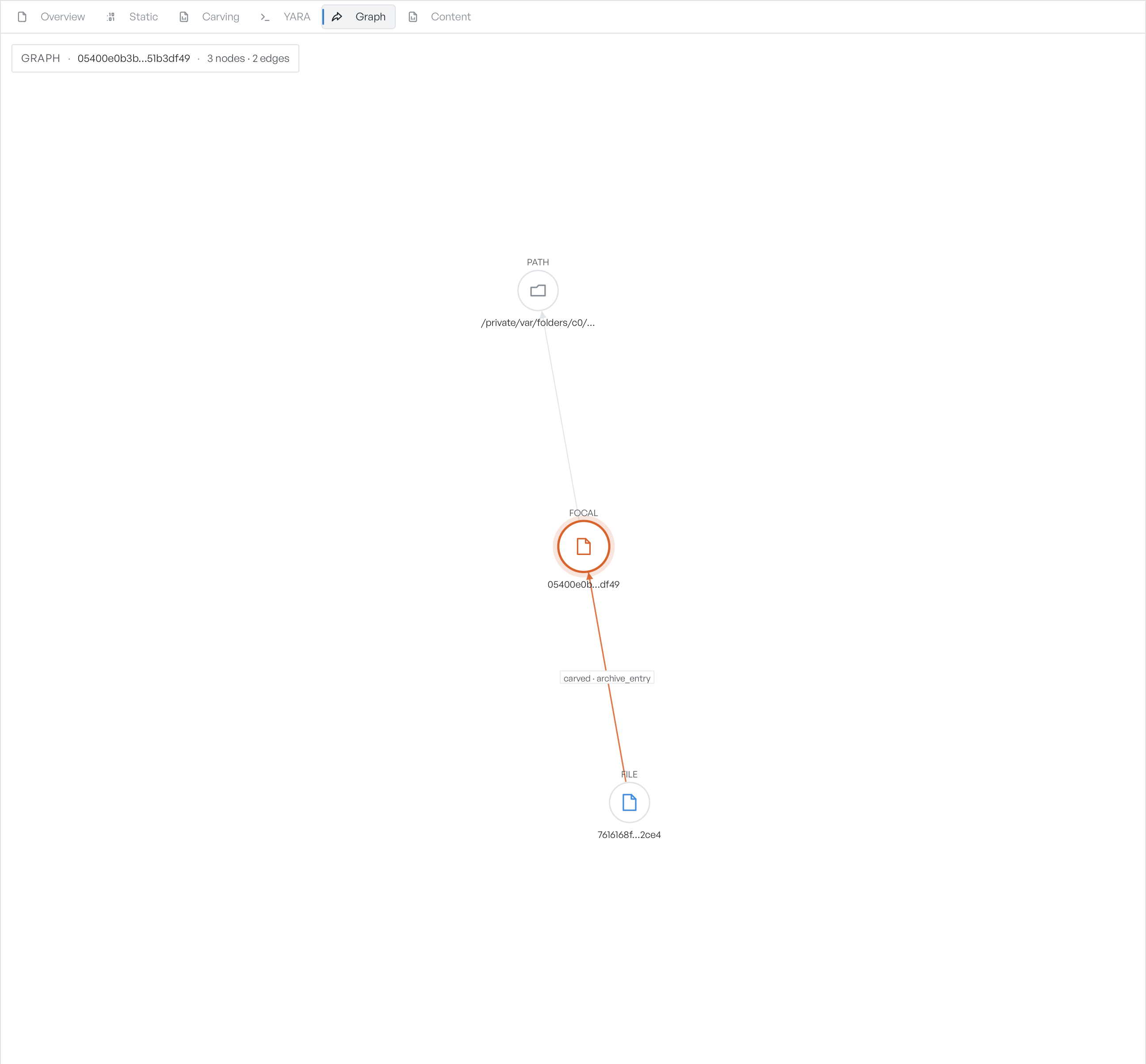
The Graph tab draws the active file as the focal node in a graph of its extracted indicators and related files. Domains, IPs, URLs, paths and email addresses fan out around it, files that share an indicator or a similar fingerprint join the picture, and the report panel lists every indicator group with counts.
- Automatic IOC extraction: URLs, domains, IPs, emails, hashes and paths
- Related files linked by shared indicators, carving or fuzzy hashes
- Click any node for its full value, dates and connected edges
Run YARA rules on a live hex dump
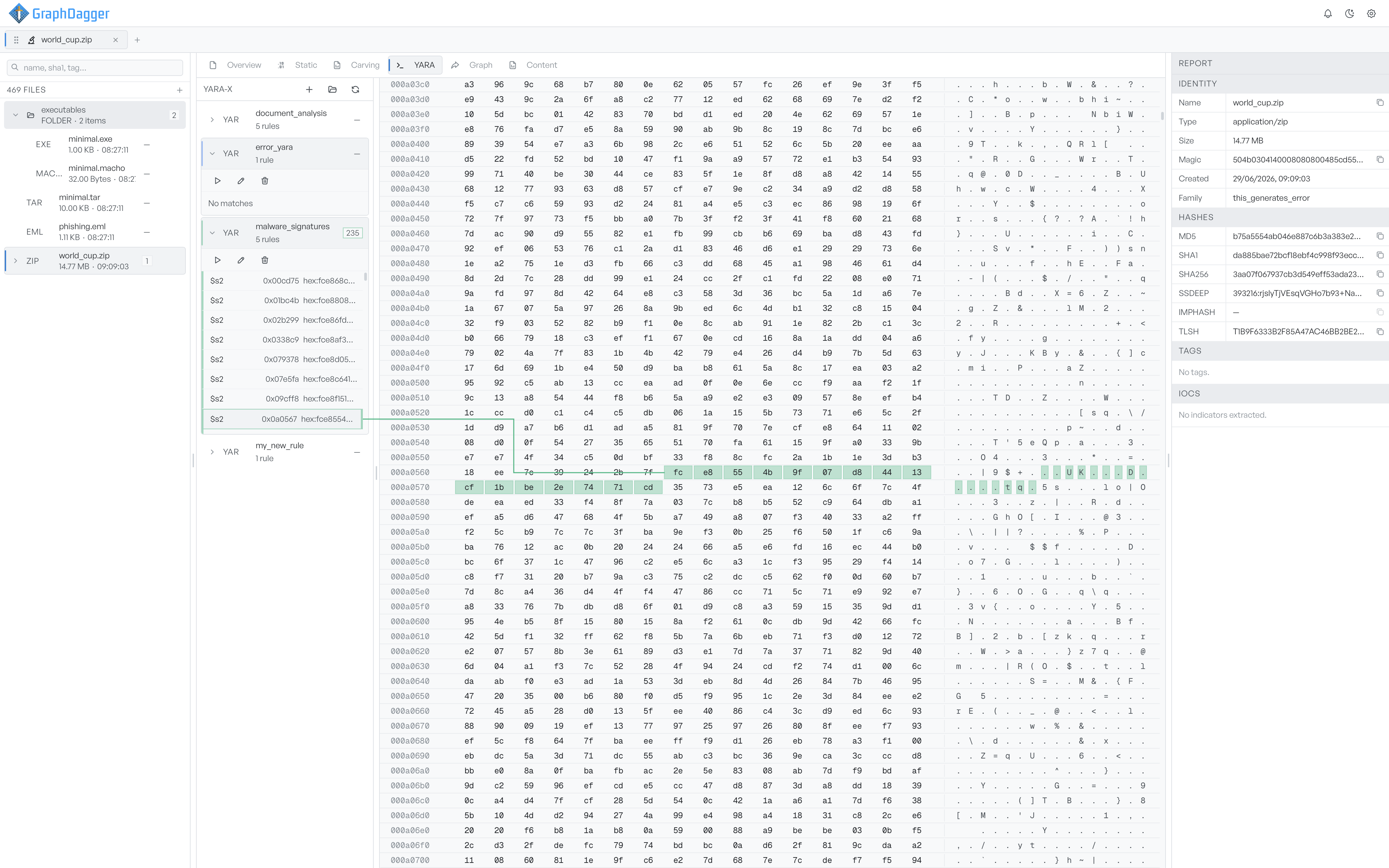
The YARA tab holds a YARA-X rules sidebar, a hex dump of the active file, and an editor pinned below. Run a rule pack and matched byte ranges shade the hex dump in each rule's colour, so a hit is never abstract. Edit rules inline, or keep a signature you have just written for the next file.
- Rule packs with run, edit and delete controls
- Matches highlighted directly on the file's bytes
- Inline rule editor with a built-in Tests view
A workspace built for more than one file
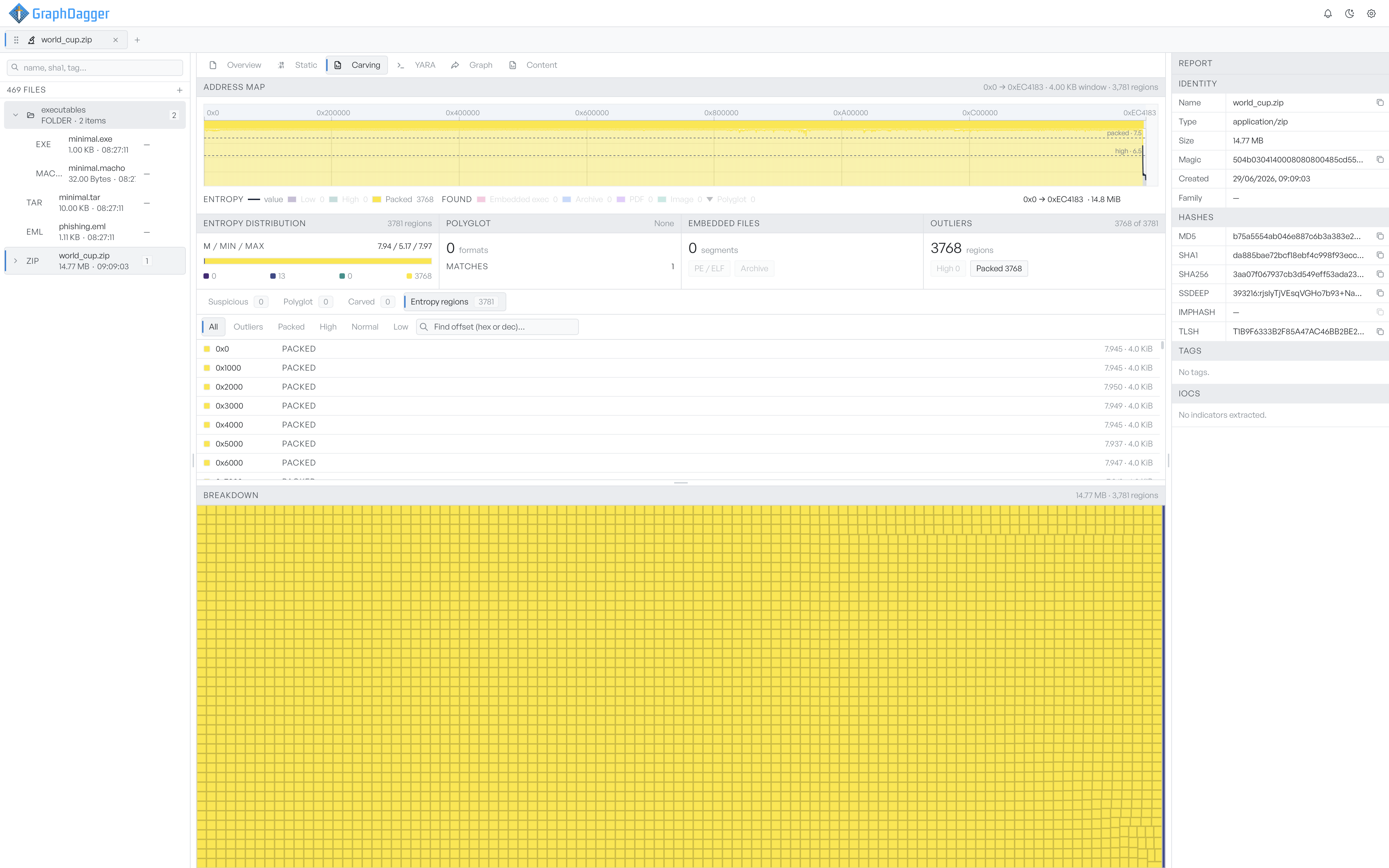
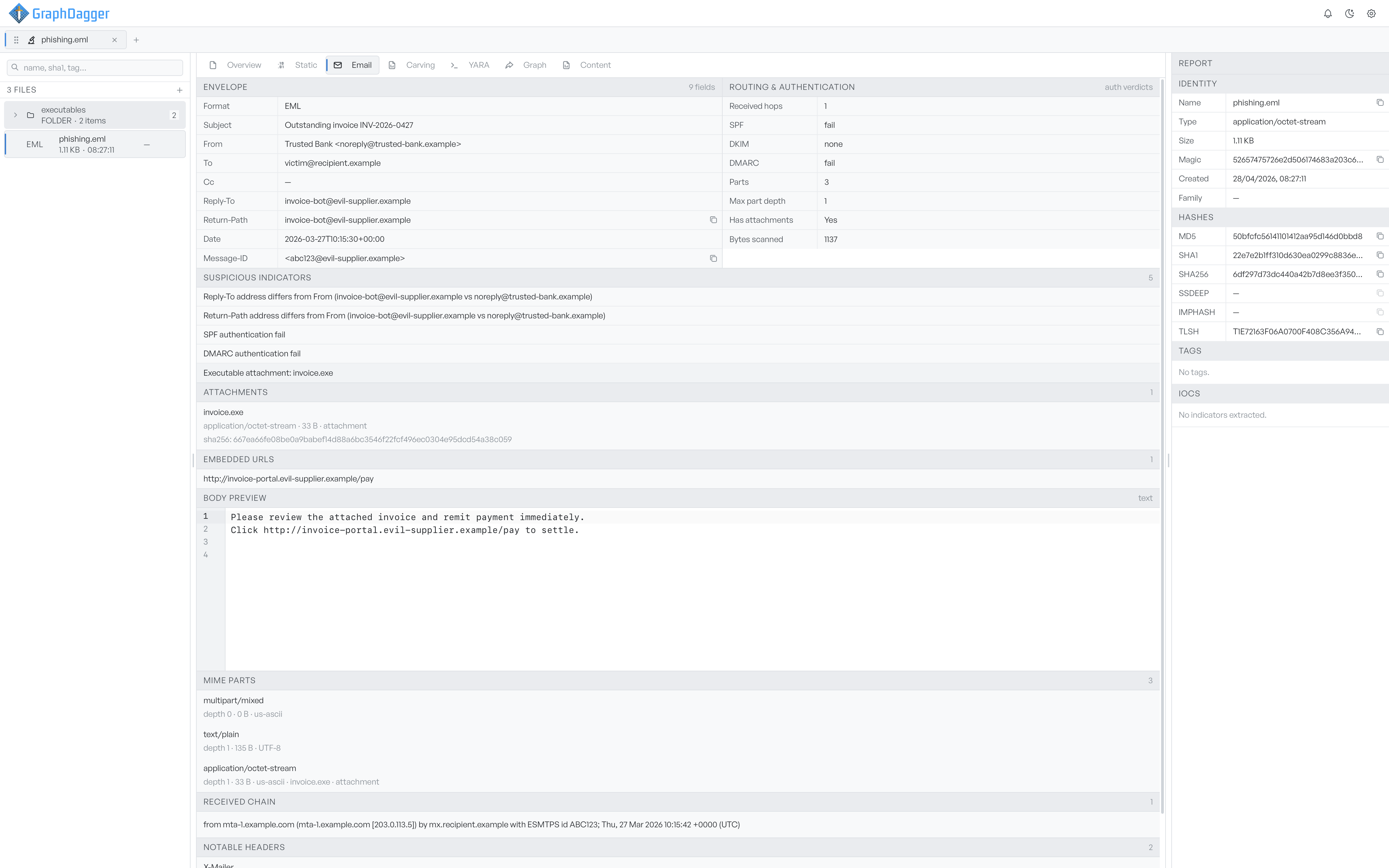
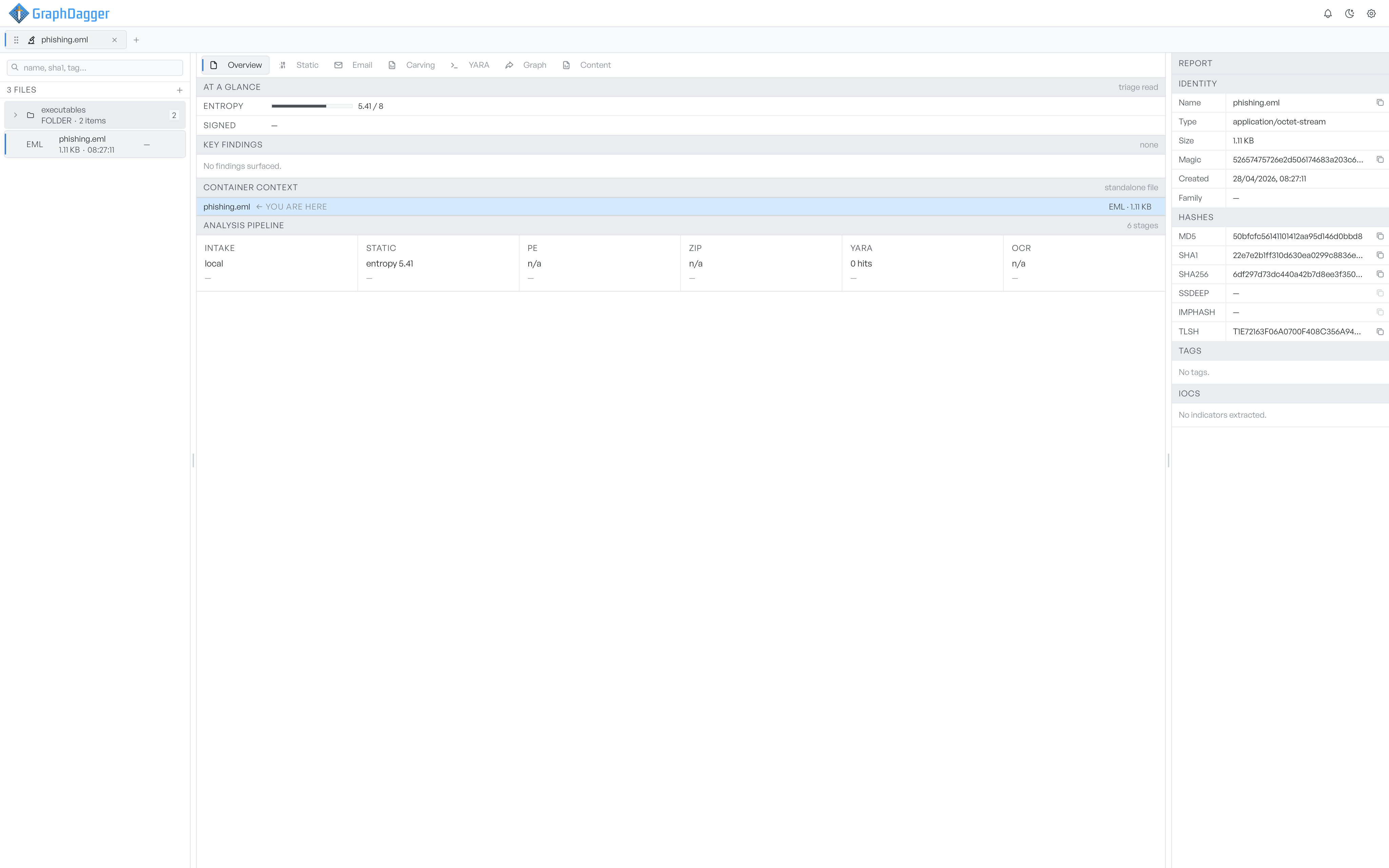
Files queue up in the left column with their type, size and analysis state, and archives expand into a folder tree of their contents so nested files are one click away. The centre tabs reload around whichever file you select, and the report panel keeps the active file's identity, hashes and indicators pinned throughout.
- Queue search across file name, SHA-1 and tag
- Reveal, re-analyze and remove actions on every row
- Container context showing where a nested file sits
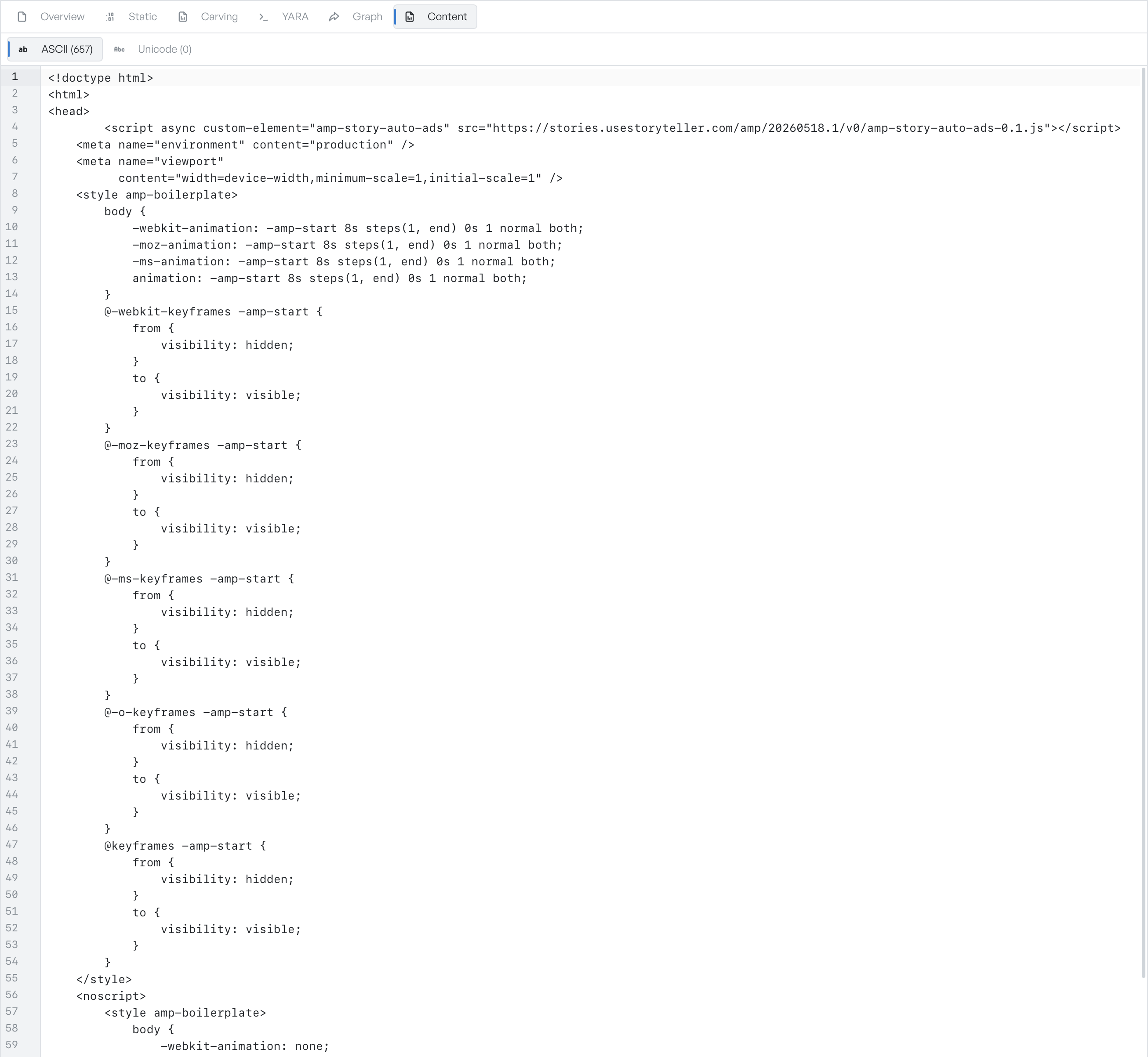
Skim every string the file carries
The Content tab lists the printable strings pulled from the file, with ASCII and UTF-16 on separate sub-tabs and a count on each label. Strings sit in a read-only editor with line numbers and wrapping, so you can skim for URLs, embedded paths, command-line flags or error messages, and search with the ordinary find shortcut.
- ASCII strings of four bytes or longer, UTF-16 alongside
- Counts taken from the full extraction, not just the sample
- Find, select and copy as in any editor