Read and add cookies#
Responses fill the jar on their own, and you can change or add entries by hand.
API Client keeps a cookie jar. When a response sets a cookie, API Client stores it. When you send a request to a matching domain, the cookie goes out with it. This happens on its own, so a login response that sets a session cookie carries over to the requests that follow. The Cookies tab is where you see, edit, and add cookies by hand.
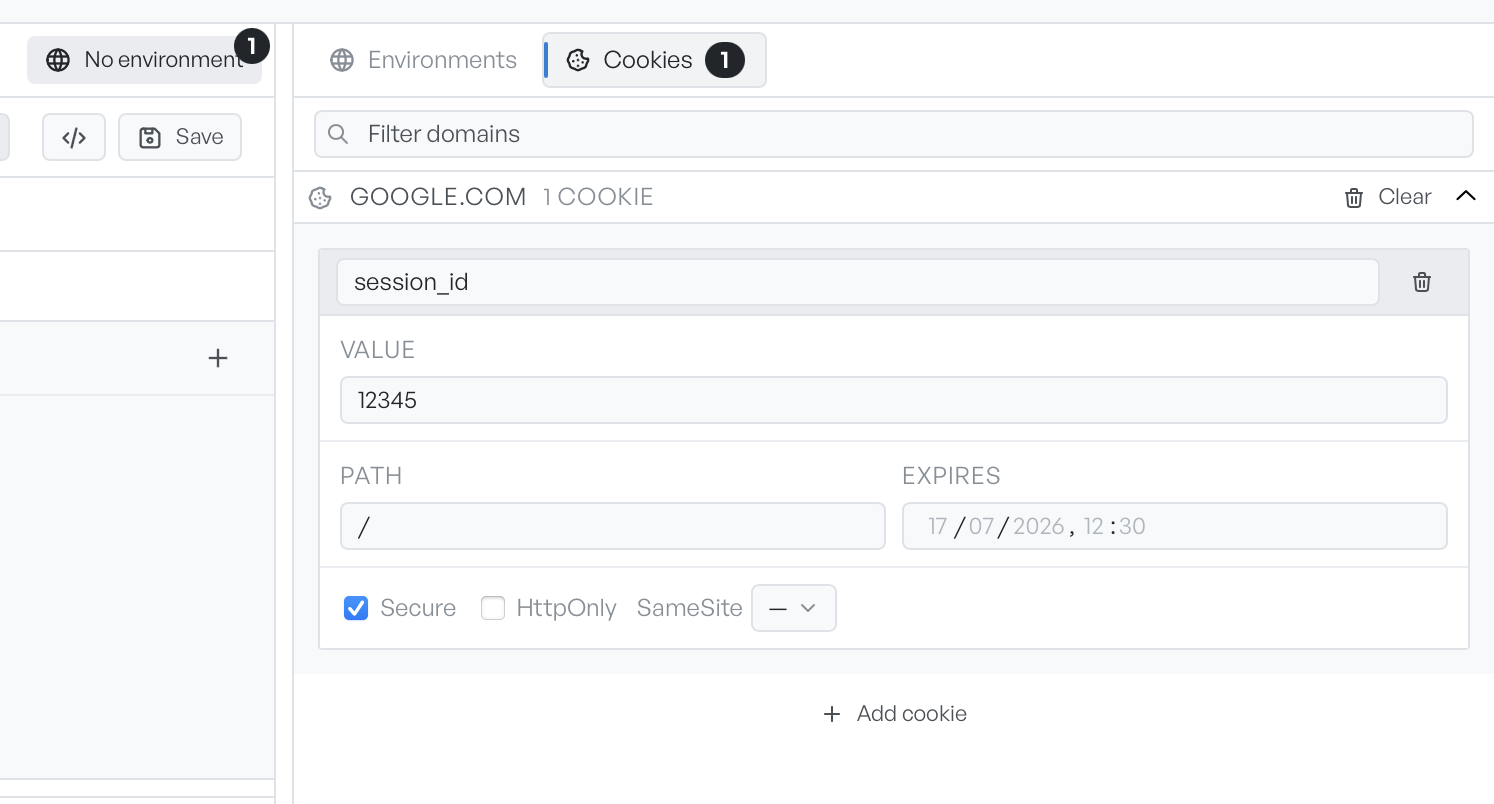
Read the cookie jar#
Open the environment panel and select the Cookies tab. Each domain is an expandable section that shows how many cookies it holds. The Filter domains box narrows the list. Clear on a domain removes every cookie for it.
API Client saves your edits as you make them.
Add a cookie by hand#
Click Add cookie to open a form for a new cookie.
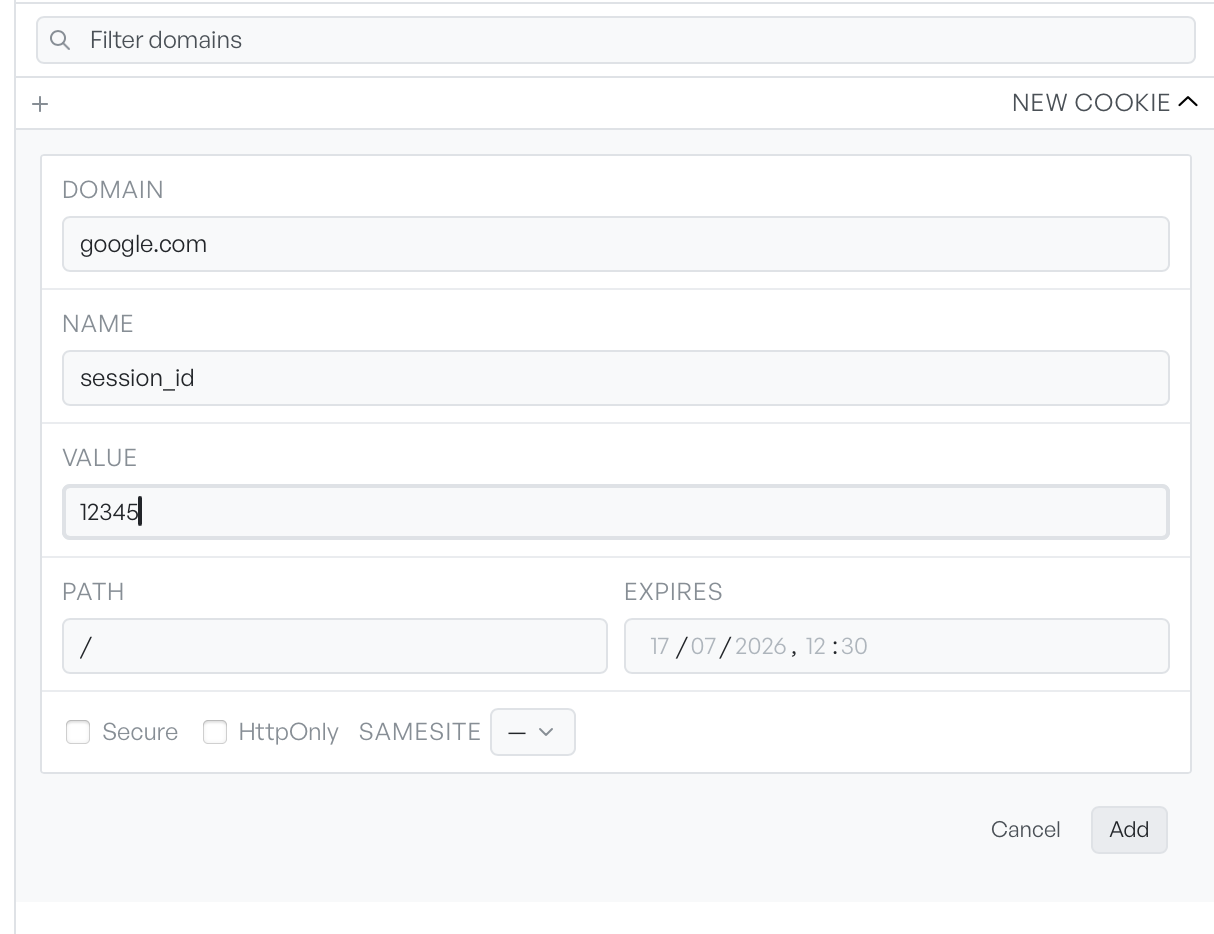
Domain and Name are both required. The Path defaults to /. Set an Expires time if the cookie should not be a session cookie. The flags mirror the standard cookie attributes:
- Secure. API Client sends it only over HTTPS.
- HttpOnly. Browser scripts cannot read it. API Client still sends it.
- SameSite. Left blank, or set to Strict, Lax, or None.
Click Add to store it. API Client now sends it on requests to that domain.
How cookies are stored#
API Client saves the jar on your machine, so cookies survive a restart. An empty jar shows a note: cookies appear here once a response sets them. That is the usual way they arrive. Run a request, and any Set-Cookie in the response lands here on its own.