Start a mock server#
Bind a local HTTP server to a port and point your app at it instead of an API that is not ready.
A mock server is a real HTTP server. It runs on your machine and answers requests the way you tell it to. Point your app or a request at it, and it replies with the routes you defined. Use it to build against an API that is not ready yet, to reproduce an awkward response, or to work offline. A mock belongs to a collection. You can seed it from the requests you already saved.
Open a mock from a collection#
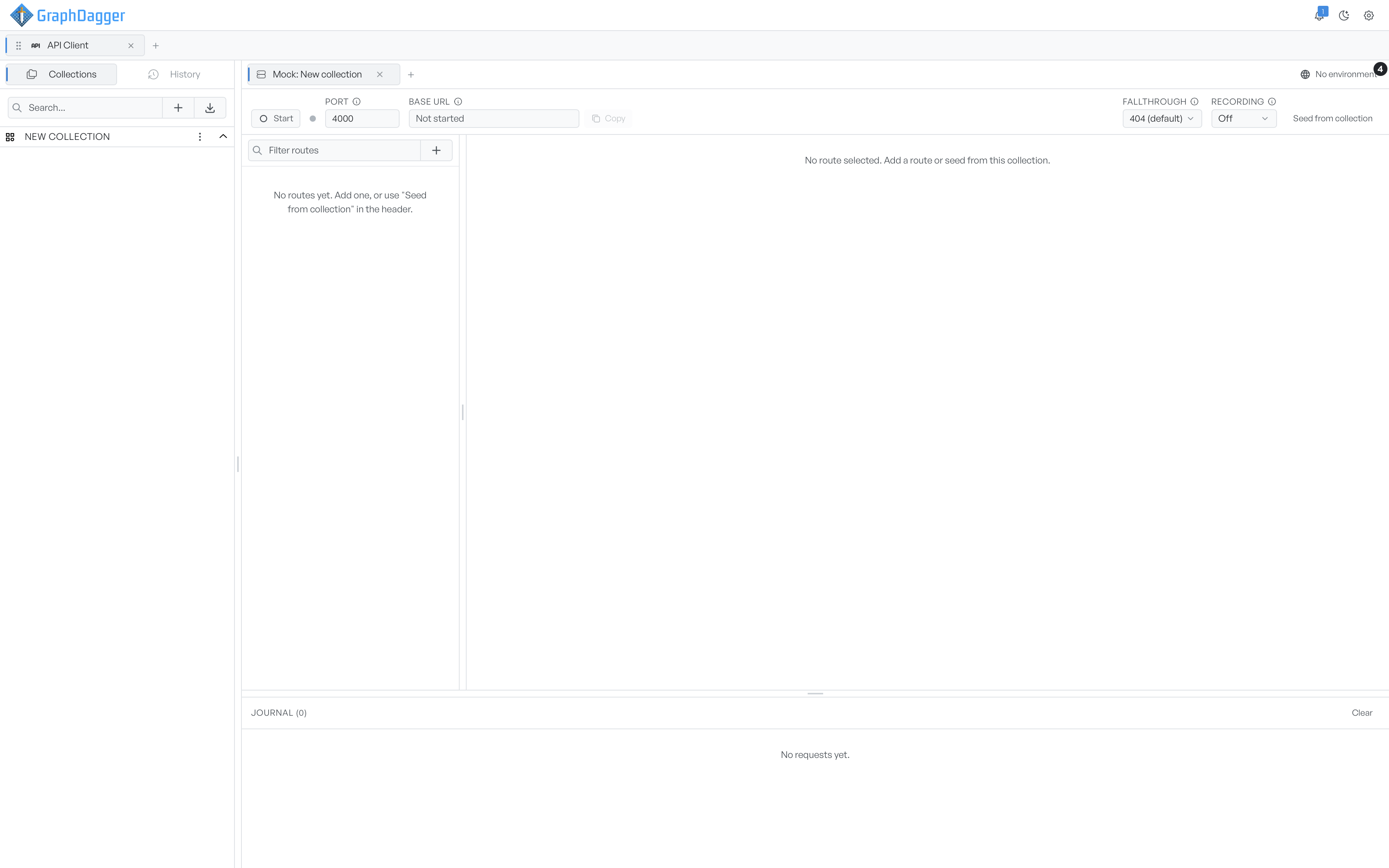
Open the menu on a collection and select Open mock server. A workspace opens in a tab named after the collection. It holds the route list, the route editor, and the journal.
Start the server#
The header holds the controls for the server itself.
- Start binds the server and answers requests. It changes to Stop while the server runs, and a dot shows the state.
- Port is the port to bind to, 4000 by default. If the port is in use, the server tries the next few. You can change it only while the server is stopped.
- Base URL is the address to send to. GraphDagger fills it in once the server runs, with a Copy button. Until then it reads Not started.
- Fallthrough decides what happens when a request matches no route: return a 404, or proxy the request to an upstream URL.
- Recording forwards unmatched requests upstream and saves the reply as a new route. It is off by default.
Click Start, copy the base URL, then point your client at it. Recording and the journal covers fallthrough and recording.
Add the first routes#
A new mock has no routes. You can add them in two ways.
- Seed from collection creates one route per saved request in the collection. One action then gives you a mock of an API you already have requests for.
- Add a route by hand with the plus button above the route list.
See Routes for how a route matches a request and picks its response.