Match requests and shape replies#
A route matches on method, path, and conditions, then returns one of the responses you set.
A route is one rule in your mock server: when a request matches this method and path, reply with this response. A route can also carry extra match conditions for finer control. It can hold more than one response, so you can model success and failure side by side. This page tells you how a route decides that it matches, and what it sends back.
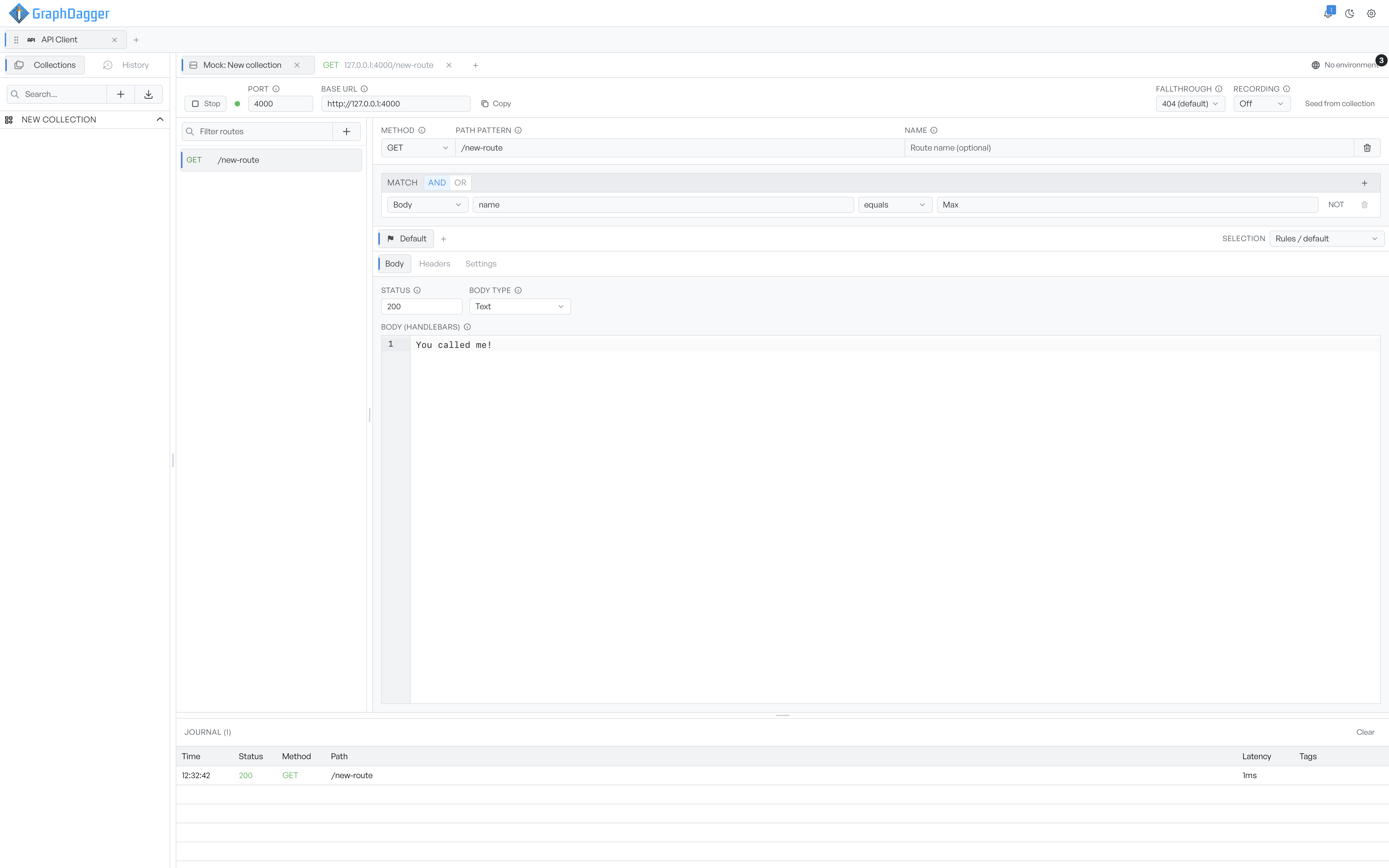
Match on method and path#
A route matches on its method and path pattern first. The Method can be any of the usual verbs, or * to match them all. The Path pattern supports placeholders.
:idcaptures one named segment, so/users/:idmatches/users/42.*matches a single segment.**matches everything after it.
Give a route a Name to find it later. The name is optional.
Match conditions#
When method and path are not enough, add match conditions. Each condition tests one part of the request: the Query, a Header, a Cookie, or the Body. Select an operator, then give a value to test against. The operators cover equals, contains, includes, and regex. They also cover a JSONPath or JSON schema check, and tests for empty or null. Use NOT to negate a condition. When a route has several conditions, an AND or OR toggle decides whether all of them or any of them must hold.
A route with no conditions matches on method and path alone.
Set the responses#
Each route has at least one response. A strip of tabs holds them, so you can keep several. A response has three tabs.
- Body. The status code, the body type, and the body itself. Body type can be None, Text, JSON, or File. The body supports Handlebars templating, so a reply can echo parts of the request:
{{request.path.id}},{{request.query.q}},{{uuid}},{{now}}, and more. - Headers. Extra response headers. GraphDagger sets a
Content-Typefrom the body type if you do not add one. - Settings. A delay before the reply, an optional random jitter on top, and a weight for weighted selection.
When a route has more than one response, the Selection setting decides which one the mock sends: by rules with a default, in sequence, at random, or at random weighted by each response's weight. Use this to make a route return a 200 most of the time and a 500 sometimes, then watch how your app copes.