Prepare a request before send#
Work out a signature, seed a variable, or adjust a header before anything leaves.
A pre-request script runs in the moment before a request goes out. Use it to prepare anything the request needs that you would rather not type by hand: a computed signature, a timestamp, a value from an earlier response, or a change to a header. Whatever the script sets is in place when the request goes out.
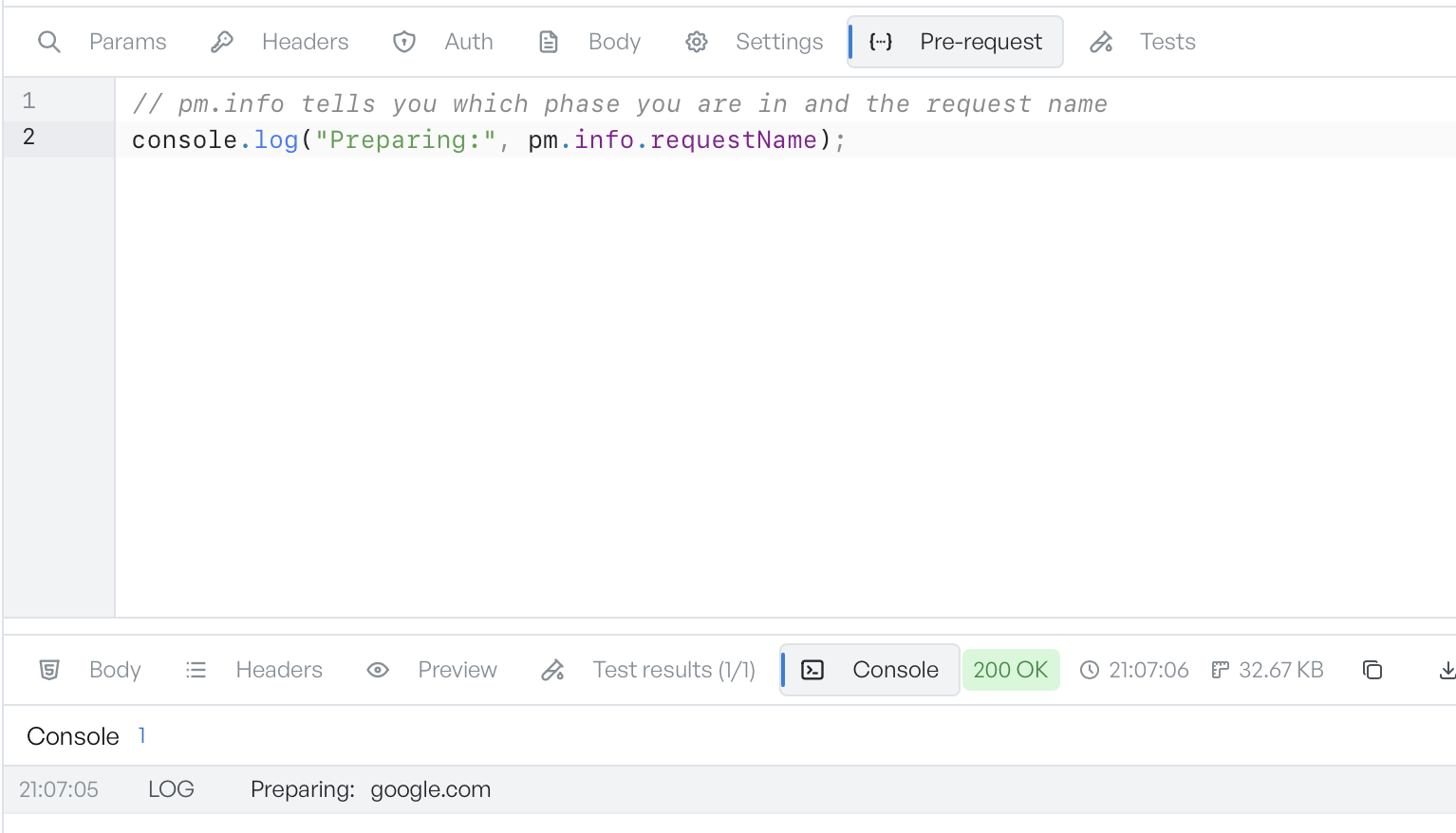
What a pre-request script can do#
The script runs against the pm API. Common jobs:
- Set a variable for the request to use.
pm.environment.set("nonce", Date.now())writes a value that{{nonce}}then resolves to. - Read a variable.
pm.environment.get("baseUrl")reads the current value. - Change the outgoing request.
pm.request.headers.upsert({ key: "X-Trace", value: "abc" })adds a header. You can also read and setpm.request.method,pm.request.url, andpm.request.body.raw. - Log for yourself.
console.log(...)writes to the Console tab, so you can see what happened.
The editor starts empty. Enter your script, or start from one of the snippets the editor offers on a blank line.
Write to variables#
GraphDagger saves the values a pre-request script writes to pm.environment, pm.globals, or pm.collectionVariables. A variable you set here is available to this request and to later ones. This is how you seed a value once and reuse it. Writes through pm.variables.set last for the current run only, and GraphDagger does not save them.
When a script fails#
If a pre-request script throws, GraphDagger does not send the request. The editor shows the error inline, on the line that caused it, so you can fix it and send again. Nothing reaches the network until the script runs cleanly. A broken setup therefore cannot fire a bad request.