Test the response#
Name each check, assert against the response, and save values for the request after.
A test script runs after the response arrives. It checks that the response is what you expected. Each check is a named test that passes or fails, and the results show in the response panel with a tick or a cross. Tests turn a request from something you eyeball into something that tells you plainly whether the API still behaves.
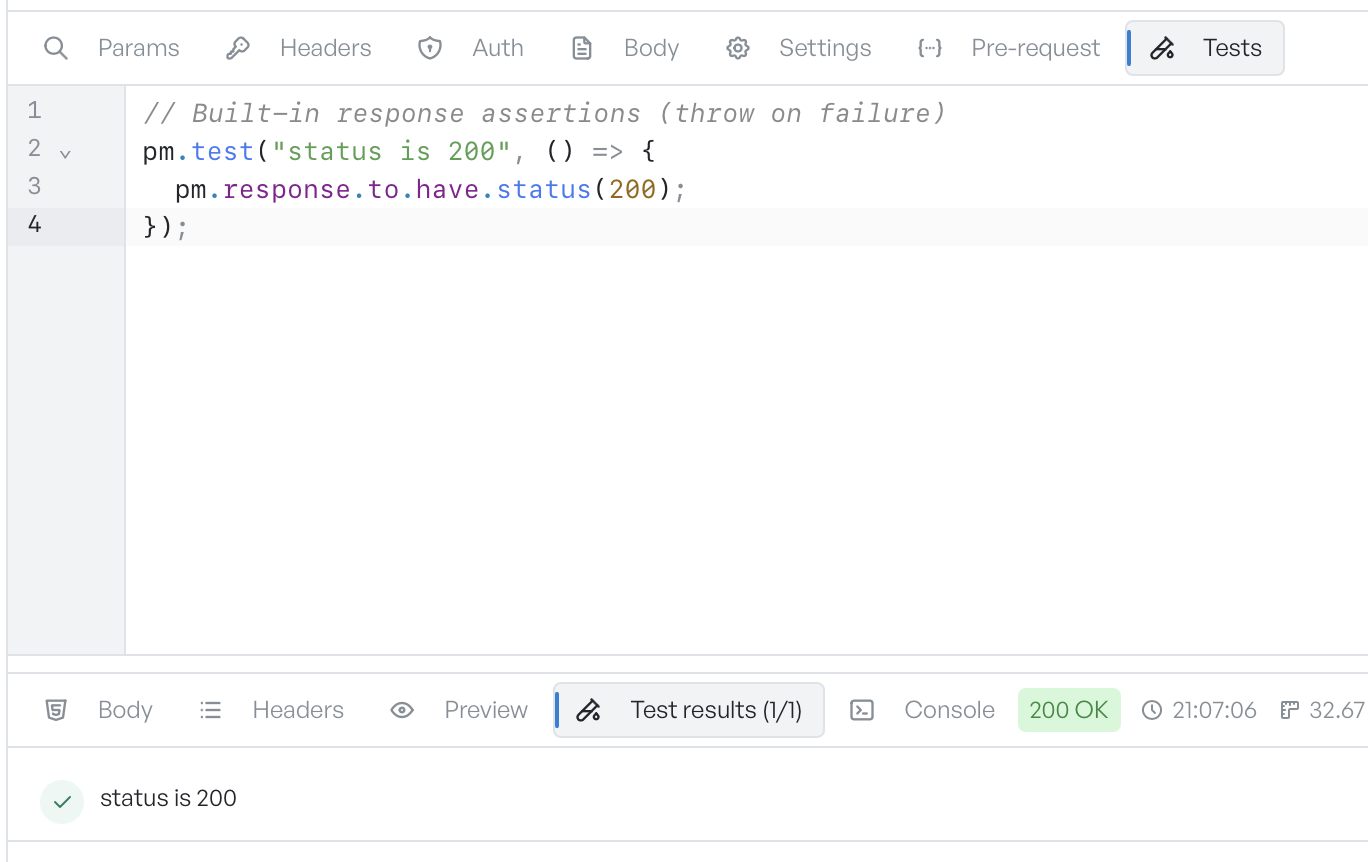
Write a test#
Wrap each check in pm.test with a name and a function:
pm.test("status is 200", () => {
  pm.response.to.have.status(200);
});
The function runs immediately, and GraphDagger records the result. Inside the function you read the response through pm.response: pm.response.code for the status, pm.response.json() to parse a JSON body, pm.response.text() for the raw body, and pm.response.responseTime for the round-trip in milliseconds.
Assertions come in two styles. The built-in response assertions read naturally and throw when they fail: pm.response.to.have.status(200), pm.response.to.have.header("content-type"), and pm.response.to.be.ok for any 2xx. For everything else, pm.expect(value) starts a chain such as pm.expect(body.id).to.equal(42). The editor offers test snippets on a blank line to get you started.
Read the pass and fail list#
The response panel's Test results tab lists each test with a green tick or a red cross. Its label shows the pass count, for example Test results (1/1). A failed test also shows its error message, so you can see what did not match. Anything you logged with console.log appears on the Console tab.
Save a value for the next request#
A test script can also write variables, which is how you chain requests. Read a token from a login response and save it:
const token = pm.response.json().access_token;
pm.environment.set("token", token);
The next request references it with {{token}}. Unlike a pre-request script, a test that throws does not undo the request, because the request has already gone out. GraphDagger records the failure, runs the other tests, and still shows the response.