Fill in the profile form#
Work through every field: where the host is, how you authenticate, which bastion to pass through, and what runs on connect.
A profile holds four kinds of information: where the host is, how you prove who you are, how to reach the host if it sits behind a bastion, and what should run once you land. This page covers the form field by field.
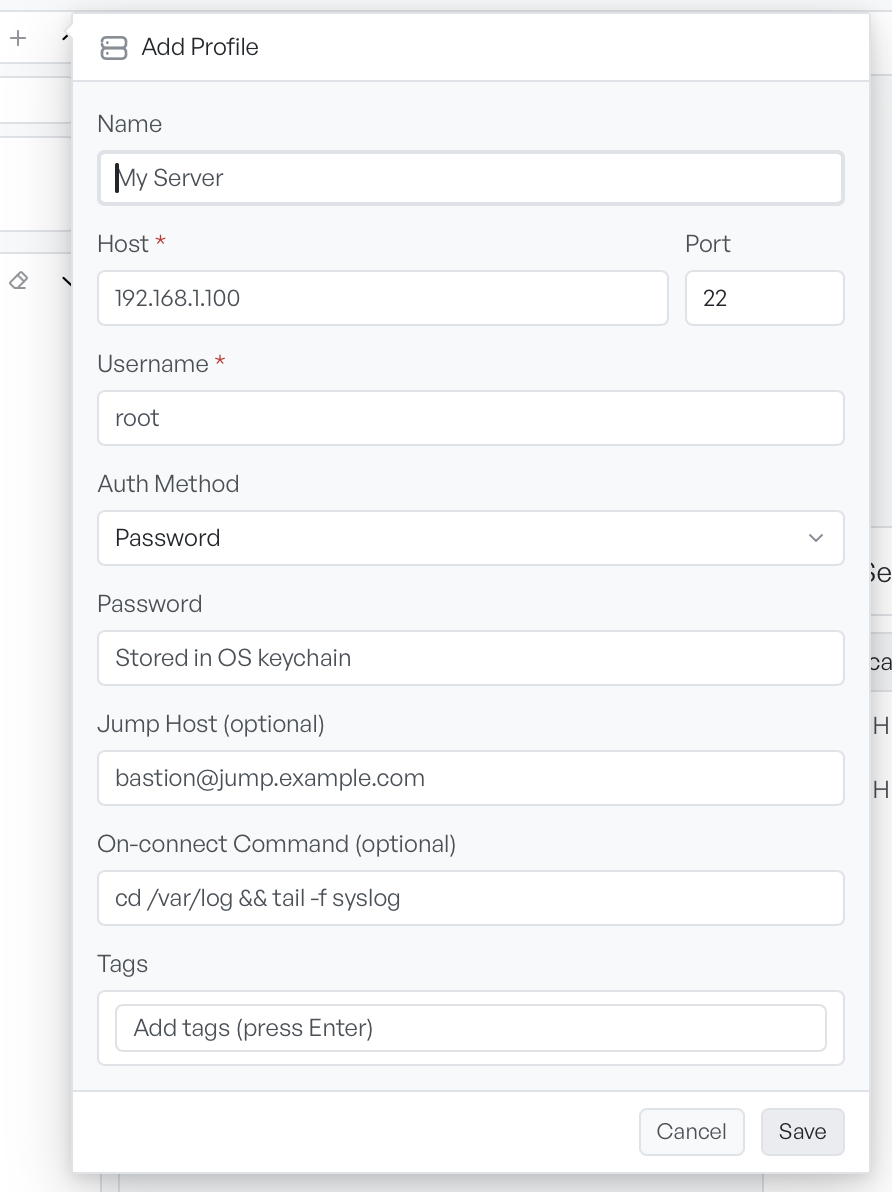
Where the host is#
Four fields set the destination.
- Name: what the sidebar shows. Leave it empty and Remote Terminal names the profile
username@host. - Host: the address of the machine.
- Port: the SSH port. Default 22. A value that is not a number falls back to 22 when you save.
- Username: the account you log in as.
Host and Username are the fields that matter.
Choose an auth method#
Auth Method decides which credential fields appear below it.
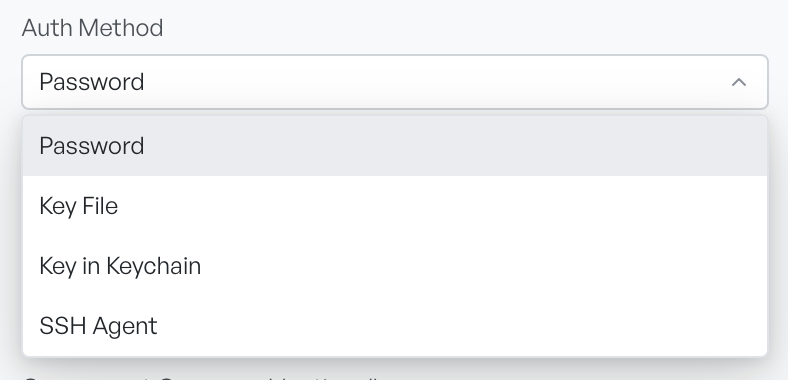
- Password asks for a password, stored in your keychain.
- Key File uses a private key on disk and asks only for its path.
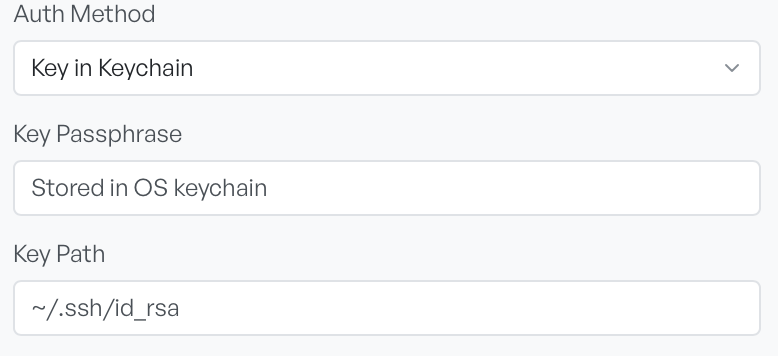
- Key in Keychain uses a key on disk whose passphrase is held in your keychain, so it asks for both.
- SSH Agent defers to your running agent and asks for nothing.
Password and Key in Keychain both show a field with the placeholder Stored in OS keychain. That placeholder states the behaviour, it is not a hint: what you type goes to the operating system's keychain, and the profile record itself never holds the secret. It is also why the field is empty when you edit a profile, and why an empty field keeps the existing secret.
Key File and Key in Keychain both show Key Path, which takes a path such as ~/.ssh/id_rsa.
Reach a host through a bastion#
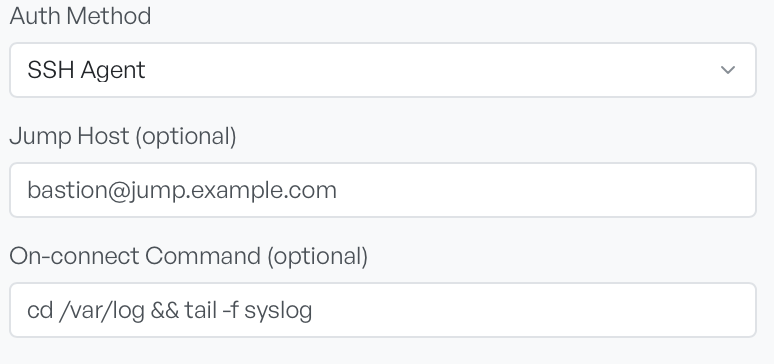
Jump Host (optional) takes a user@host address. Set it, and Remote Terminal makes the connection through that machine instead of a direct one.
When you fill it in, a second set of authentication fields appears for the bastion itself, with SSH Agent as the default. The jump host can authenticate differently from the target: an agent to reach the bastion and a password beyond it is a normal arrangement. Remote Terminal stores each secret separately.
Run a command on connect#
On-connect Command (optional) goes to the shell once, shortly after the session produces its first output. Use it for the command you always type first, such as cd /var/log && tail -f syslog.
The delay is deliberate. A command sent the instant the session opens can race the remote shell's line editor and corrupt the input.
Group profiles with tags#
Tags group profiles for search. Type a tag and press Enter to add it. Press Backspace in the empty field to remove the last one. Remote Terminal ignores duplicates, and there is no limit on how many you add. A search of the profile list matches tags as well as names and hosts.
Note Host and Username are marked as required, but nothing stops you saving a profile without them. A profile missing either will fail when you try to connect.