Start a live recording#
Choose a capture source, select Record, and see what GraphDagger sets up before the traffic starts to arrive.
A recording captures live HTTP, HTTPS, and WebSocket traffic into the current Web Debugger tab. Each tab has its own recording state, so you can keep one capture open while you run another in a different tab.
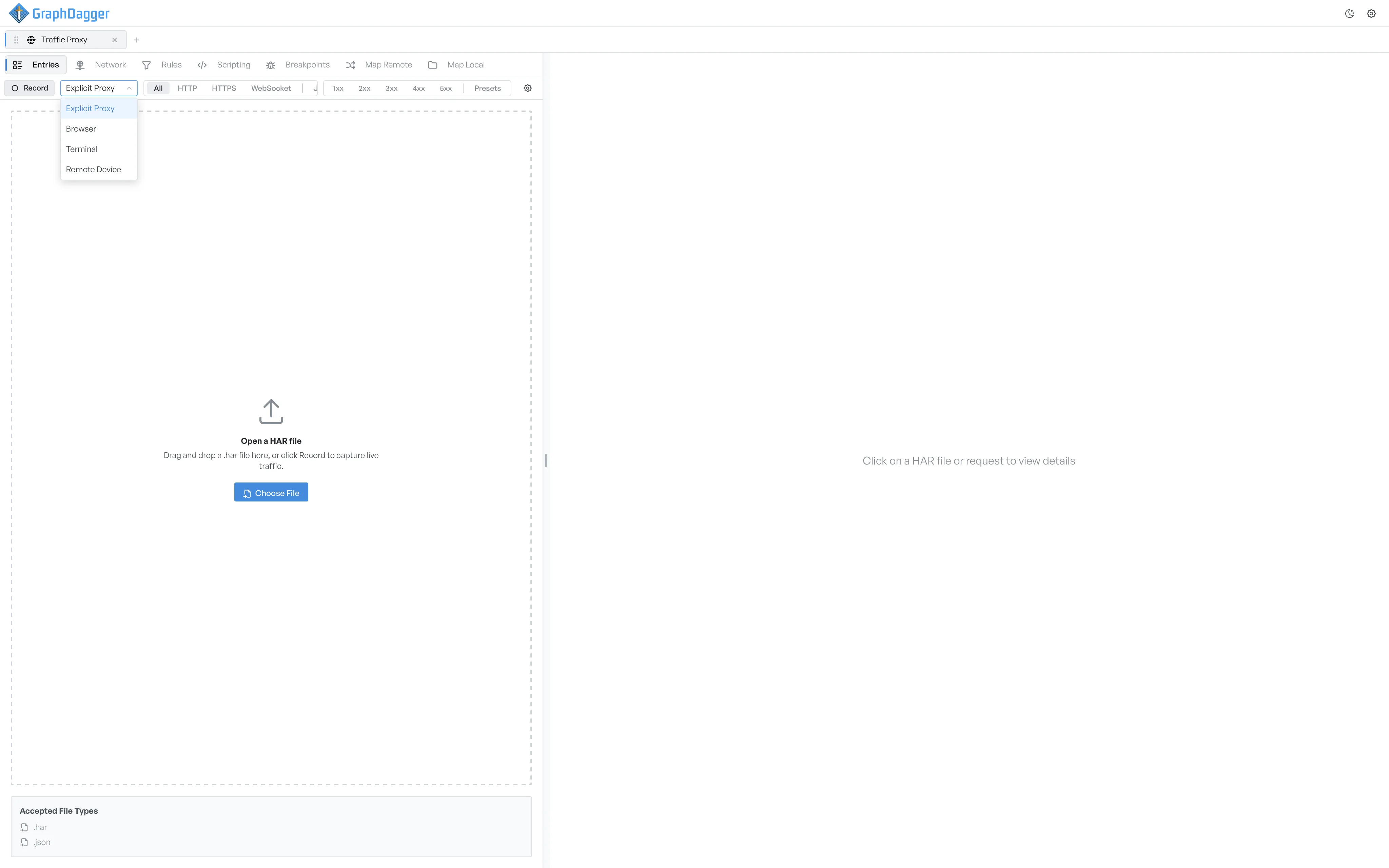
Start the recording#
- Open a new Web Debugger tab.
- Select a capture source from the dropdown next to the Record button.
- Select Record.
The button changes to Stop. The toolbar shows a red Recording • N requests counter while traffic arrives. Select Stop when you finish. The captured entries stay in the list, so you can continue to analyse them.
Only one tab can record at a time#
If another tab already records, GraphDagger disables the Record button on this tab. The button shows the label Recording... and a tooltip that explains why. Stop the other tab's recording first, or open the other tab and take action there.
What GraphDagger does at the start#
- If HTTPS interception is on but the GraphDagger CA certificate is missing, GraphDagger creates one before the proxy starts.
- If the capture source is Browser or Terminal, GraphDagger launches the chosen browser or terminal automatically and routes its traffic through the proxy. The toolbar shows a Launch or Open button, so you can open another window during the same session.
- If the capture source is Remote Device, the toolbar shows a QR button. Select it to see a QR code with the proxy address on the local network. You can then point a phone or tablet at the proxy.
- If the capture source is Explicit Proxy with the System Proxy toggle on, GraphDagger configures the host operating system to route its traffic through the proxy.
Clear paused requests before you stop#
If any breakpoints still hold paused requests when you select Stop, GraphDagger asks you to handle them first. No traffic then leaks through unmodified.
Where to go next#
- Inspect what you captured.
- Set up rules to modify matching traffic automatically.
- Set up breakpoints to pause matching requests for editing.