Read a JWT lifetime#
Raw Unix timestamps become an ordered picture of issue, validity, and expiry, with the present moment plotted among them.
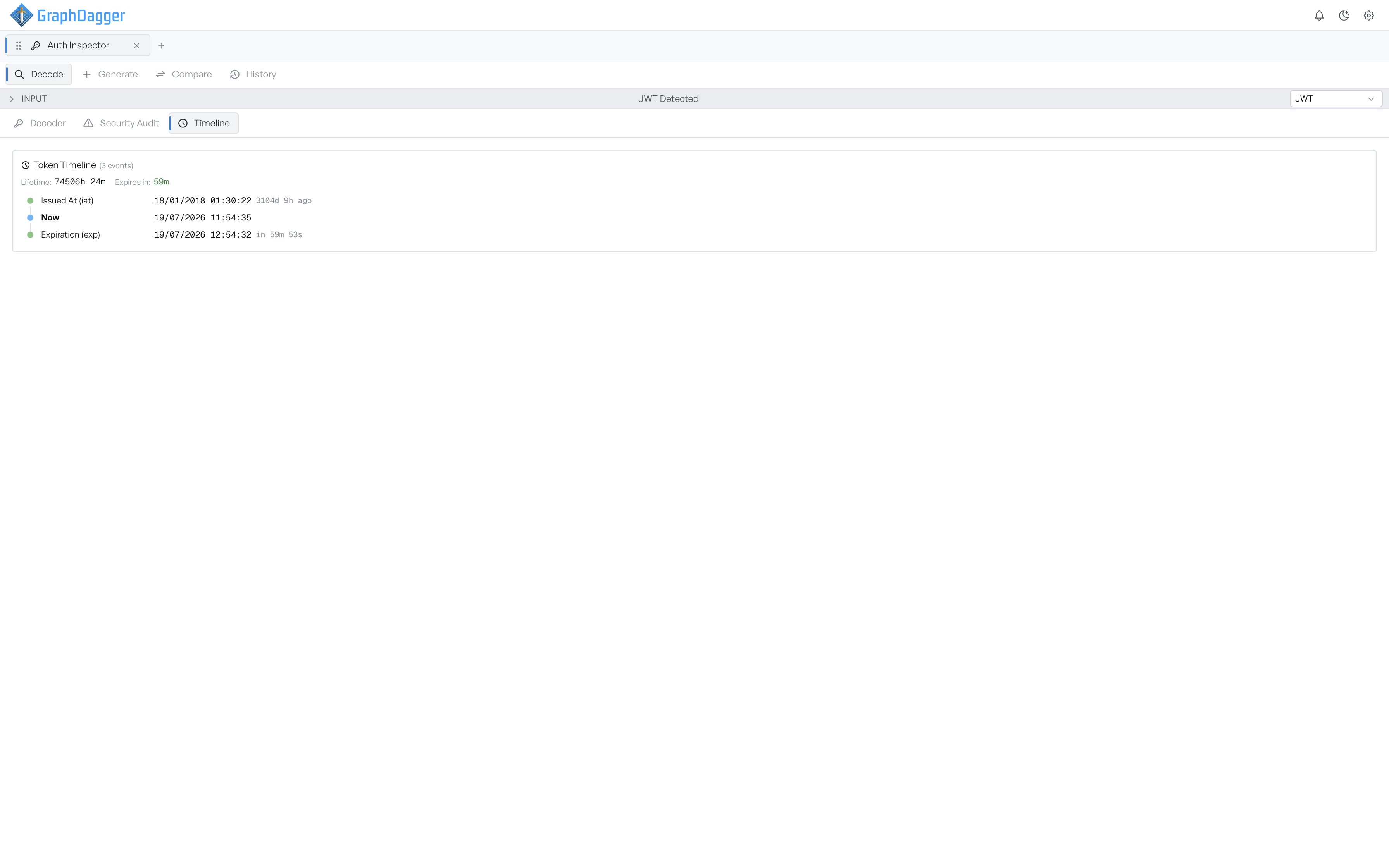
A JWT carries its lifetime as raw Unix timestamps, which are hard to reason about at a glance. The Timeline tab turns those numbers into an ordered picture. It shows when the token was issued, when it becomes usable, when it dies, and where the present moment falls between them.
Read the time claim rows#
The summary line gives you the two numbers you usually want: Lifetime, the span from issue to expiry, and Expires in, the time remaining. If the token has already lapsed, that second figure switches to Expired and reads in the past tense.
Each time claim in the token becomes a row with an absolute timestamp and a relative one. The timeline always plots Now among them, in bold. The order answers the question directly, so you do not have to compare dates.
| Row | Claim | Flagged when |
|---|---|---|
| Issued At (iat) | iat | The issue time is in the future, which usually means clock skew |
| Not Before (nbf) | nbf | The token is not yet usable |
| Expiration (exp) | exp | The token has expired |
| Now | none | Never; it is the reference point |
The timeline leaves out claims the token does not carry, rather than showing them as empty. A token with no exp produces a shorter timeline, and the absence is itself worth notice: the security audit raises a missing expiry as a high-severity finding.
Note The timeline is calculated when you decode, and does not tick along with the clock. Re-decode the token if you have had it open for a while and need the countdown to be current.
Only JWTs get a timeline. Certificates express validity as a date range, which you read in the Decoder tab, and the other protocols do not carry a comparable lifetime.