What the Data view shows#
Read a table as a scrolling grid that loads rows on demand, and sort or reload it as you go.
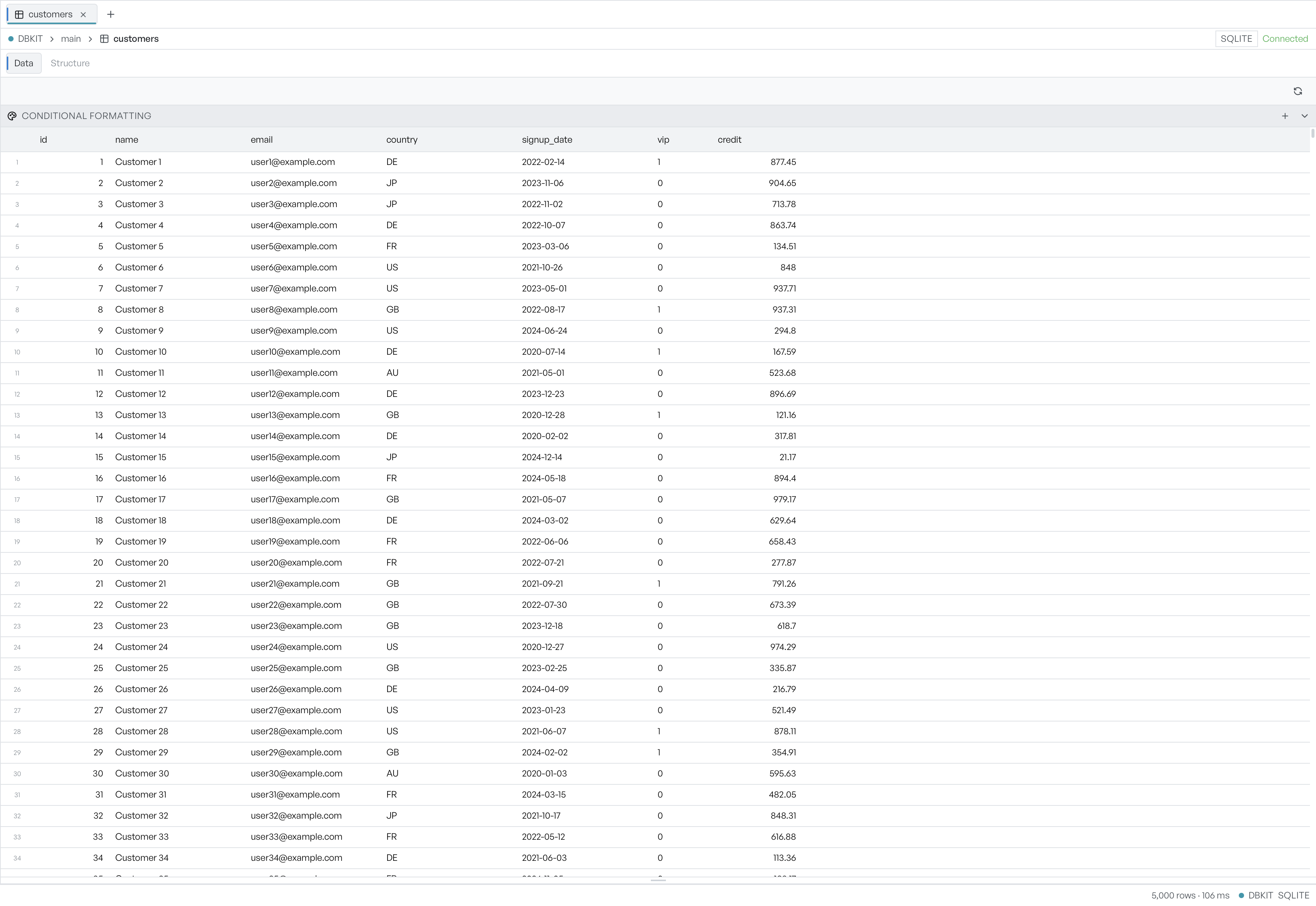
The Data view shows a table's rows as a grid, one row per line and one column per field. It is the main way you read what is in a table. It is also the starting point for row edits, filters, and formatting.
The grid loads rows as you scroll rather than all at once, so a table with millions of rows opens as quickly as a small one. The status bar at the bottom shows the total row count and how long the load took, alongside the name and engine of the database.
Sort by a column#
Select a column header to sort by that column. The first select sorts ascending, a second select sorts descending, and a third clears the sort and returns to the natural row order. An arrow next to the column name shows the current direction, and the status bar names the sorted column.
Reload the current rows#
The database can change under you. Your own edits in a SQL editor change it, and so do other people who write to a server. Select the refresh button above the grid to reload the current table with the latest data.
Where to go next#
The Data view is where several tasks begin:
- Editing rows covers changing, adding, and deleting rows.
- Filtering narrows the grid to the rows you want.
- Conditional formatting colours rows by rules you set.
- Following relationships jumps from a value to the row it points at.