What Database Client connects to#
Meet the four engines Database Client speaks to, and learn which panel of the workspace holds what.
Database Client connects to your databases and lets you read and change what is inside them. You browse tables as a spreadsheet, edit rows in place, and write and run SQL. You also chart the results, map how tables relate, and watch what a server is doing, all from one window.
One workspace holds every database you connect to, so you can keep a local file and a production server side by side. You move between them without losing your place.
Which databases you can connect to#
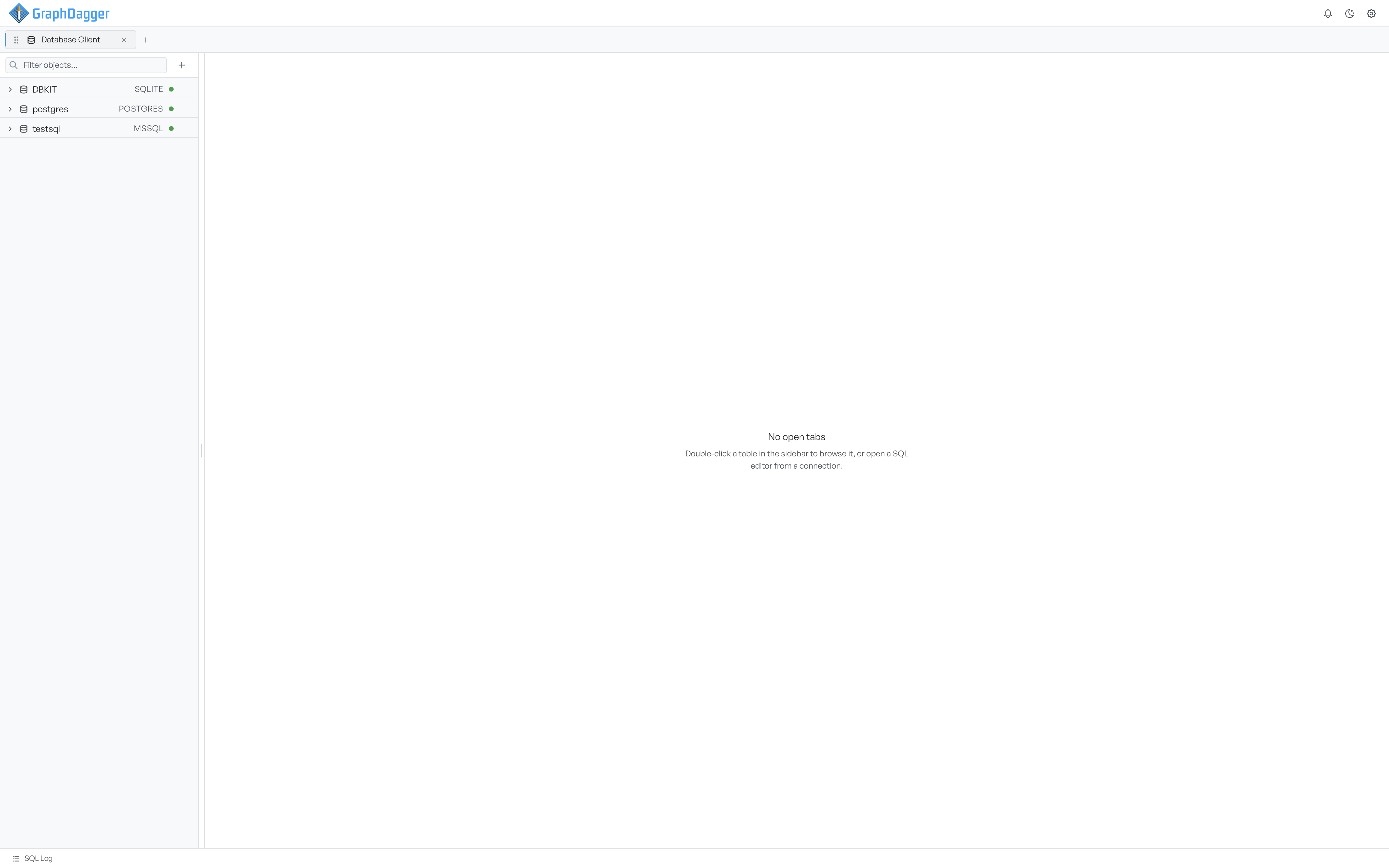
Database Client speaks to four engines: SQLite, PostgreSQL, MySQL, and SQL Server. You pick the engine when you add a connection. Most of the workspace works the same way for every engine. Once you know how to browse and query one database, you know them all.
A few surfaces are specific to an engine because the database itself is. Pragmas apply to SQLite files. The live server monitor applies to PostgreSQL, MySQL, and SQL Server, which have a server you can watch. Where a page describes one of these, it says so.
To add your first database, see connecting to a database.
What each panel holds#
The workspace has four parts.
The sidebar lists your connections and, under each connected one, its tables, views, indexes, and triggers. This is where you open things. See exploring the schema.
The tab area shows whatever you have open. A table opens with Data and Structure views. A SQL editor, an ER diagram, the query log, and the pragmas editor each open in their own tab.
The SQL Log is a dock along the bottom. It records every statement Database Client runs on your behalf, so you see the SQL behind each action. See the SQL log.
The status bar runs along the very bottom. It shows the row count, sort, filters, and timing for the active view. It also names the connection and its engine.
Where to go next#
- Connecting to a database sets up your first connection.
- Browsing data covers reading and editing table rows.
- Running SQL covers the query editor.