Edit SQLite pragmas#
Find a setting by name, change the values that are yours to change, and apply them together.
Pragmas are SQLite's own settings for a database: page size, cache size, journal mode, foreign-key enforcement, and more. The Pragmas editor lists them in one place. You read the current values there, and you change the ones that are yours to change. Pragmas are a SQLite feature, so the editor appears only for SQLite connections.
To open it, right-click a SQLite connection in the sidebar and select Pragmas.
Find a pragma#
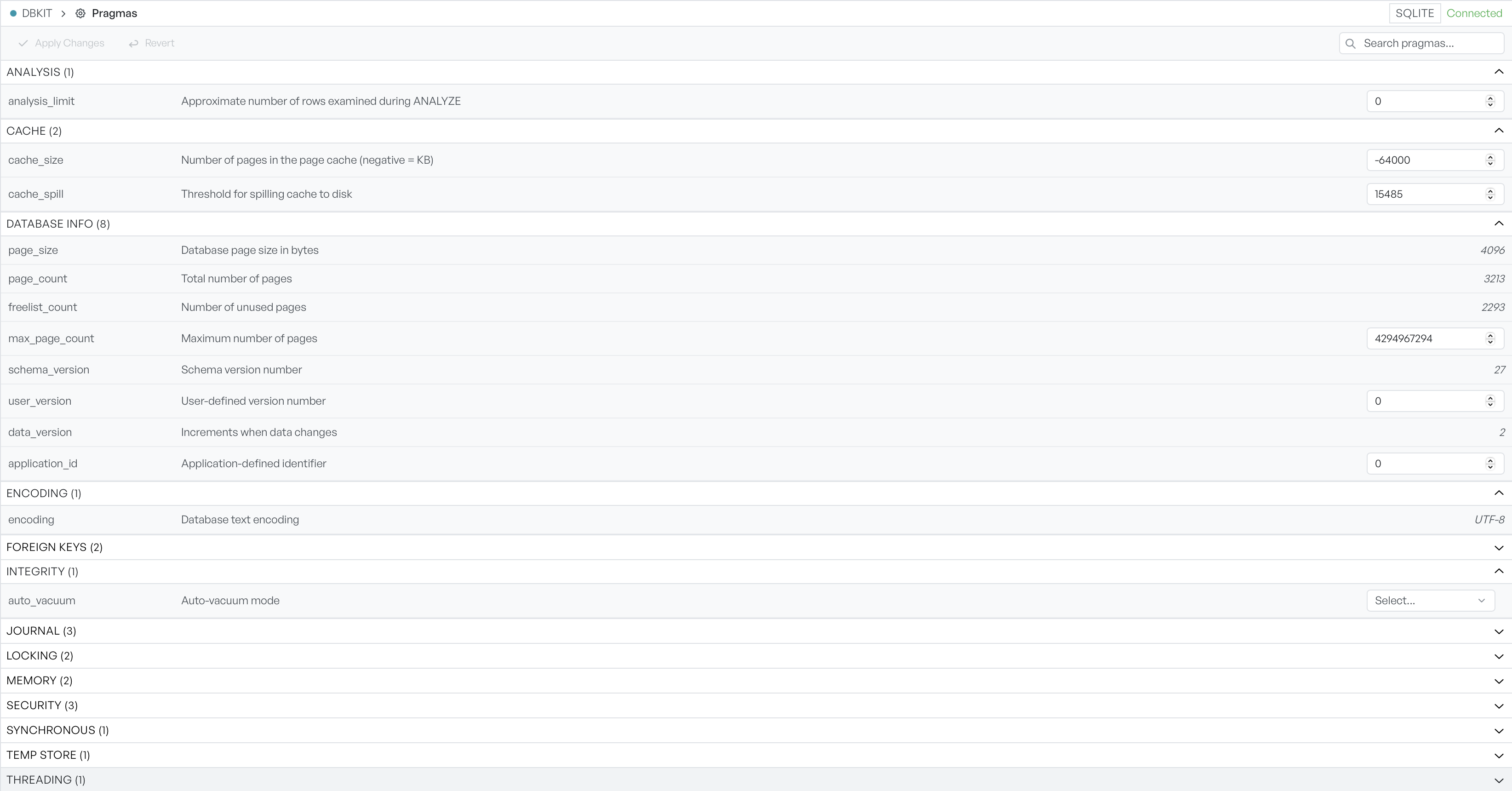
Database Client groups the pragmas into categories, and each category shows how many it holds. You expand and collapse the categories as you need them. The search box at the top narrows the list to pragmas whose name or description matches what you type. It also expands the categories that contain a match.
Change a pragma value#
Each pragma has the control that fits it: a switch that reads ON or OFF, a dropdown of allowed values, a number, or a free text field. Some pragmas are read-only. The database reports these values instead of taking them from you, so they appear as plain text with no control.
Apply or revert changes#
Database Client holds your edits as pending until you apply them. You can line several up and commit them together. A count shows how many changes are waiting. Select Apply Changes to write them to the database, or Revert to drop them and return to the current values.