Load an OpenAPI definition#
Paste or open an OpenAPI or Swagger document, parse it to see what it declares, then narrow the endpoints and send them at the right server.
A crawler finds an API only where a page calls it. An API definition lists every operation the API offers, including the ones no page uses. A scan from the definition covers what a crawl cannot reach.
Select the API scan card at the top of the tab. The configuration collapses to a single Audit and safety section, because scope, limits, and discovery all describe a crawl rather than a specification.
Paste a definition#
The Editor tab opens first. Paste an OpenAPI or Swagger definition into it, in either JSON or YAML. GraphDagger works the format out from the content, so you set nothing: it reads a document that starts with { or [ as JSON, and anything else as YAML.
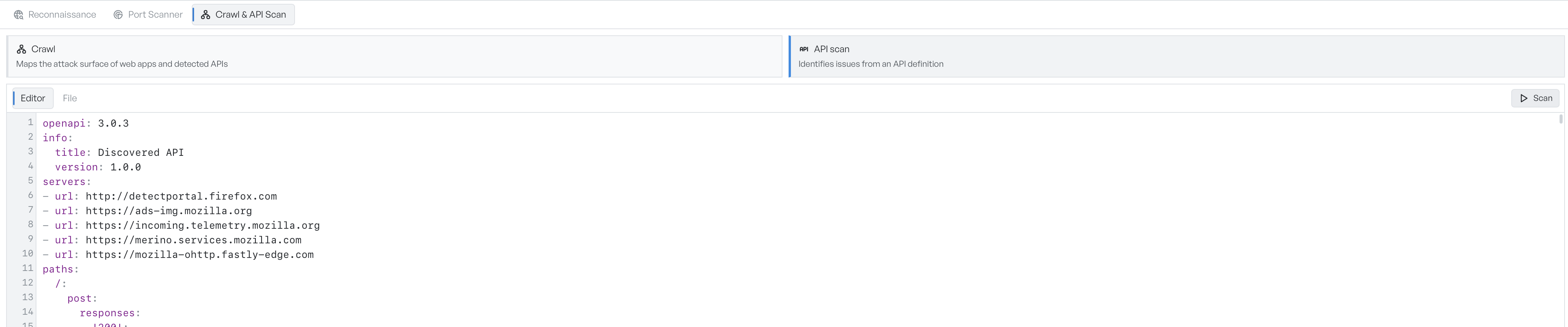
The editor is a normal code editor with line numbers, wrapping, and folding, so a large definition stays manageable.
Open a definition file#
The File tab takes the definition from disk. Drag a file onto it or select Choose File. It accepts .json, .yaml, and .yml.

When you load a file, GraphDagger returns you to the Editor tab with the content in place, so you can read and adjust it before the scan. There is no option to fetch a definition from a URL. If a server serves the definition over HTTP, save it first or paste its contents.
Parse before you scan#
Select Parse to read the definition without a scan. Take this step before every scan.
Parse lists the endpoints it found, with a count. Any problems the parser noticed appear as warnings above the list, which is how you catch a definition that is incomplete or does not describe what you expected.
You can then narrow what the scan covers.
- Method dropdown: filters the endpoint list.
- Endpoint checkboxes: pick the operations the scan covers. A tag marks deprecated operations.
- Select all: clears the selection, which means the scan covers everything. An empty selection and a full selection amount to the same thing.
- Base URL override: sets where the requests actually go.
- Also send mandatory + optional parameter variants: exercises each operation with its optional parameters as well as its required ones. Off by default.
Definitions routinely name a production server, so use the base URL override to point a scan at staging instead. Set it before you scan anything you did not intend to touch.
The parameter variants option covers more of the API at the cost of more requests.
Start the scan#
Select Scan. Both Parse and Scan stay disabled while the definition is empty.
The scan applies the same passive checks as a crawl. If you authorised active scanning in Audit and safety, the scan may also send mutating requests: POST, PUT, PATCH, and DELETE against the endpoints in the definition. On a live API those requests create and delete real records, so set the base URL override first.
If the definition is empty or malformed, a notification reports that the parse failed. See reading API scan results for what comes back.