What a crawl maps#
The crawler walks a web application out from a seed URL, records every location it reaches, and checks each response as it arrives.
This tab maps what a web application exposes. It starts at a URL you give it. It follows what it finds, the way a browser does. It records every location it reaches, and checks each response for common misconfigurations.
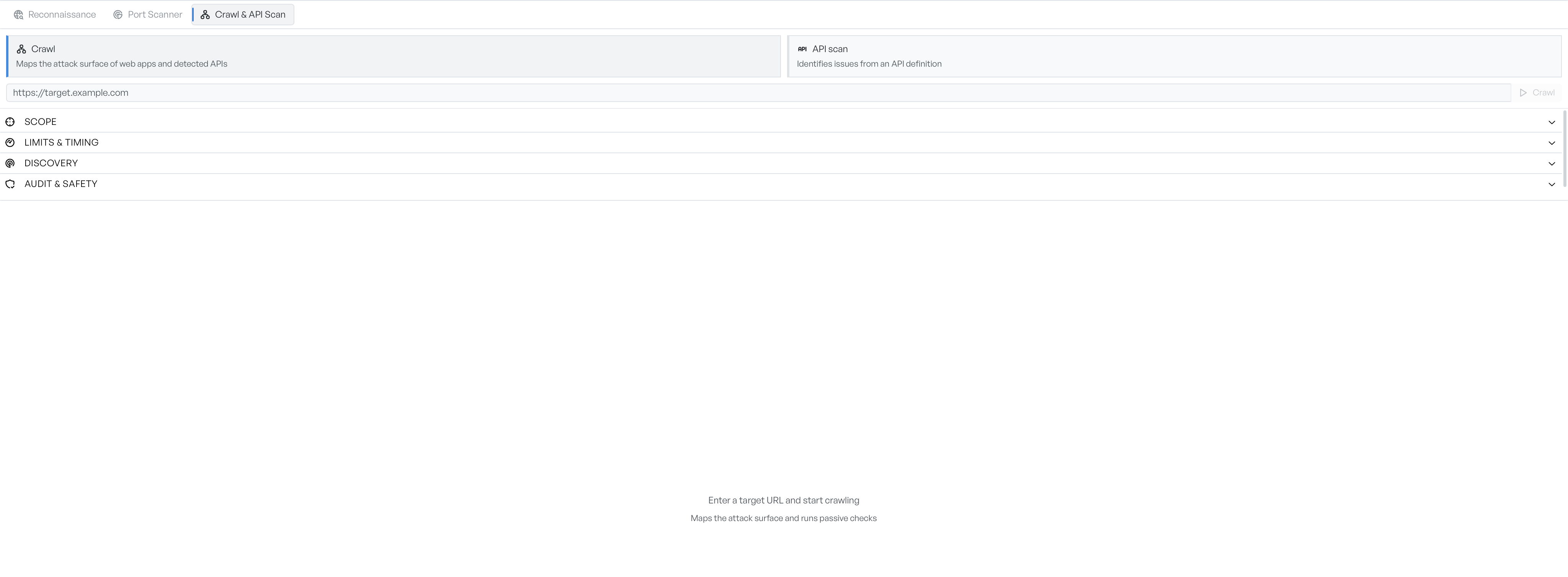
The cards at the top give you two ways in. Crawl discovers the application for you, and starts from a single URL. API scan works from an OpenAPI or Swagger definition instead. It skips discovery, because you already have the specification.
Start a crawl#
Put a URL in the field and select Crawl, or press Enter. The field accepts only http and https targets. If a URL has no scheme, GraphDagger fills one in for you.
The defaults are safe against a site you do not own. The crawler respects robots.txt, waits 100 milliseconds between requests to the same host, and keeps at most eight requests in flight. It runs only passive checks, which read responses and send nothing unusual. A crawl with nothing configured does not attack anything.
While it runs, the button becomes Stop. There is no pause. Stop ends the crawl at once, and keeps whatever it found.
The four configuration sections#
The configuration sections below the target start collapsed. You can run a useful crawl without them. Each section answers a different question.
- Scope: decides where the crawler is allowed to go. By default it stays on the host you gave it.
- Limits and timing: decides when the crawl stops and how hard it pushes. Use it to protect a fragile target, or to stop a crawl that runs all afternoon.
- Discovery: decides how the crawler finds new URLs. The crawler follows links, submits forms, reads
robots.txtandsitemap.xml, and can run JavaScript. - Audit and safety: decides what checks run against the responses. Passive checks are always on. Active checks require you to confirm you are authorised.
Follow the progress strip#
A strip reports the phase the crawler is in, then three counts: locations found, requests sent, and findings raised. It ends with Done, or Cancelled if you stopped it.
The bar is not a completion percentage. The crawler cannot know how large a site is until it finishes. The bar compares requests sent against requests sent plus requests queued, so it can move backwards when a page gives a batch of new links.
Errors during a crawl do not stop it. Each error raises a notification and the crawl continues, so a completed crawl can still miss pages.
Where the results appear#
Results fill the lower part of the tab as they arrive. Reading the results covers the location list and the site map tree, the site map covers the graph view, and findings and evidence covers what the checks reported.