Run LSB extract#
Work through the channel and bit-depth combinations until readable bytes appear, then save the payload for whatever tool reads its format.
A change to the lowest bit of an audio sample shifts its value by an amount nobody can hear. Hide a message across enough samples, and the file sounds untouched while it carries whatever you put there. LSB extract reads those bits back out.
This decoder works on the sample data rather than the sound, so it applies to uncompressed PCM WAV files only. A lossy format re-encodes the samples and destroys the low bits with them.
Set the channel and bit depth#
The channel dropdown chooses which channel samples to read, Ch 0 or Ch 1. The bit dropdown chooses how many low bits to take from each sample, from one to four.
Both must match how someone wrote the payload, and there is no way to detect that ahead of time. This is a small search rather than a single answer. Start at one bit on channel 0, look at what comes back, and work through the combinations. Each run reads up to 4096 bytes.
Read the payload preview#
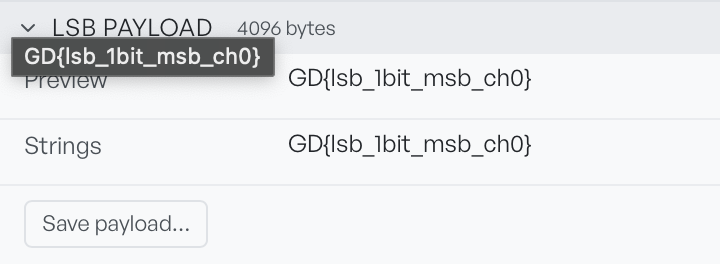
Preview shows the payload as text. Strings lists the readable runs found inside it. The badge counts the bytes extracted.
Text in either row means the settings are right. Where the bits do not line up, you get noise instead, and Preview reports non-text bytes. That is your signal to try the next combination, not to conclude there is nothing there.
Select Save payload to write the extracted bytes to disk. This matters when the payload is not text. An embedded image or archive looks like noise in the preview, but it stays intact in the saved file, ready for whatever tool reads that format.