Four areas of a flow tab#
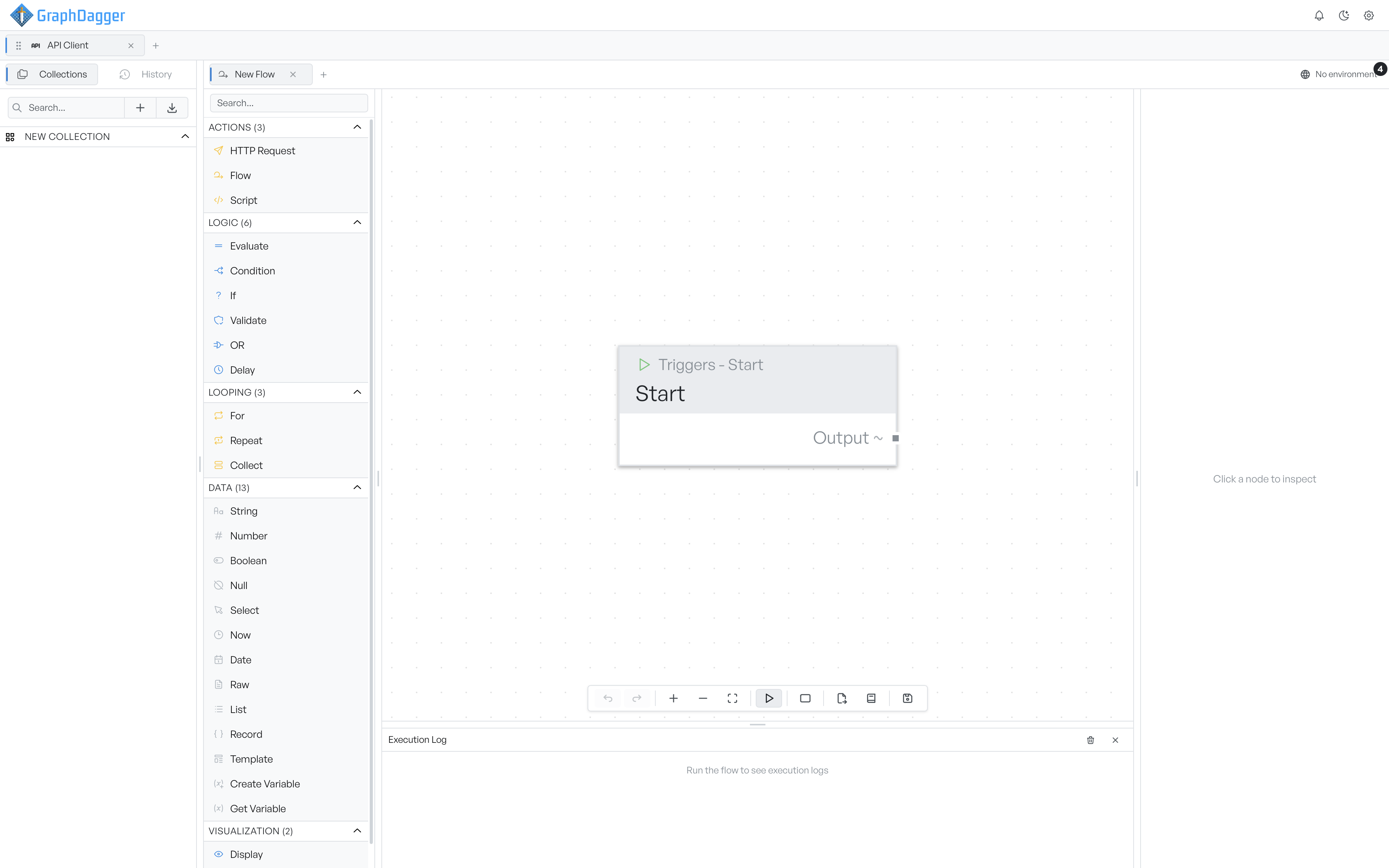
A block catalogue, a canvas, an inspector, and an execution log, each with a handle to resize it.
A flow tab has four areas: the block catalogue, the canvas, the inspector and the execution log. This page covers what each area holds.
Block catalogue#
The catalogue lists every block you can add, grouped into Actions, Logic, Looping, Data and Visualization. Each group is a collapsible section, and its header shows the number of blocks.
A search box at the top filters the list by block name or description. Select a block to drop it near the centre of the canvas, or drag it out to place it where you release the mouse. Each row has a small info icon that opens the block reference for that block.
The Start trigger is not in the catalogue. Every flow already has one, and you cannot add another.
Canvas#
The canvas is a scrollable, zoomable plane that holds your blocks and the connections between them. Its toolbar holds undo and redo, zoom in, zoom out and fit to view, the run control, an add-group button, export, the block reference, and save. The run control turns into a cancel control while a flow runs.
For how to place and connect blocks, see building a flow.
Inspector#
The inspector shows the selected block's label, its configuration fields and its most recent output. See inspector for detail.
Execution log#
During a run the log fills with timestamped events. You can expand an entry that carries data to read the payload. See execution log for detail.
Resize or collapse an area#
The catalogue, the inspector and the log each have a drag handle where they meet the canvas. Drag a handle to resize an area, or drag it far enough to collapse the area and reclaim the space.