Change the Time column#
Read each frame's time as a wall clock, as seconds since the capture began, or as the gap to the row above.
The Time column on the packet list can show three formats: an absolute wall-clock timestamp, seconds since the capture started, or seconds since the previous frame. You can also pin a single frame as a reference point for the relative and delta modes.
Switch the time mode#
The Abs, Rel, and Delta segmented control on the toolbar selects the time mode:
- Abs: absolute wall-clock timestamps, shown to millisecond precision.
- Rel: seconds elapsed since the start of the capture (or since the time reference, if one is set).
- Delta: seconds elapsed since the previous frame in the list.
A change of mode reformats every row in place. It does not reorder the list or discard any data. The same rows read differently in each mode:
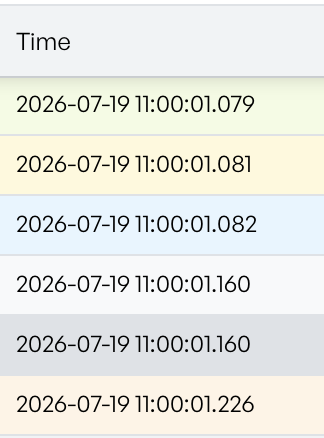
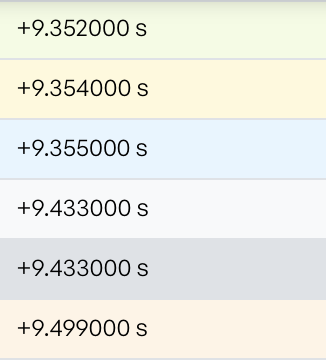
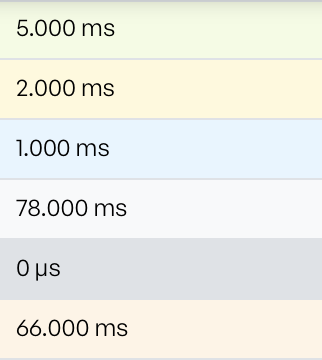
The selected mode stays with the tab, so each tab can use a different mode at the same time. The mode resets to Abs when you open a new tab.
Pin a time reference#
By default, Rel counts from the first frame in the capture. If you investigate a specific event, it is often easier to count from the frame where the event began.
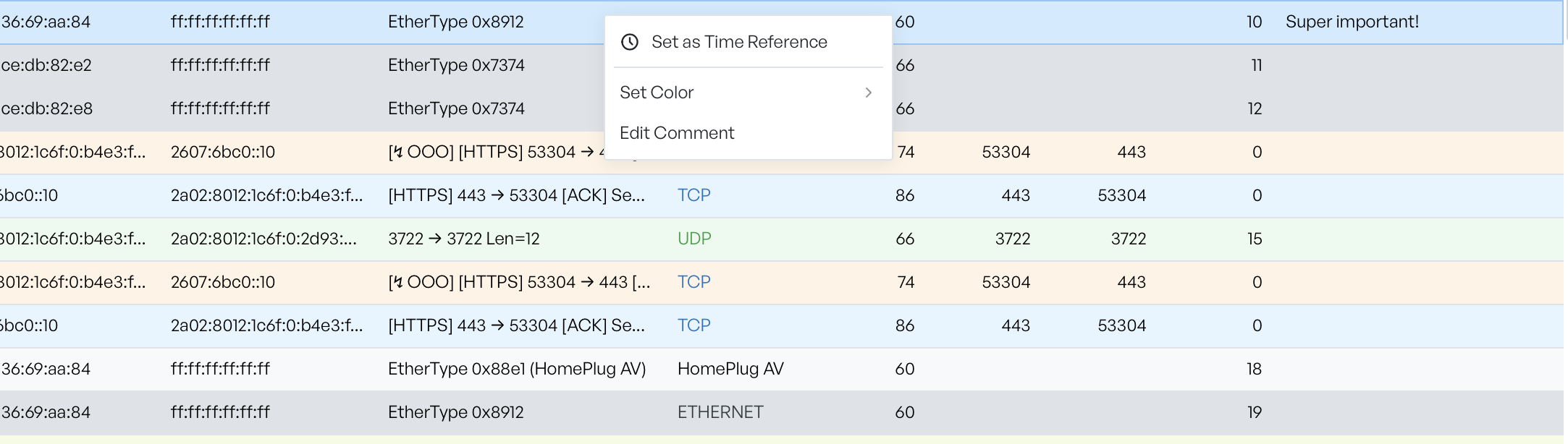
To pin a reference, right-click any row in the packet list and select Set as Time Reference. In Rel mode, the Time column then shows times relative to that frame. The row's badge appears on the toolbar next to the Abs/Rel/Delta control.
The badge shows #n, where n is the packet number of the reference frame. Select the clock-off icon next to it to clear the reference. Rel and Delta then resume their default behaviour.
When each mode helps#
- Abs is useful when you need to line up the capture with logs or events from another system that records wall-clock times.
- Rel is useful for measuring how long a session has been running, or how long after a triggering event a particular frame arrived.
- Delta is useful for spotting bursty traffic, idle periods, and retransmissions, since each row's time is the gap to the row above it.
Use Set as Time Reference together with Rel when you investigate a specific transaction. Pin the first frame of the transaction. The Time column then reads as a stopwatch from that point.