Set the pause point#
Choose Before Request, After Response, or Both to decide which side of the exchange is held and which fields you can edit.
A breakpoint's Pause Point decides which side of the exchange holds the request.
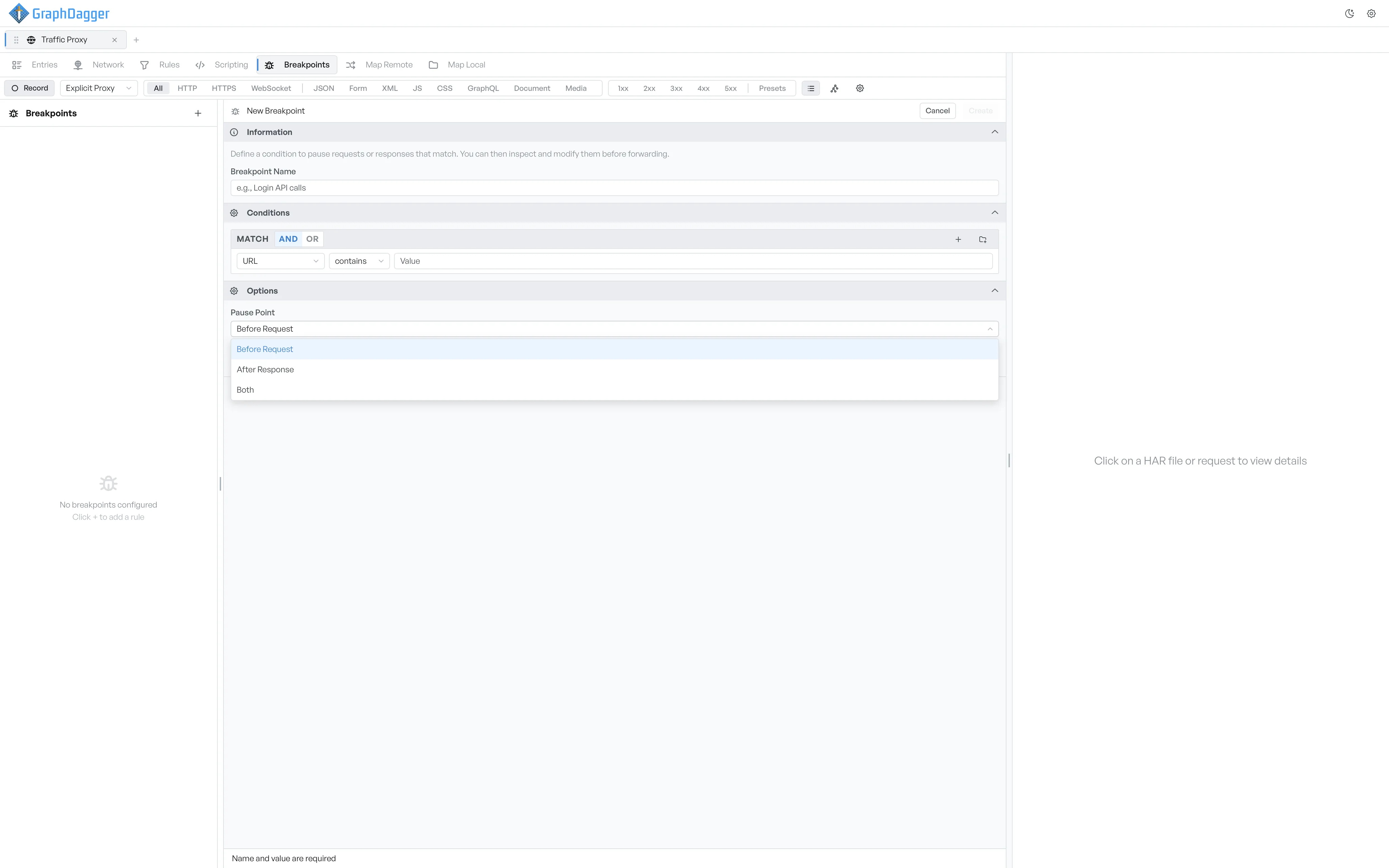
The three pause points#
- Before Request: GraphDagger holds the request before it reaches the server. The paused-request editor opens in request mode. You can edit the method, the URL, the params, the headers, the cookies, and the body.
- After Response: the request reaches the server as usual, and GraphDagger holds the response before it reaches the client. The paused-request editor opens in response mode. You can edit the status, the status text, the response headers, and the response body.
- Both: the breakpoint can fire on either side. One request can pause twice: once on the way out, and once on the way back.
The pause-point label in the sidebar#
Each breakpoint row in the sidebar shows a small label on the right. The label shows the pause point.
Req: pauses on Before Request only.Res: pauses on After Response only.Both: pauses on either side.
How the pause point limits conditions#
The pause point also controls which fields the conditions offer. Response selectors (status, response headers, response body, response cookies) are available only when the pause point is After Response or Both. At Before Request time, a response does not exist yet.