Call a gRPC method#
Load a descriptor, pick a typed method, and call it with a JSON message.
gRPC calls are typed: the client and server agree on message shapes ahead of time through a descriptor. Set the request type to gRPC to load a descriptor, pick a method, fill in the request message as JSON, and read the reply. GraphDagger supports unary calls and all three streaming kinds.
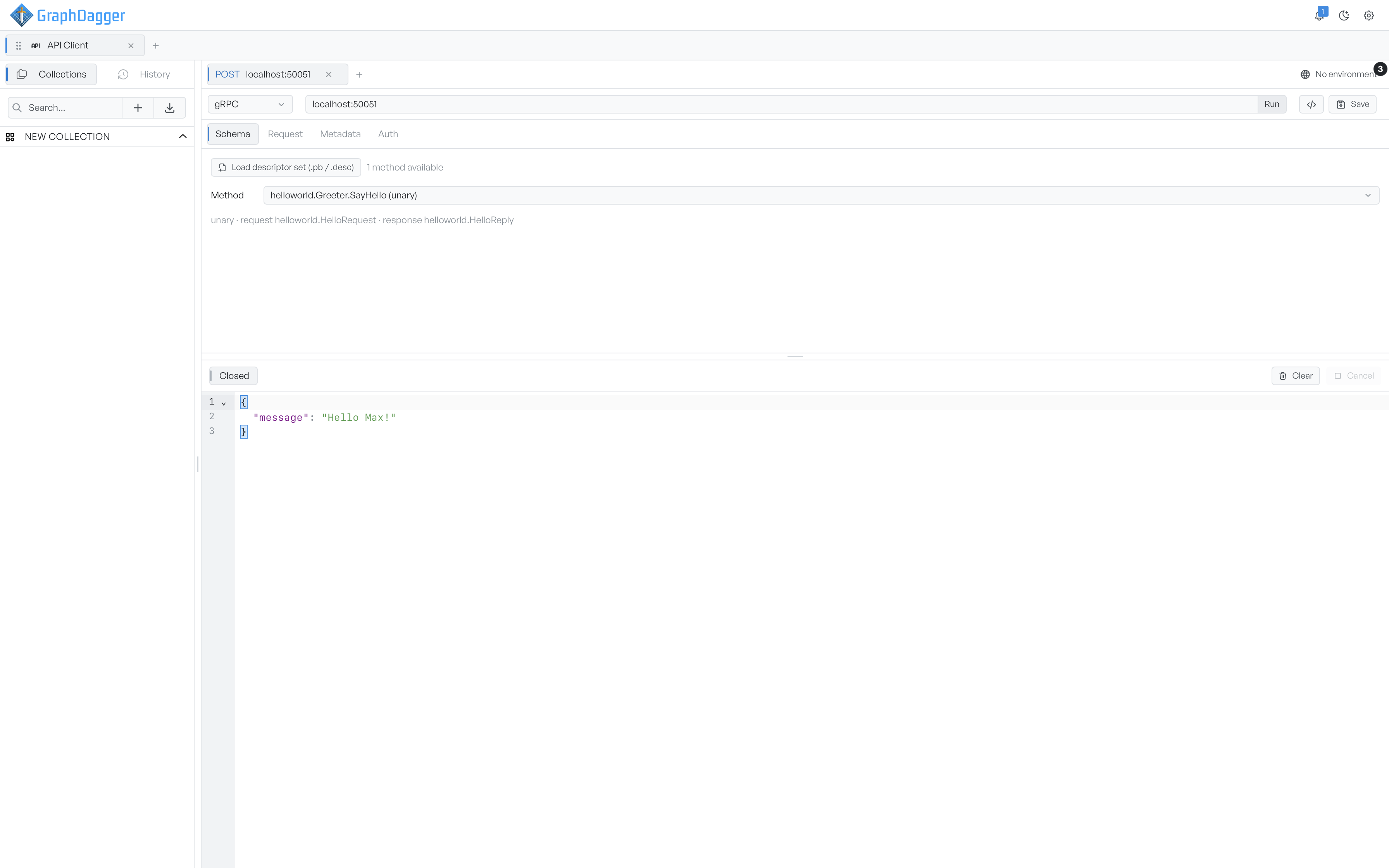
Load a descriptor and select a method#
gRPC needs the service definition before it can call anything. On the Schema tab, click Load descriptor set (.pb / .desc), then select a compiled descriptor file. You build one from your .proto with protoc, for example:
protoc --include_imports --descriptor_set_out=service.pb service.proto
Once the descriptor loads, the panel shows how many methods are available, and a Method picker. Each option is named service.method with its kind in brackets. Select one. A line then confirms the kind and the request and response message types, so you can check that you picked the right call.
The kinds are unary, server-stream, client-stream, and bidirectional.
Send the call#
The request panel has four tabs:
- Schema. Load the descriptor and select the method, as above.
- Request. The request message, written as JSON. It must be valid JSON before the call runs.
- Metadata. Key and value pairs sent with the call. Metadata is the gRPC equivalent of HTTP headers.
- Auth. GraphDagger turns Bearer and Basic auth into an
authorizationmetadata entry. See Authentication.
Enter the server address in the URL bar and click Run. The button reads Cancel while a call is in flight.
Streaming calls add controls to the Request tab. A client-streaming or bidirectional call gains a Send message button, so you can push several messages over the open stream. A client-streaming call also gains a Finish stream button. Click it to close the client side after you send the last message.
Read the reply or transcript#
The output area shows a status chip: Idle, Connecting, Open, Closed, or Cancelled.
A unary call shows the single reply message as formatted JSON. A streaming call shows the whole exchange as a JSON transcript instead. Each entry carries its direction and timestamp. A readout shows messages per second while the stream is open. Click Clear to empty the log, and Cancel to end the call. As with the other live types, the message log is session-only. It holds the most recent 500 messages.