Read server-sent events#
Subscribe to a one-way stream and watch events and their rate arrive.
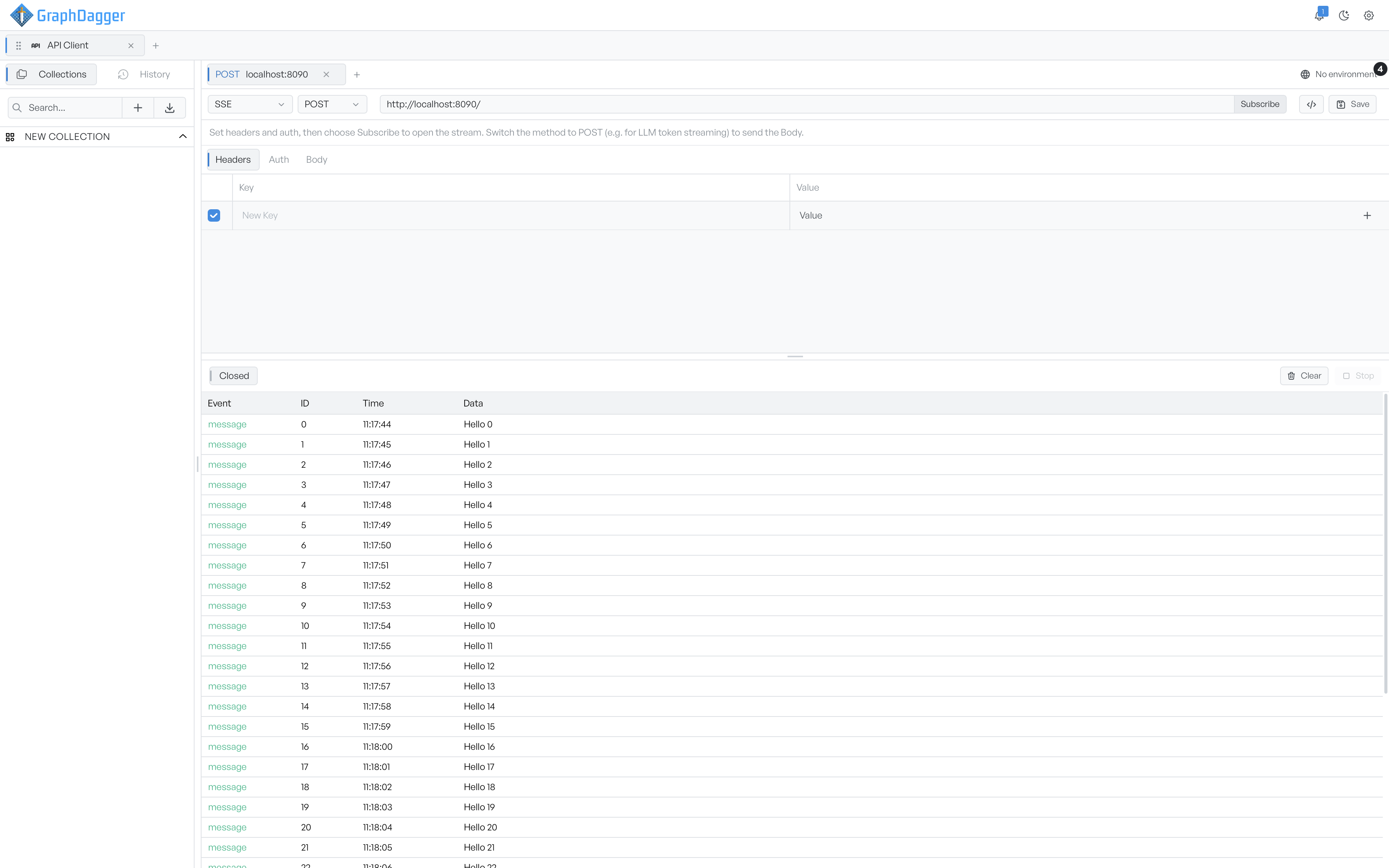
Server-sent events are a one-way stream: you open a connection, and the server pushes events to you until one side stops. Set the request type to SSE to subscribe to a stream and watch events arrive in real time. SSE suits progress feeds, live dashboards, and token-by-token responses from a model endpoint.
Subscribe to a stream#
Enter the stream URL in the URL bar. The action button reads Subscribe. Once the stream is open, it reads Stop. Set your headers and auth before you subscribe.
The request panel has three tabs:
- Headers. Headers sent when the stream opens.
- Auth. Authentication for the stream. See Authentication.
- Body. Sent only for POST streams (see below).
By default the stream opens with a GET. Switch the method to POST when the endpoint expects a request body, for example to start a model completion. When the method is POST, GraphDagger sends the Body tab with the subscription.
Read the event log#
The output area shows a status chip that moves through Idle, Connecting, Open, and Closed. While a stream is open, a small readout shows the current rate, for example ~120 tok/s · 8.5 evt/s. GraphDagger measures the rate over the last few seconds. The tokens figure is an estimate. Use it to judge how fast a model streams.
The log has a column for each event's name, id, time, and data. The name is usually message. The id shows where the server sent one. The time is the local wall-clock time the event arrived. Click Clear to empty the log, and Stop to close the stream. The log keeps the most recent 500 events for this session only. GraphDagger does not save it with the request.