Open a WebSocket connection#
Hold a socket open, push frames by hand, and watch both directions live.
A WebSocket connection stays open, so both sides can send messages at any time. Set the request type to WebSocket to open a connection, send frames by hand, and watch everything that flows in each direction in a live log.
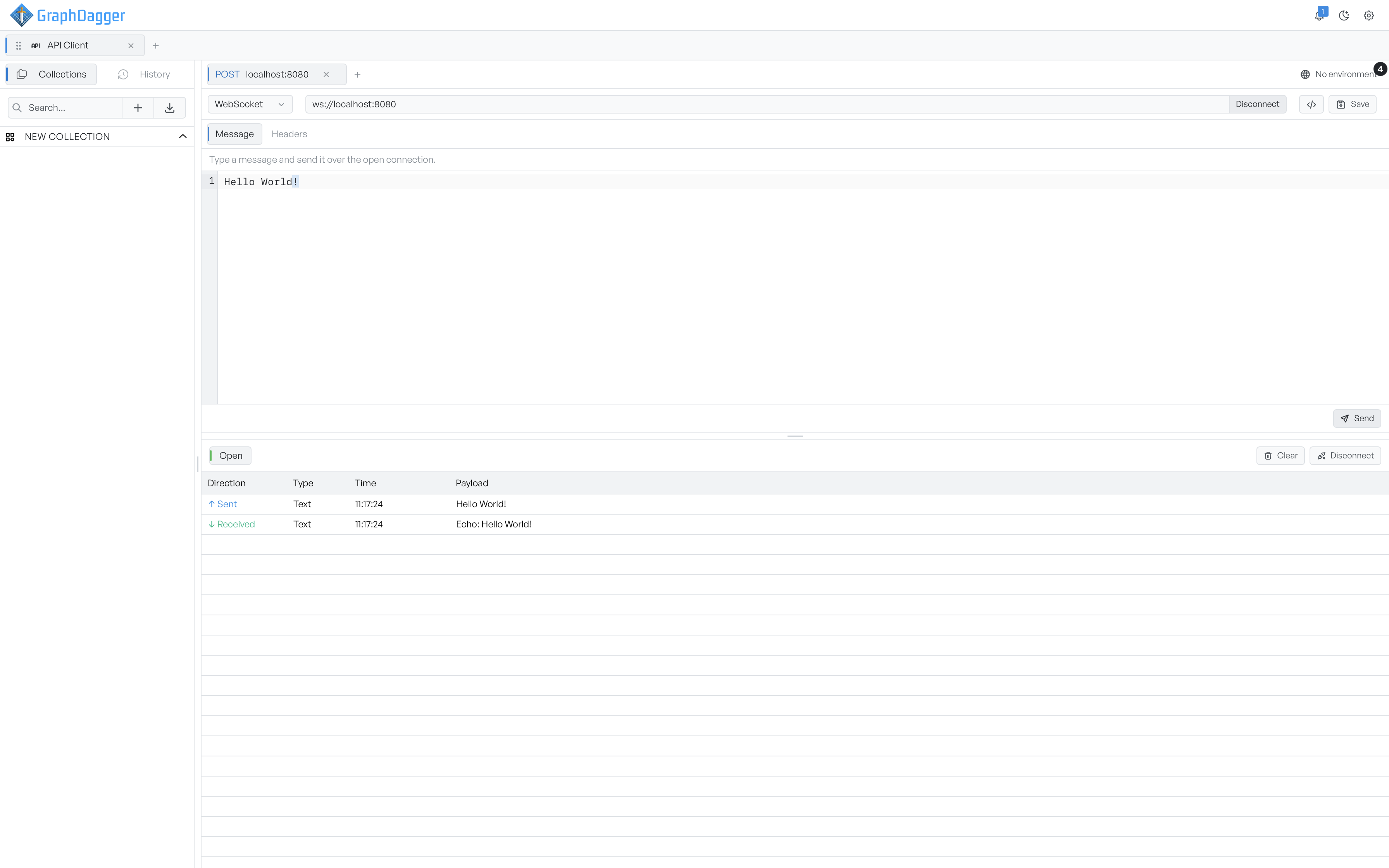
Open a connection#
Enter a ws:// or wss:// URL in the URL bar. The action button reads Connect. Click it to open the connection. The button then reads Disconnect, so you can close the connection again.
The request panel has two tabs:
- Message. Compose a frame to send. The box is read-only until the connection is open, with a reminder to connect first. Once the connection is open, enter your message and click Send inside the editor.
- Headers. Headers sent when the connection opens. Use these to carry a token or any handshake header the server expects.
GraphDagger resolves variables in the URL, the headers, and each message before it sends the message. You can keep a token in an environment and reference it with {{token}}.
Read the frame log#
The output area shows a status chip and a running list of frames. The status moves through Idle, Connecting, Open, Closing, and Closed.
The log has a column for each frame's direction, type, time, and payload. The type is Text or Binary. The time is the local wall-clock time the frame arrived. GraphDagger tints sent and received frames differently, so a fast back-and-forth stays readable.
Click Clear to empty the log. The connection stays open. Click Disconnect to close the connection.
The log holds the most recent 500 frames for this session only. GraphDagger does not save it with the request.