Add a Map Local rule#
Point matching URLs at a directory on disk, with an optional prefix to strip and a fallback file for single-page application routing.
Map Local serves matching URLs from a directory on disk instead of fetching them from the network. Use it when you want to swap in a modified JavaScript bundle, mock an API response from a JSON file, or serve a fixture directory as if it were an origin.
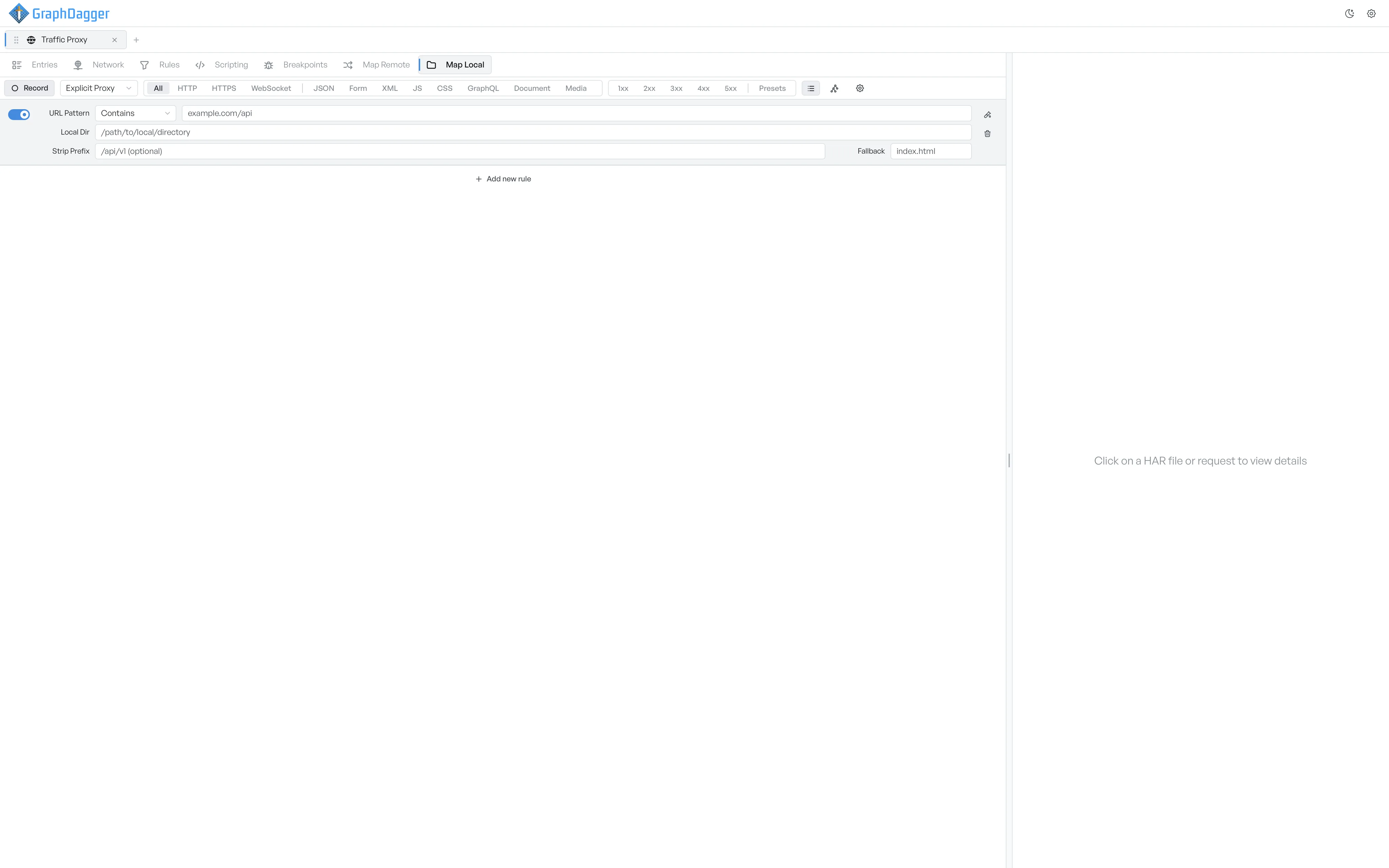
Add a Map Local rule#
- Open the Map Local sub-tab.
- Select + Add new rule at the bottom of the list. A new empty row appears.
- Fill in the fields described below.
What each field controls#
- URL Pattern: the request URL pattern to match. The dropdown to its left controls how the pattern is interpreted: Contains, Starts with, or Regex.
- Local Dir: the directory on disk to serve files from. Paths can be absolute or relative to your home directory.
- Strip Prefix: a leading path segment to strip before looking up the file. For example, with Strip Prefix set to
/api/v1, a request for/api/v1/userslooks upusersinside Local Dir. This field is optional. - Fallback: a filename (typically
index.html) to serve when the request does not map to a specific file. Use this for single-page application routing, where the server returns the SPA shell for any route. This field is optional.
How a request resolves#
When a request matches the URL pattern:
- The request URL has the Strip Prefix removed from the start of its path, if set.
- GraphDagger looks for that path inside Local Dir.
- If the file exists, GraphDagger serves it. If not, GraphDagger looks for Fallback and serves that instead.
- If neither exists, the request fails with a 404.
Switch a local mapping on or off#
The toggle on the left of the row controls whether the rule is active. Turn it off to keep the rule without a file served from disk.
Test the mapping first#
To check a rule against a sample URL without firing a real request, see Testing a Map Local.