Test a Map Local rule#
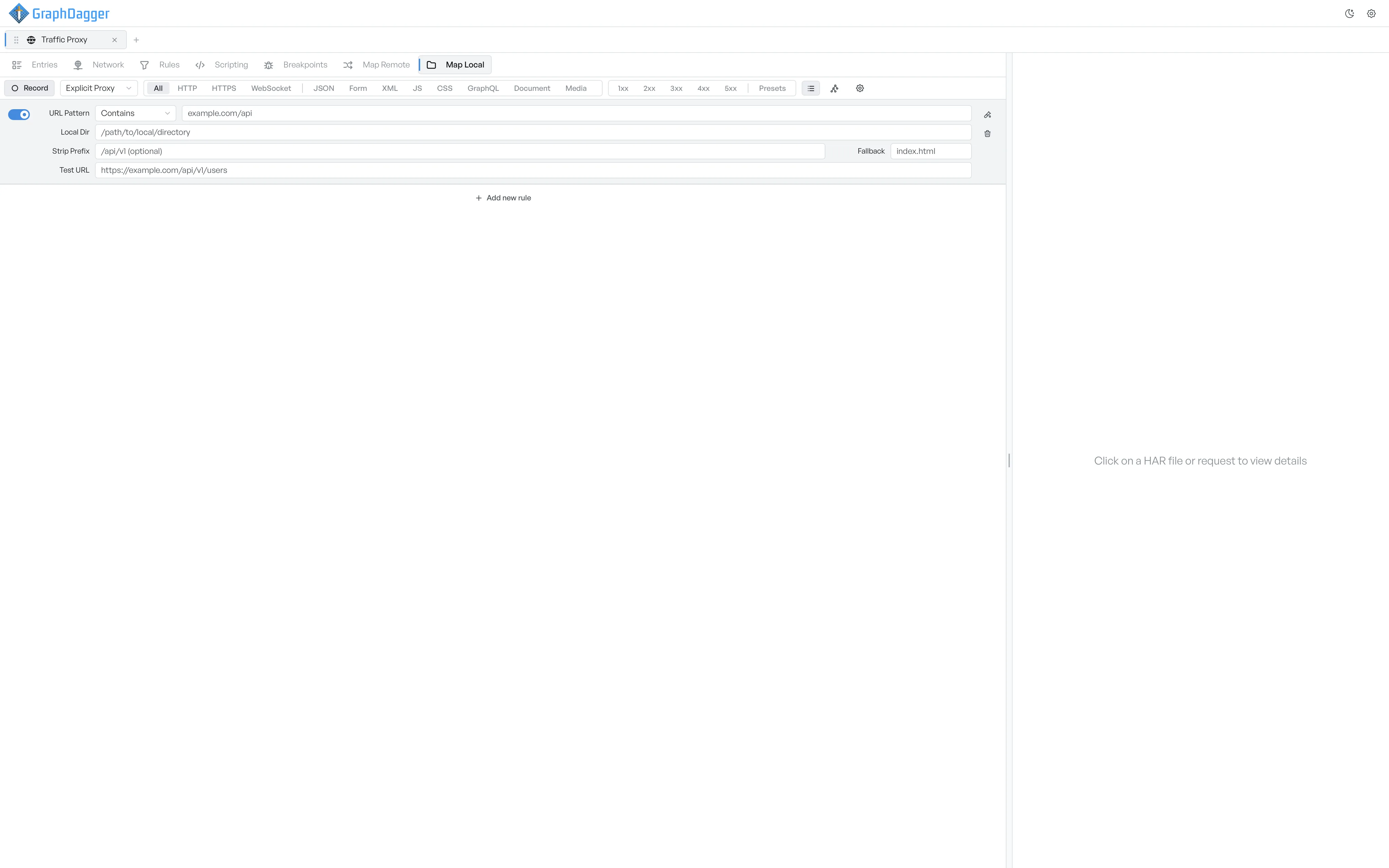
Type a sample URL into the test field to see the absolute disk path GraphDagger would serve for it.
Each Map Local row has a test button so you can verify a mapping without firing a real request. This confirms that Strip Prefix, the URL Pattern, and the Local Dir all agree on which file GraphDagger serves.
Test a URL against the mapping#
- Pick a row.
- Select the test-tube icon on the right of the row. A test field expands underneath.
- Enter a full URL in Test URL.
The path that the rule resolves to appears next to Resolves to underneath. This is the absolute disk path GraphDagger tries to serve for that URL.
How the resolved path is built#
GraphDagger builds the resolved path straight from the rule's logic.
- GraphDagger matches the URL against URL Pattern.
- GraphDagger removes the matching prefix if you set Strip Prefix.
- GraphDagger appends the remaining path to Local Dir.
If the rule's URL pattern does not match the test URL, the Resolves to line stays empty.
Collapse the test field#
Select the test-tube icon again to collapse the test field. The test value persists for the rest of the session.