Test a Map Remote rule#
Type a sample URL into the test field to see the URL the rule resolves to before you start a recording.
Each Map Remote row has a test button so you can verify a mapping without firing a real request. This helps most with regex rewrites that use capture groups. In those rewrites you can drop a slash or a backreference and not notice.
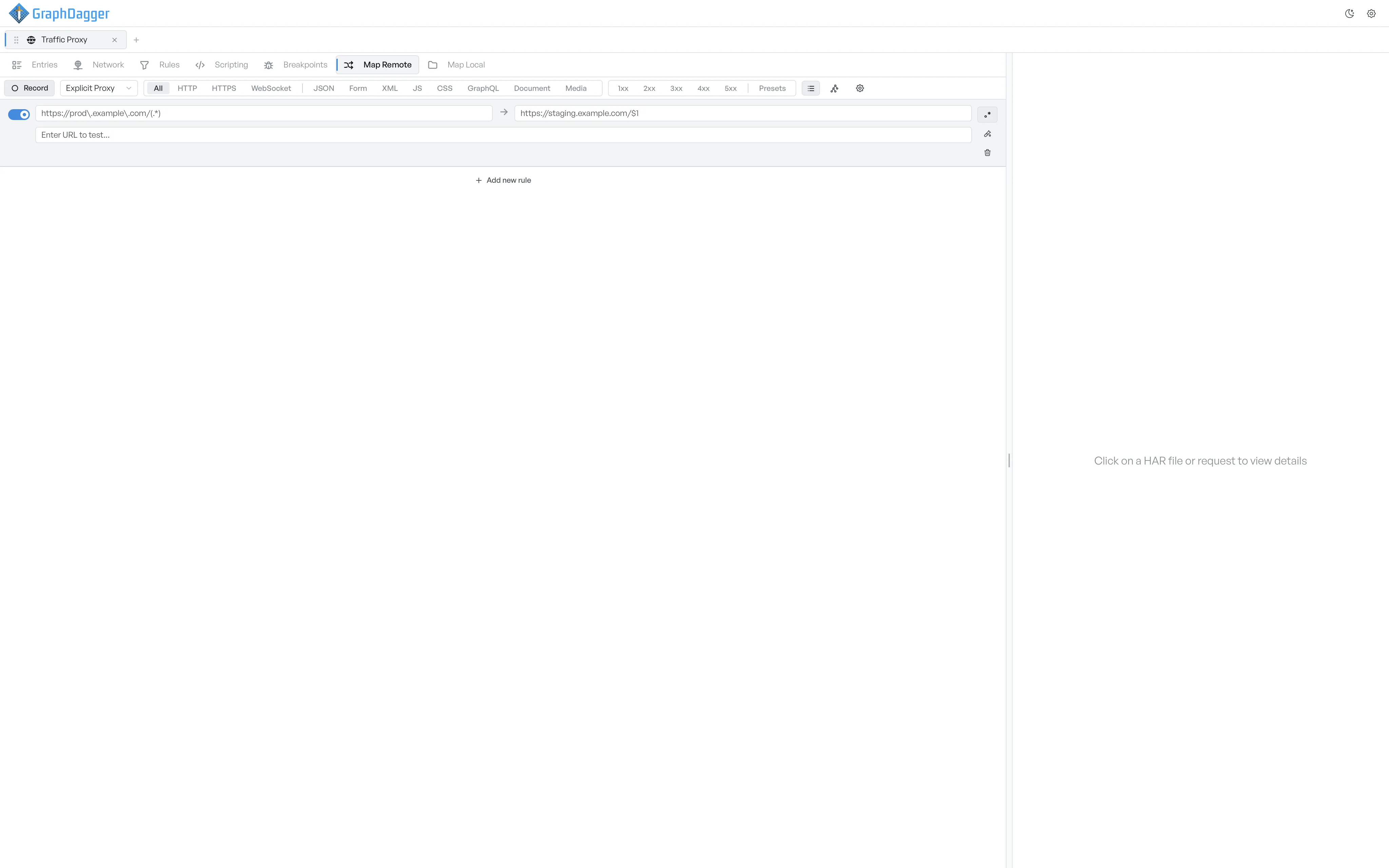
Test a URL against the rule#
- Pick a row.
- Select the test-tube icon on the right of the row. A test field expands underneath.
- Enter a sample URL in Enter URL to test....
The result appears next to the input.
- If the rule matches, the result shows the resolved URL in green.
- If the rule does not match, the result reads No match in muted text.
- If the source is not a valid regex (when regex mode is on), the result reads Error: .
What the resolved URL tells you#
The resolved URL is the URL GraphDagger sends if you start a recording with this rule active. The result shows the substituted capture groups, so you can see whether $1 holds the value you expect.
Close the test field#
Select the test-tube icon again to collapse the test row. The test value persists for the rest of the session, so you can go back and forth without a second entry.