Set rule conditions#
Pick a field, a comparator, and a value on each row, then combine the rows with AND, OR, and nested groups.
Conditions decide which requests a rule applies to. The condition builder is the same component that breakpoints and scripts use, so the model stays consistent across the workspace.
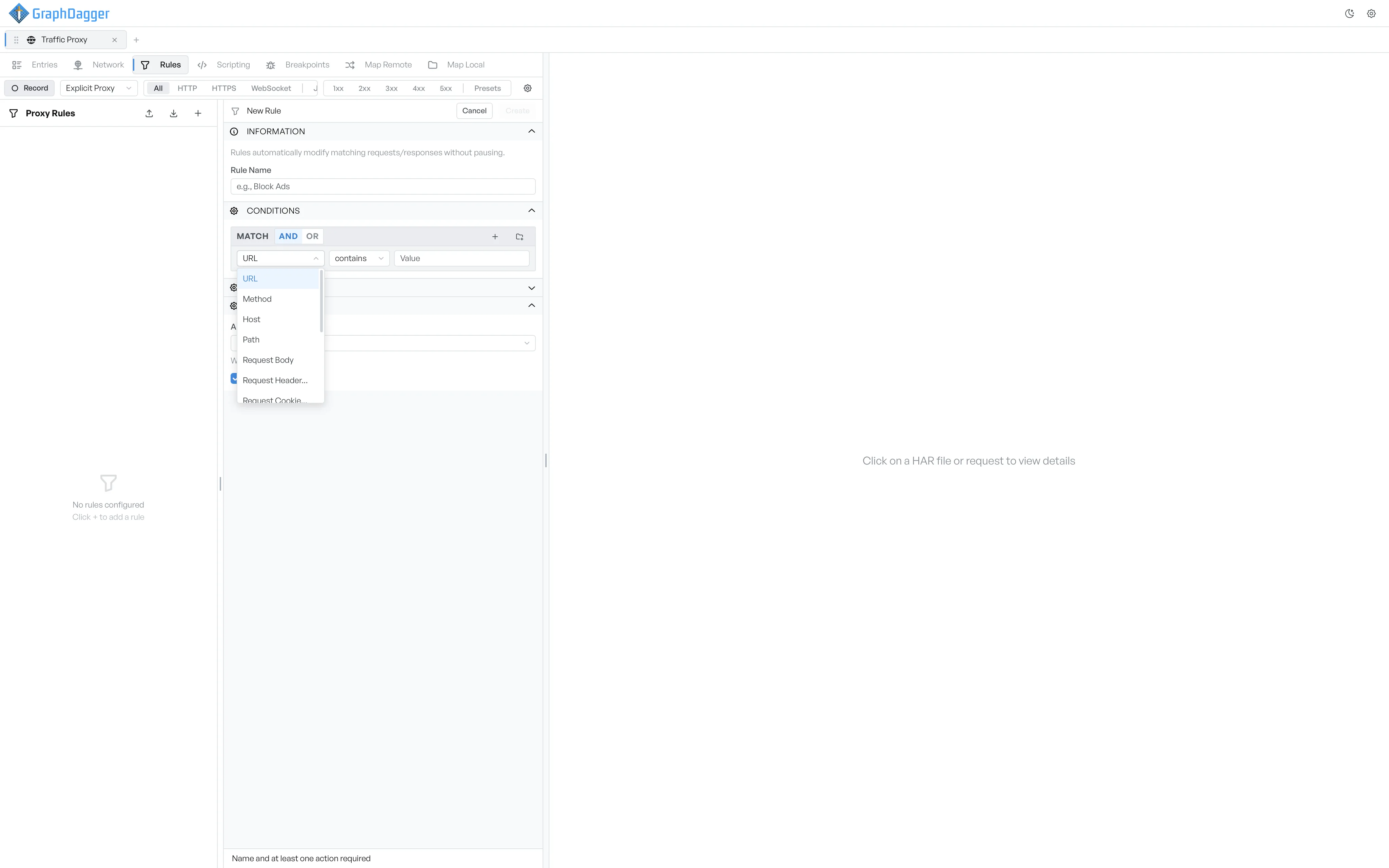
Combine rows with AND or OR#
The top of the Conditions section shows a Match label with two toggle buttons: AND and OR. Switch between them to control how the rows in the group combine.
- AND: every row must match.
- OR: one row that matches is enough.
Two icon buttons sit on the right.
- Select the + icon to add another condition row to the group.
- Select the folder-with-plus icon to add a nested group. Nested groups let you build expressions such as
(A and B) or (C and D).
What each condition row picks#
Each row picks a field, a comparator, and a value.
- Field dropdown (request side, always available): URL, Method, Host, Path, Request Body, Request Header..., Request Cookie..., Query Parameter....
- Field dropdown (response side, only when Apply to allows responses): Status Code, Status Text, Response Body, Response Header..., Response Cookie....
- Comparator dropdown: contains, equals, starts with, ends with, matches (regex), >, <.
- Value: a free-text input. The placeholder changes to Regex pattern when the comparator is matches (regex).
An extra input appears between the field and the comparator when the field is Request Header..., Request Cookie..., Response Header..., Response Cookie..., or Query Parameter.... Enter the header, cookie, or parameter name in that input.
Open the full value editor#
A small </> icon appears next to the value for body fields, regex patterns, and cookie values. Select it to open a draggable, resizable code editor with syntax highlighting. You can switch the editor language between Text, JSON, XML, HTML, JavaScript, and CSS. A structured language also reformats the current value.
Remove a condition row#
Each row has a trash icon at its right end. Select it to remove the row. If you remove the last row in a group, the builder restores a default empty row, so the group is never empty.