Write and save script code#
Write your code with syntax highlighting and autocomplete, save it with Ctrl+S, and reach the script settings from the header chevron.
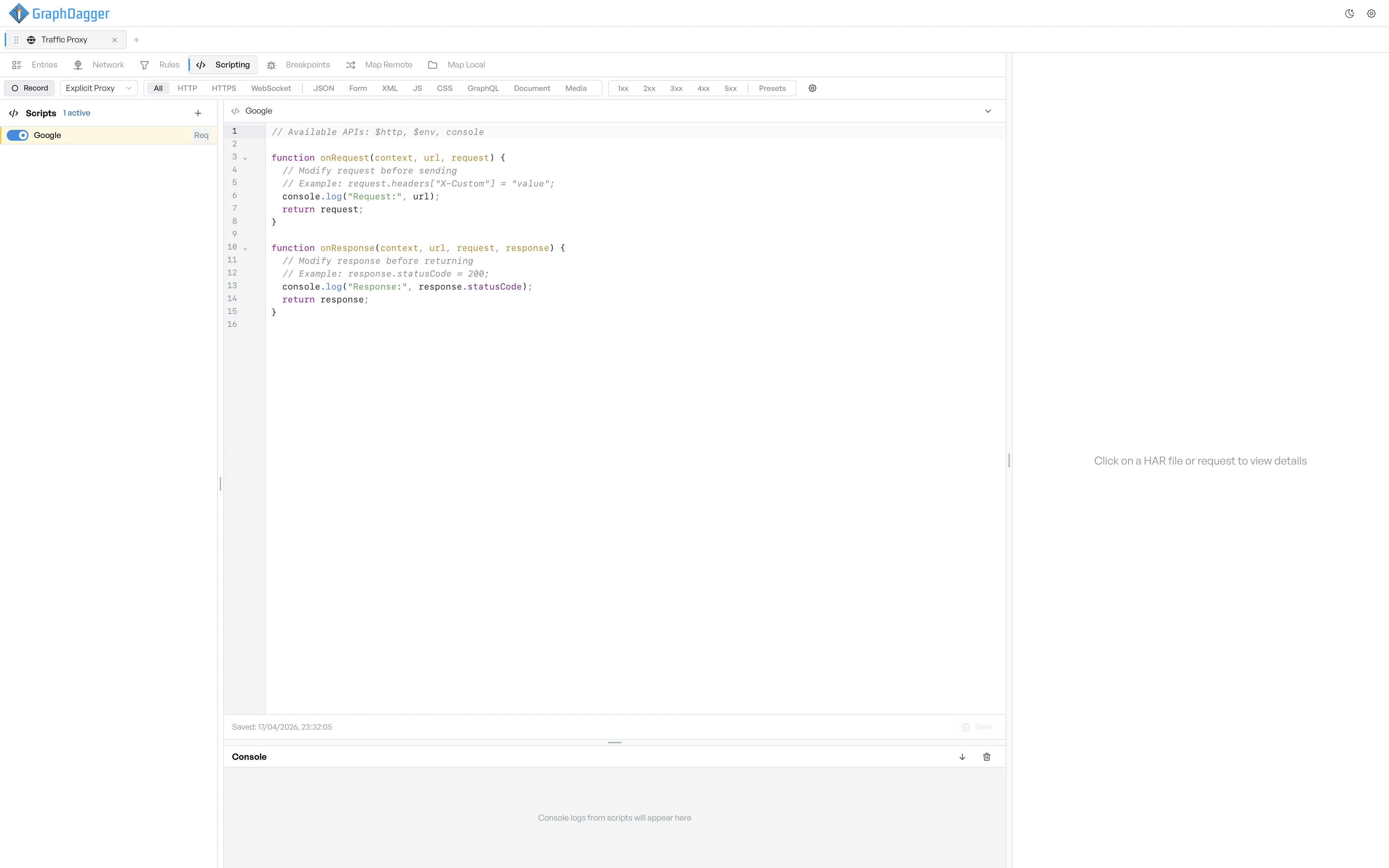
The editor opens in the right pane after you save a script. It is a JavaScript editor with line numbers, syntax highlighting, autocomplete for the scripting APIs, and a save button.
What the editor header holds#
The editor header shows the script's name, and a dot when the script has unsaved changes. Select the chevron to open a settings panel with the same form sections as the new-script form: Information, Conditions, and Execution Phase.
A change to a setting shows a Settings changed bar at the bottom of the panel, with a Save Settings button. The button stays disabled until the script has a name and at least one execution phase.
The starter template#
A new script starts with a template based on the execution phases you selected.
// Available APIs: $http, $env, console

function onRequest(context, url, request) {
  // Modify request before sending
  // Example: request.headers["X-Custom"] = "value";
  console.log("Request:", url);
  return request;
}

function onResponse(context, url, request, response) {
  // Modify response before returning
  // Example: response.statusCode = 200;
  console.log("Response:", response.statusCode);
  return response;
}
Return the request or the response object from each function to continue the forward path. If you return a modified object, the proxy uses your version from that point onward.
Save your code#
The footer shows the last save time, or Never saved if the script has no saved code yet.
- The Save button on the right writes the current code to disk. It is disabled when there are no unsaved changes.
- Press Ctrl+S, or Cmd+S on macOS, to save without the mouse.
The Save button is for code only. To save settings (name, conditions, phases), use the Save Settings button in the collapsible settings panel.
Where console output appears#
Anything a script logs goes to the console panel. See live console output.