Make a script#
Give the script a name, set the conditions that match traffic, choose its execution phase, and save to open the editor.
To create a script, select the + button in the Scripting sidebar. The new-script form opens in the right pane.
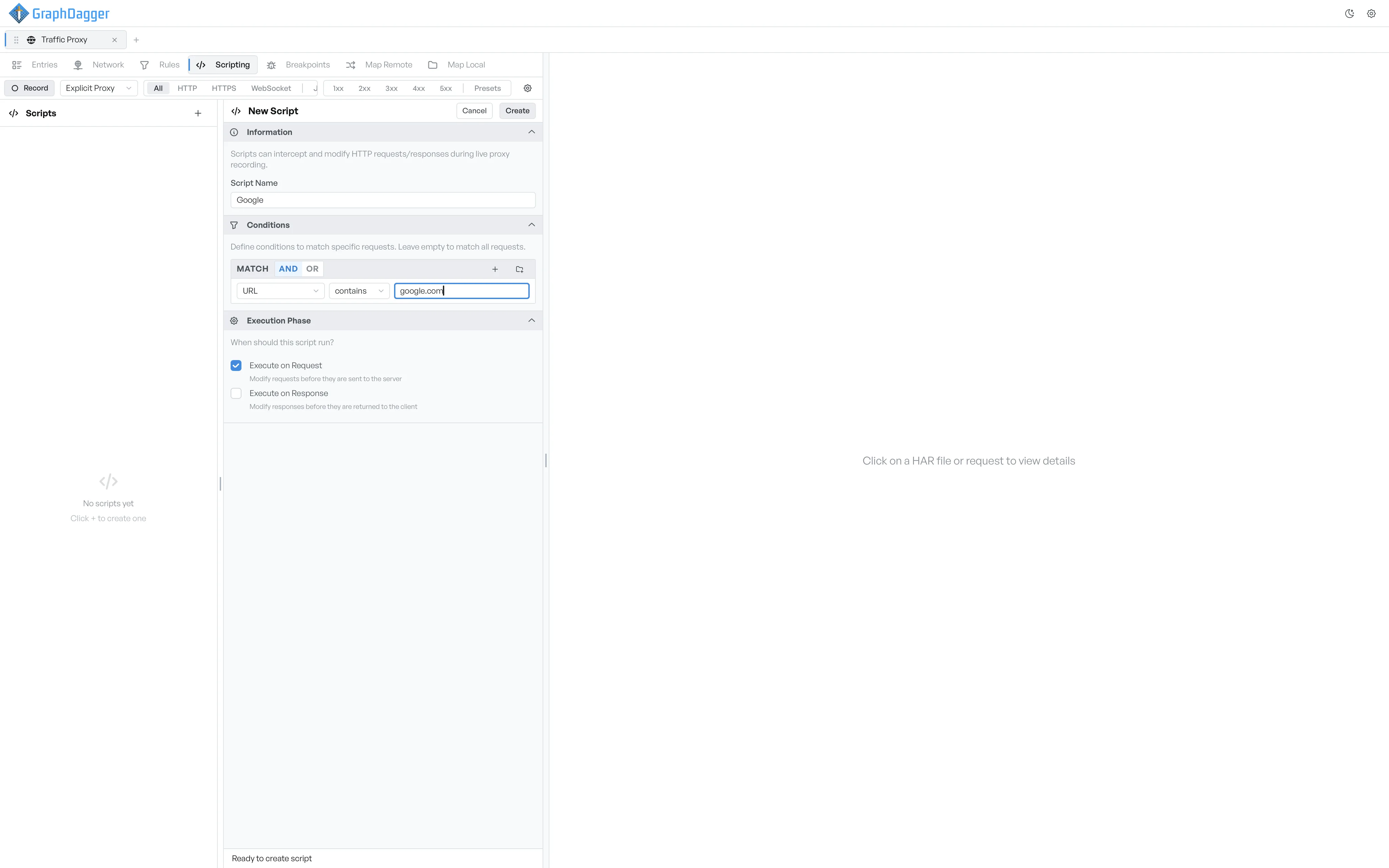
What the new-script form holds#
- Information: the script's name. The name shows next to the toggle in the sidebar.
- Conditions: the same condition builder that rules use. Pick a field, a comparator, and a value. You can also build a compound expression with AND, OR, and nested groups. Leave the conditions empty to match every request.
- Execution Phase: the phase or phases that the script runs on.
Save the script#
The footer at the bottom shows Ready to create script when the form is complete. Otherwise it shows Name and at least one phase required. The Create button at the top right enables when the footer says ready. Select it to save the script and open the editor.
Cancel a new script#
Select the Cancel button next to Create to discard the form.