Open a SQLite file#
Point a connection at a database file on your computer, and repoint it later when the file moves.
A SQLite database is a single file on your computer, so a SQLite connection needs only a name and the path to that file. There is no server, host, or password.
With the Engine set to SQLite, the form shows a Database file field. Type the full path, or select Browse to pick the file from a standard open dialog. The file picker offers the usual SQLite extensions (.db, .sqlite, .sqlite3, .db3) and an option to show all files.
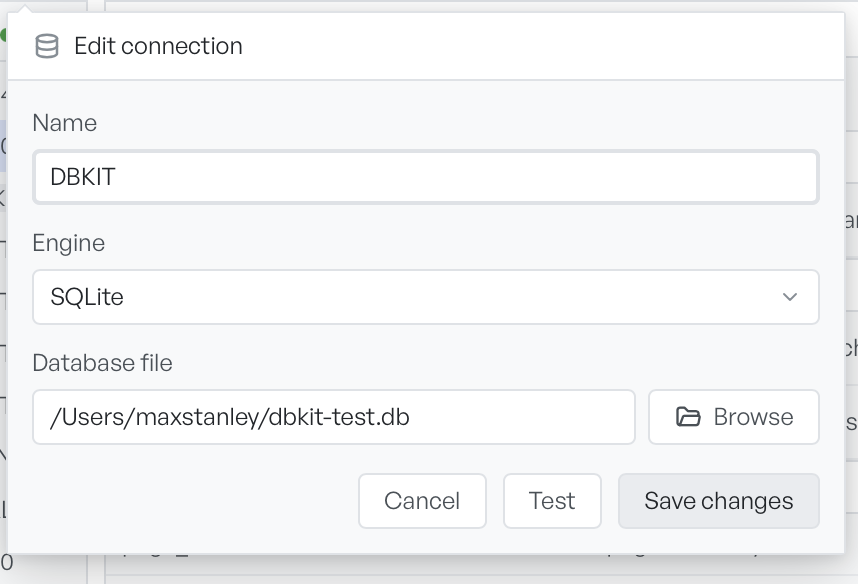
Select Test to confirm the file opens, then Add connection to save it. The database appears in the sidebar, ready to expand.
Open a file without a connection#
You do not always have to create a connection by hand. Database Client is registered to open SQLite files. When you open a .db, .sqlite, .sqlite3, or .db3 file from elsewhere in the app, it comes straight into the workspace.
Point at a different file#
To point a connection at a different file, right-click it in the sidebar, select Edit, and change the Database file field. The rest of the connection, including its name and place in the sidebar, stays the same.