Layered View#
Expand each protocol layer of a frame, from the link layer up to the application, and copy any field.
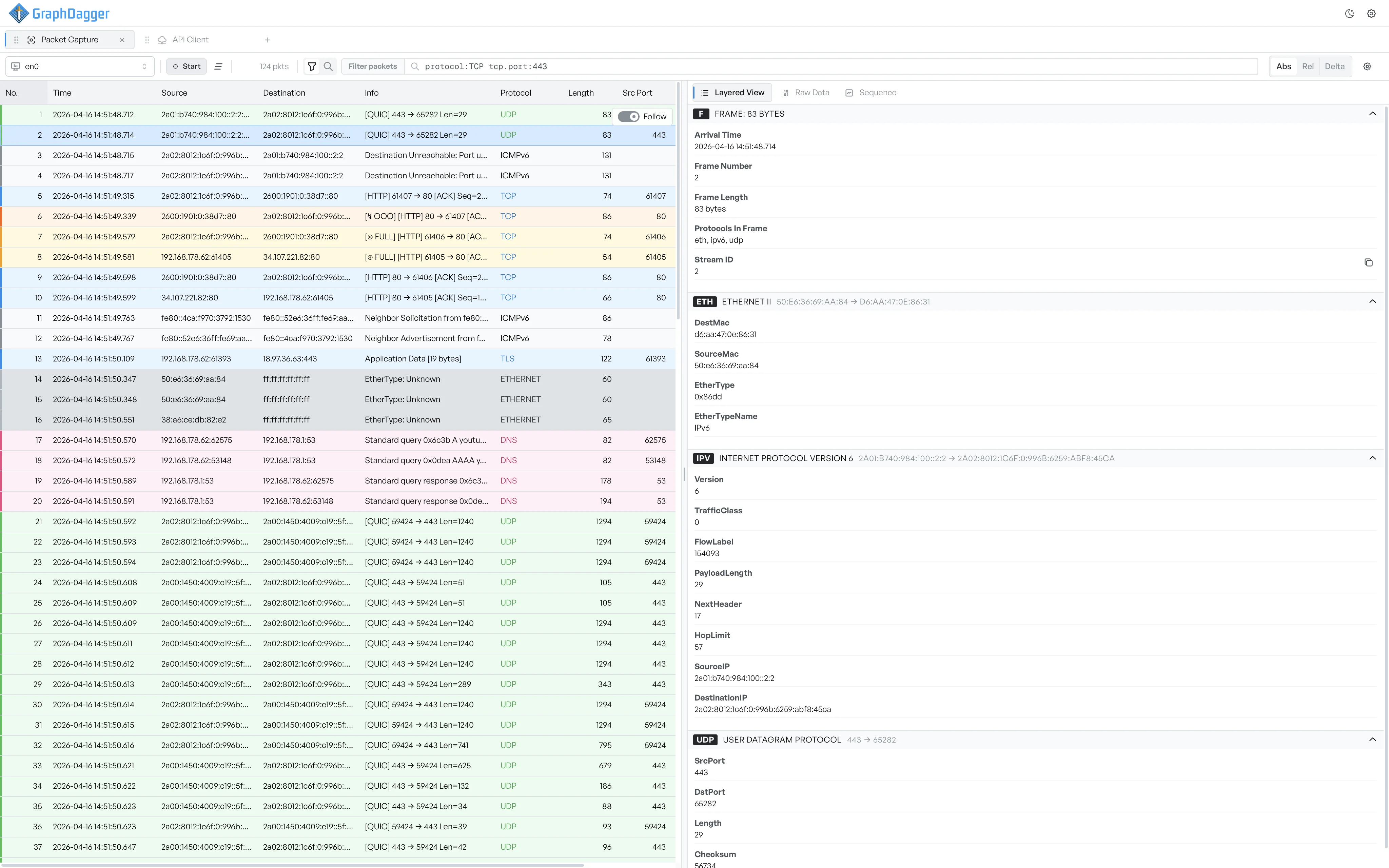
The Layered View breaks a frame into its protocol layers, from the link layer up to the application protocol. Each layer is a collapsible card labelled with its protocol and a short summary. Expand a card to list every decoded field with its value.
Layers you will see#
The cards always appear in network order, from the lowest layer at the top to the application layer at the bottom.
- Frame: capture metadata such as the arrival time, frame number, frame length, and the protocols the workspace detected.
- Ethernet II (or another link-layer protocol): source and destination MAC addresses and the EtherType.
- Internet Protocol (Version 4 or 6): the IP header, including addresses, traffic class, hop limit, and next header.
- Transport (TCP or UDP): the transport header with ports, flags, window, and segment length.
- Application: the detected application protocol, where one is present (HTTP, TLS, DNS, and so on).
A frame can have more or fewer layers, depending on what the workspace recognised. Frames the workspace cannot identify still appear with their lower layers decoded, and the application layer stays unnamed.
What a card header shows#
The Frame card and the lowest decoded layer are open by default. Other cards collapse to keep the view compact.
Each card header carries a protocol badge (F, ETH, IPV6, TCP, and so on), the layer name with a short summary, and a dimmer subtitle of key fields, such as the IP addresses on the network layer or the ports on the transport layer. Select the header to expand or collapse the card.
Fields inside a card#
An expanded card lists every field as a label and value. Long values wrap onto a second line. Hover any value to see a copy icon, then select it to copy the value to the clipboard.
If the workspace decoded a list of items at this layer, for example the TLS extensions or the DNS answers, each item appears as its own row underneath the parent field.