Raw Data#
Read a frame as a hex dump, jump straight to a byte offset, and copy a region of bytes.
The Raw Data view shows the selected frame as a hex dump. Use it to verify individual bytes, find a value in the payload, or copy a specific region.
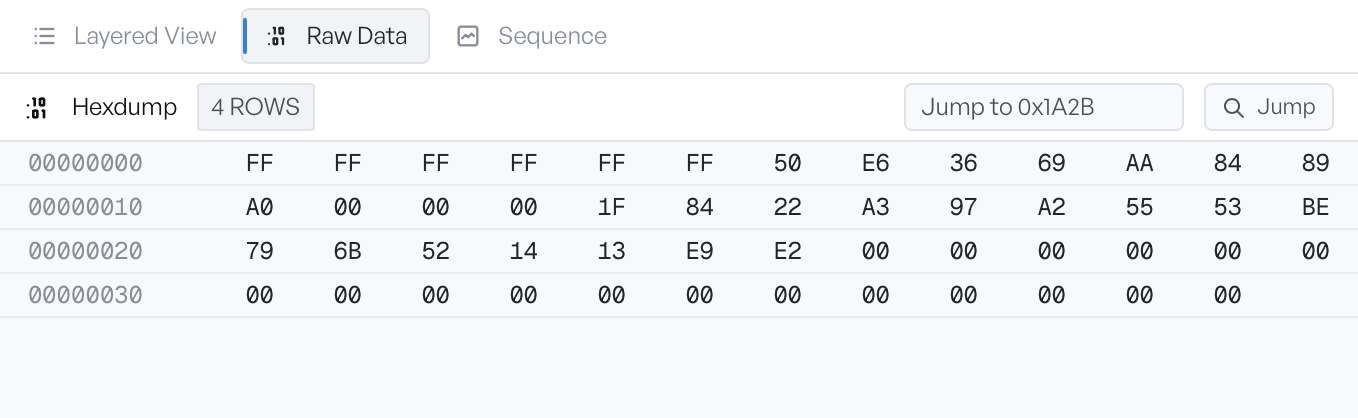
Offset, hex, and ASCII#
Each row of the dump represents 16 bytes:
- Offset: the byte offset into the frame, in hexadecimal, padded to four digits (
0000,0010,0020, and so on). - Hex: 16 bytes shown as space-separated hexadecimal pairs.
- ASCII: the same 16 bytes rendered as printable characters. The view shows non-printable bytes as dots.
Long frames scroll vertically. The header shows the total row count, so you can see the size of the frame at a glance.
Jump to an offset#
The Jump-to-offset control takes a hexadecimal offset and scrolls the dump straight to that position. Type the offset, with or without a leading 0x, and select Jump. The view scrolls so the requested byte is the first row.
Use this control to reach the application-layer payload of a long frame without a long scroll.
Copy a region of bytes#
Select any region of the hex column to copy the raw bytes. The ASCII column mirrors the selected region, so you can see what you selected.
To copy the entire frame, scroll to the top, select the first byte, then press Shift+End to extend the selection to the last byte.
When to switch tabs#
Raw Data is the right view when you have a specific byte or sequence of bytes in mind. For named fields and protocol structure, use Layered View. For the wider TCP conversation, use Sequence.