Sequence#
Watch a TCP conversation unfold as arrows between two endpoints, grouped into handshake, data, and close.
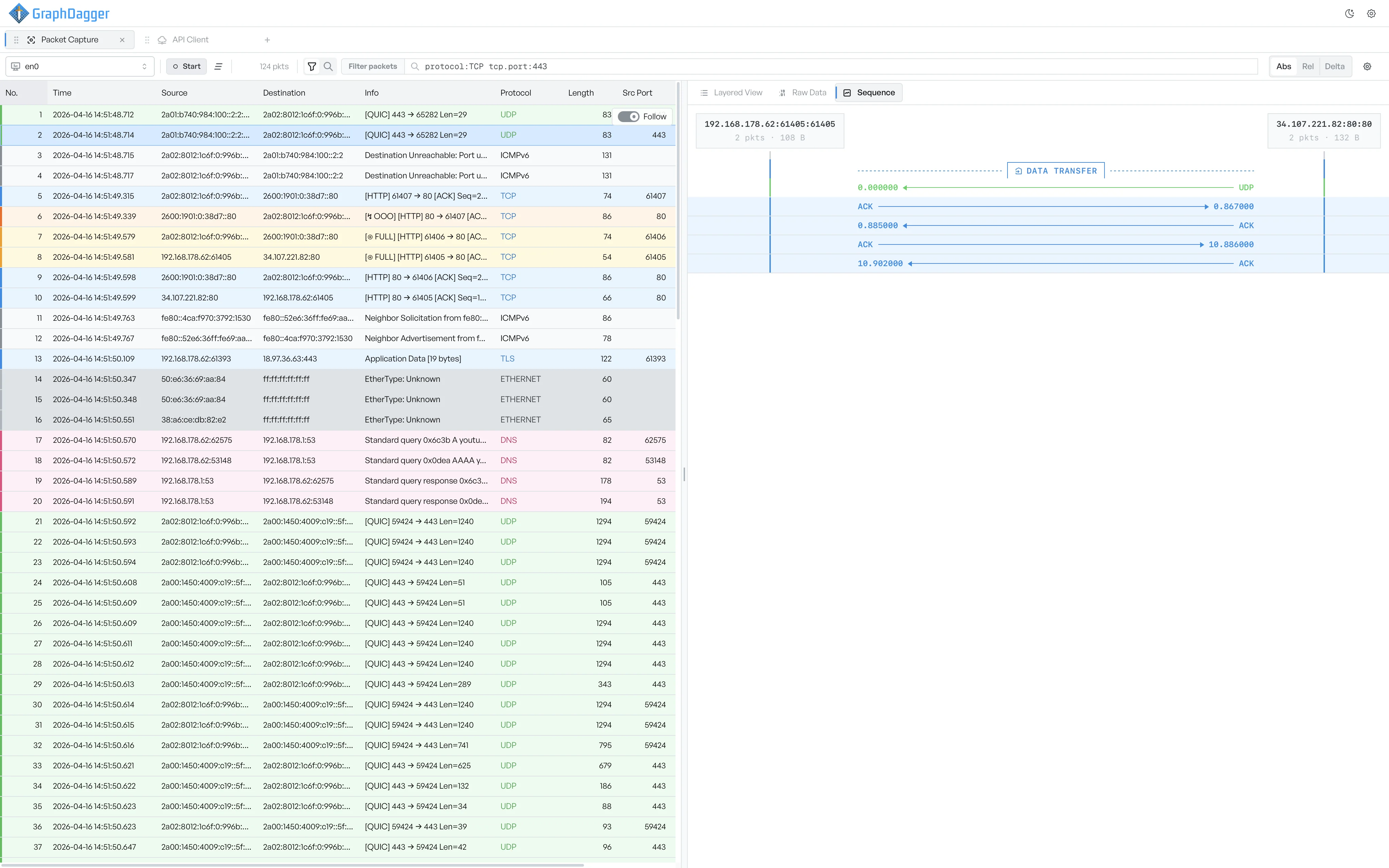
The Sequence view pulls back from a single packet to show the TCP conversation it is part of. Endpoints sit at the top of the diagram, and arrows between them represent the segments exchanged in order.
When the tab appears#
The Sequence tab is available only when the selected frame has a TCP stream ID. That ID means the workspace grouped the frame with other segments of the same conversation. Select a UDP, ICMP, or DNS frame and the tab disappears.
The tab shows every frame in the same stream, including frames you did not select. Select a frame from a different stream, and the view switches to that stream.
What the arrows show#
The view draws the diagram as a vertical timeline:
- Participant headers: one per endpoint, each with the address, the port, and the running packet count for that side of the stream.
- Rows: one TCP segment each, drawn as an arrow between the participants. The arrow direction shows which side sent the segment.
- Arrow label: the transport event (for example,
SYN,ACK,DATA TRANSFER,FIN). - Row label: the segment's timestamp in seconds since the start of the stream.
A coloured stripe down the side of each row marks the phase of the conversation, so you can see the shape of the exchange at a glance.
Phase separators#
The view groups segments into four phases, with a separator row at each transition:
- Handshake: the initial
SYN,SYN/ACK, andACKexchange. - Data transfer: the bulk of the conversation, where application data flows.
- Teardown: the orderly close, with
FINandACKsegments. - Reset: an abrupt close caused by a
RSTsegment.
A stream that ends without a clean close drops straight from data transfer to either teardown or reset, with no phase in between.
Expand a segment#
Select any row to expand it inline and show the segment's TCP details: the sequence and acknowledgement numbers, the flags set, the window size, and the segment length. Select the row again to collapse it.
You can expand more than one segment at a time. The view re-measures rows as you expand and collapse them, so the diagram stays compact.
What Sequence helps you find#
- Verify that a handshake completed cleanly.
- Spot retransmissions, marked with the
Retransmissionevent. - Read how the peers tore the connection down, a graceful
FINagainst an abruptRST. - Line up application-layer events with the TCP segments that carried them.