Network Graph#
Spot hubs, isolated pairs, and disconnected groups in a capture drawn as clusters of addresses.
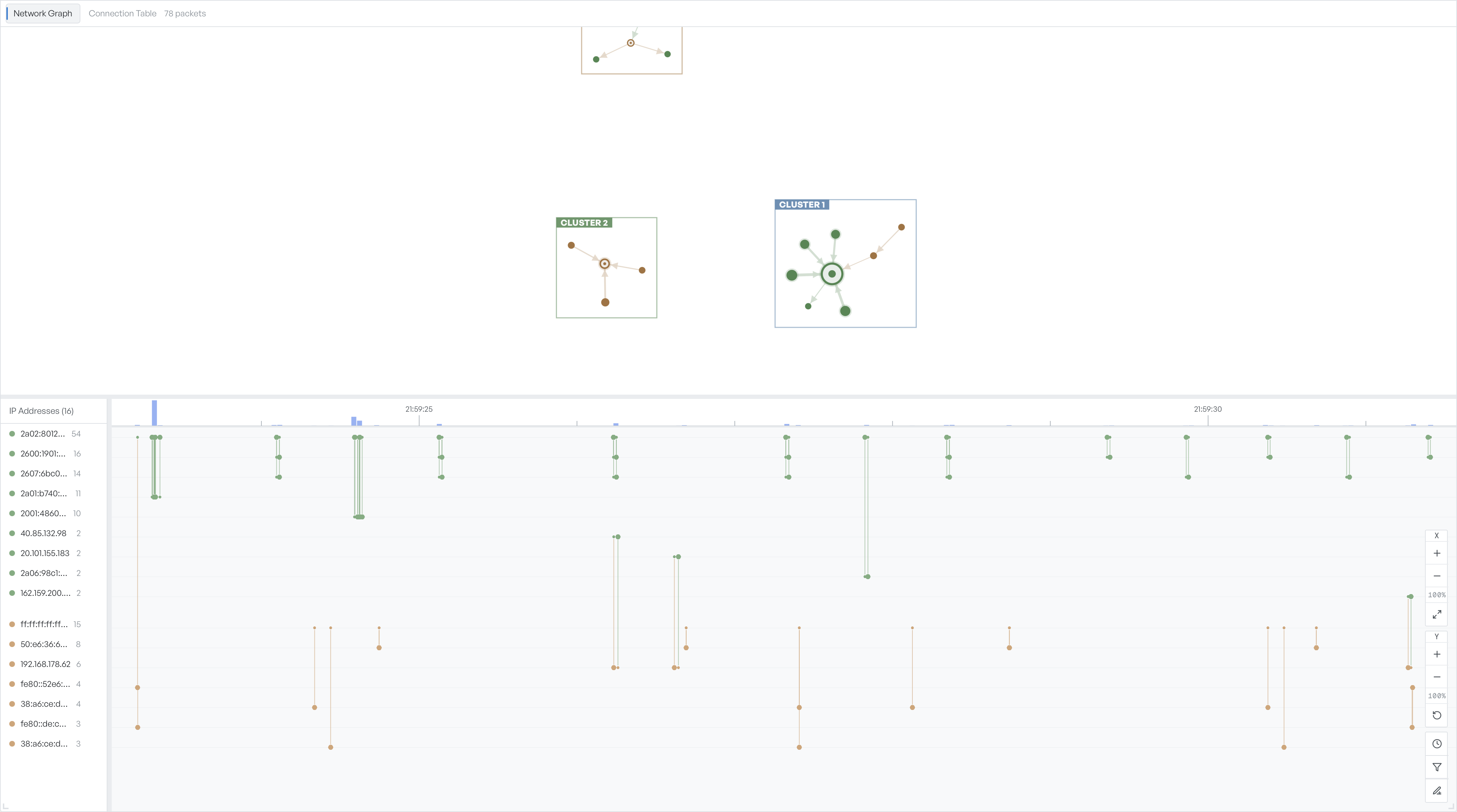
The Network Graph tab renders the capture as clusters of communicating addresses. Each node is an IP address that appeared in the capture. The graph groups nodes into clusters when they share traffic with a common peer.
What a cluster shows#
Each cluster has a coloured label and a count of the nodes inside it. Larger clusters have larger labels.
Inside a cluster, every line is a traffic relationship between two addresses. Node colour follows the protocol mix on that endpoint. A node at the centre of a star pattern talks to many peers. Two nodes alone exchanged traffic with each other, but with no one else in the capture.
What patterns to look for#
- Hubs: one address with many peers, at the centre of a large cluster. A common pattern for a recursive DNS resolver, a proxy, or a NAT gateway.
- Isolated pairs: two nodes alone in their own cluster. Often a single application talking to a single backend.
- Disconnected groups: clusters that share no traffic with each other. They typically correspond to separate flows, VLANs, or browsing sessions.
- Outliers: a node connected to a cluster by a single thin line. Often a one-off lookup or a single failed attempt.
Pan and zoom the graph#
Drag the graph to pan. The X and Y zoom controls on the right edge change the scale on each axis independently, which helps when the graph is wide but short.
Select a node to highlight its row in the timeline at the bottom of the view. You see when that address was active without a change of tab.
Switch to the table#
The graph is the right view when you want a structural picture of who talks to whom. If you need exact packet counts, traffic share, or a sortable list, switch to the Connection Table tab. Both tabs share the same underlying frames, so a filter on the packet list narrows both.