Group entries by host#
Switch the list to a structure view that folds requests into collapsible host and path folders, so you can see what a session talks to.
The entries list defaults to a flat row-per-request view. The structure view groups requests by host and then by path. It is easier to scan when you want to see what a session talks to.
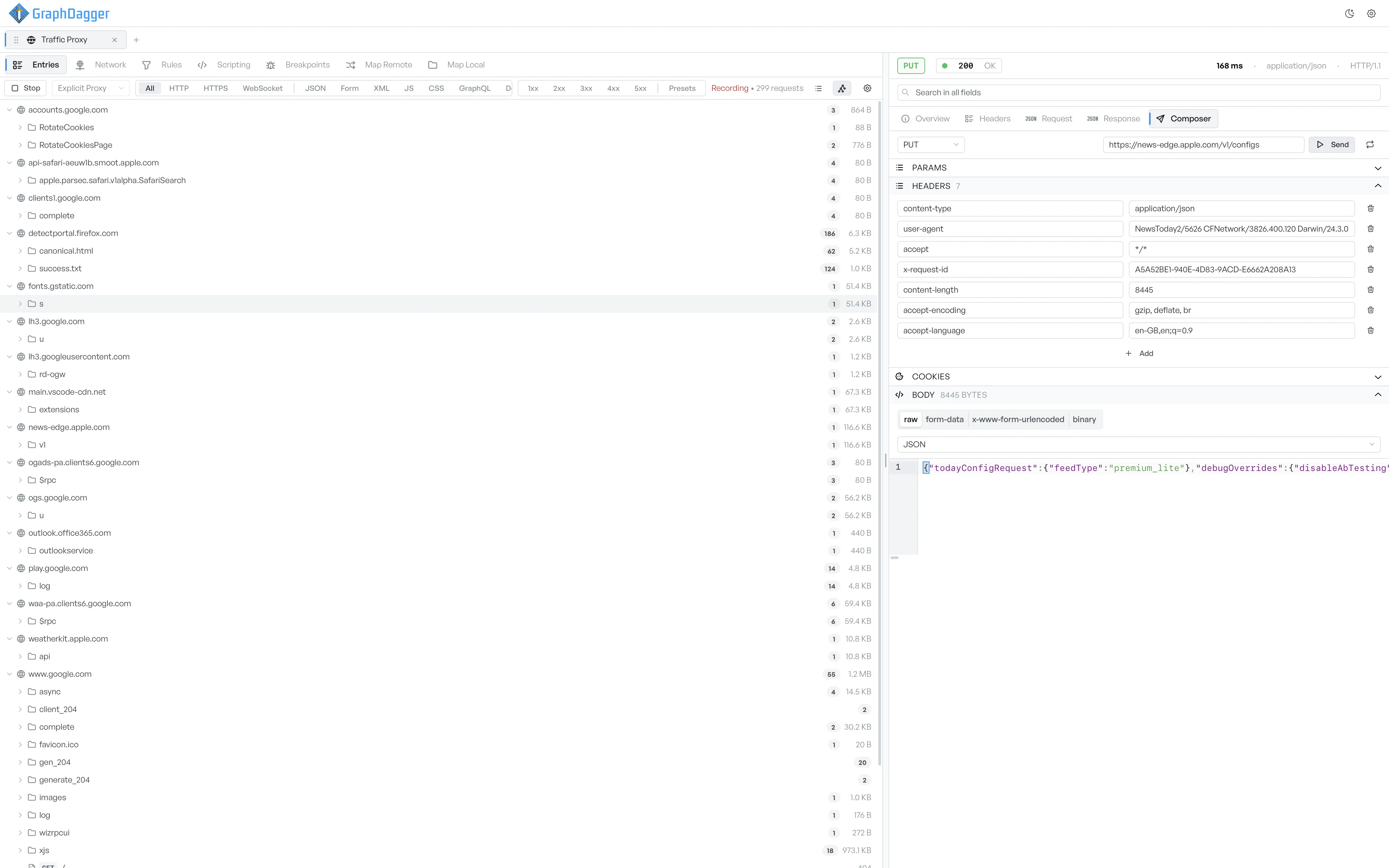
Switch to the structure view#
The view-mode toggle sits towards the right of the toolbar with three icons: a list icon for the flat table, a tree icon for the structure view, and an API icon. Select the tree icon to switch to the structure view, and the list icon to switch back. The API icon opens a different view that generates an API spec from the capture.
What the structure view shows#
Each host becomes a collapsible folder. Inside a host, paths become sub-folders. Each request is a leaf inside its path folder. A folder shows a request count next to its name, so you can spot endpoints that take heavy traffic.
Select a request in the tree#
Select a leaf to open that request in the inspector, exactly as in the flat view. Filter chips still apply, so an active 2xx chip narrows the visible leaves.