Read Request and Response tabs#
GraphDagger decompresses and decodes each body for display, pretty-prints JSON, and lets you search inside it.
The Request and Response tabs show the raw body of the request and response respectively. Each tab appears only when its side of the exchange carries a body.
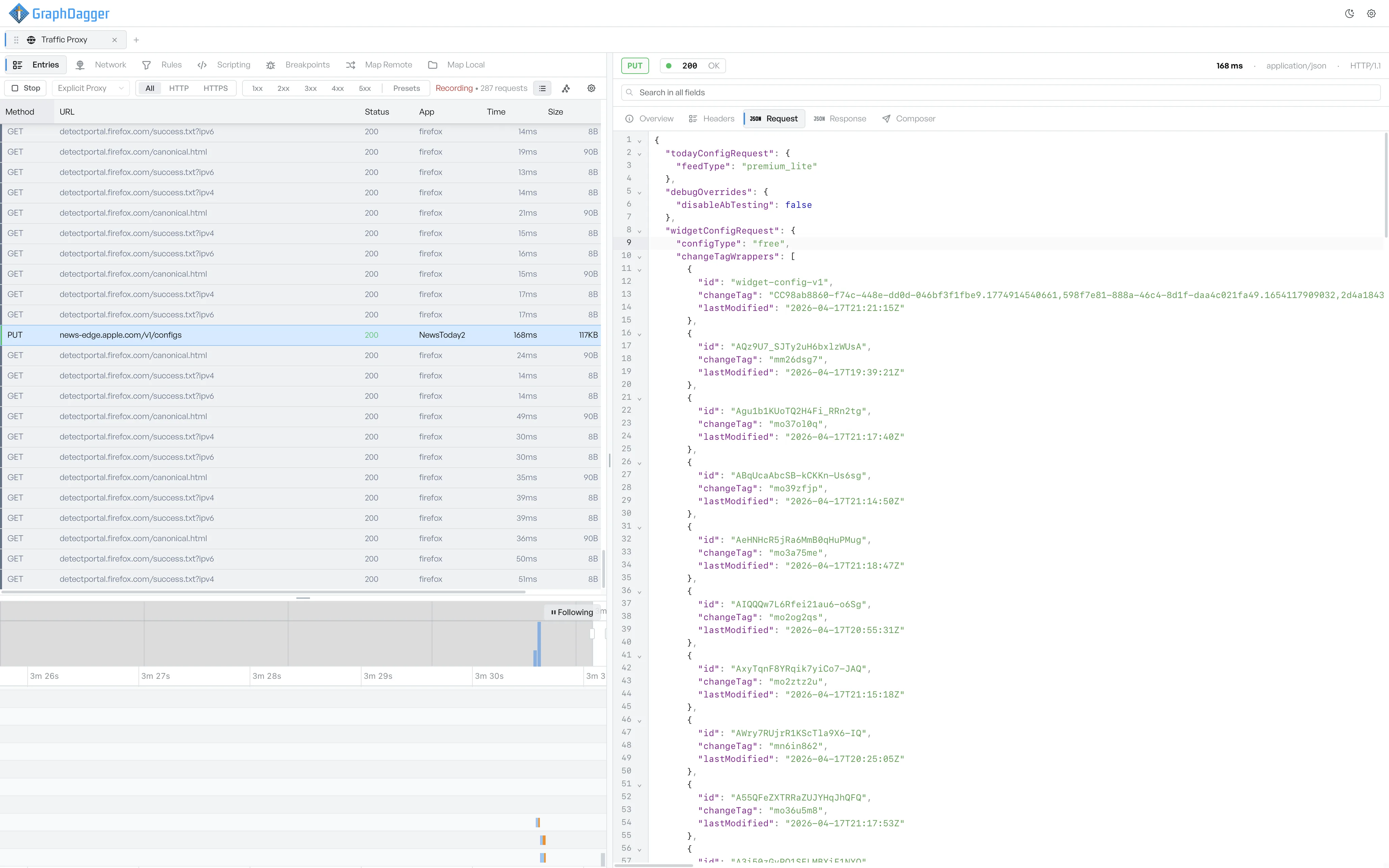
Read a decoded body#
The tab renders the body with line numbers along the left. GraphDagger pretty-prints JSON bodies with collapsible objects and arrays, so you can still navigate a multi-kilobyte payload. The tab shows other content types as plain text.
If the client or server sent the body compressed (gzip or brotli), GraphDagger decompresses it for display. If the body is base64-encoded, GraphDagger decodes it. GraphDagger keeps the original bytes on disk and decodes only the display.
Find text in a body#
Enter text in the search field at the top of the inspector to search the visible body. The tab highlights the matches and shows the count in the tab badge. GraphDagger searches JSON bodies as text and as a structure, so a search for a key name finds it even when the key is not on its own line.
Switch to Composer#
If you want to resend the request with edits, switch to the Composer tab. The composer prefills from the original request, so you can adjust one field and send it.