Replay a request with Composer#
Change the method, URL, parameters, headers, cookies, or body of a captured request and send it again through the proxy.
The Composer tab lets you resend the selected request with any change you like. It is always present in the inspector, even if the original request had no body.
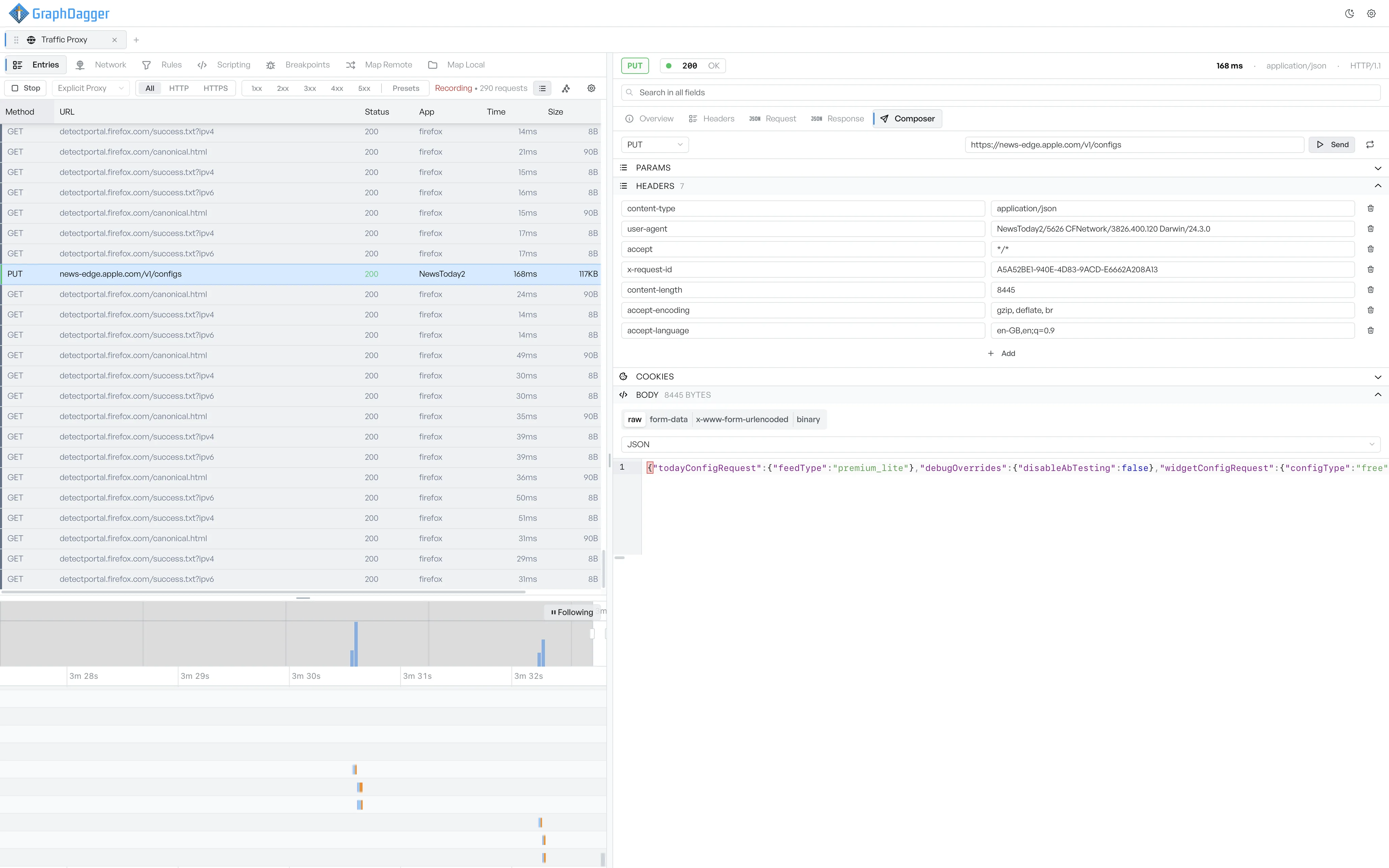
The Composer fields#
When you open Composer, GraphDagger prefills every field from the original request.
- The method dropdown at the top switches the HTTP verb.
- The URL bar accepts any URL, including a URL on a different host.
- Params lists the query parameters as editable rows. Add a new one with the empty row at the bottom, or delete one with the trash icon.
- Headers works the same way, with every header editable and a delete control per row.
- Cookies exposes every cookie on the request.
- Body has a format selector (raw, form-data, x-www-form-urlencoded, binary), a content-type dropdown, and an editor underneath. You can paste large payloads straight into the editor.
Send the edited request#
Select Send to fire the modified request. The response appears in the entries list as a new entry, and the inspector shows its details. Composer requests run through the proxy like any other client traffic, so active rules, scripts, and breakpoints fire on them.
Three ways to use Composer#
- Reproduce a failure with one variable changed. Open the failing request, switch to Composer, change the offending field, and send.
- Compare two endpoints. Composer keeps the original session intact, so you can fire several variants and read them all in the entries list.
- Manual auth testing. Edit the
Authorizationheader to send the same request with a different token, then see whether the response changes.