Make an OAuth URL#
Assemble an authorisation request without hand-encoding parameters, and get the PKCE verifier that never travels in the URL.
The OAuth generator assembles an authorisation URL from its parts. When you ask for PKCE, it also works out the verifier and challenge pair that goes with it. You do not have to encode query parameters by hand or hash a challenge correctly on the first attempt.
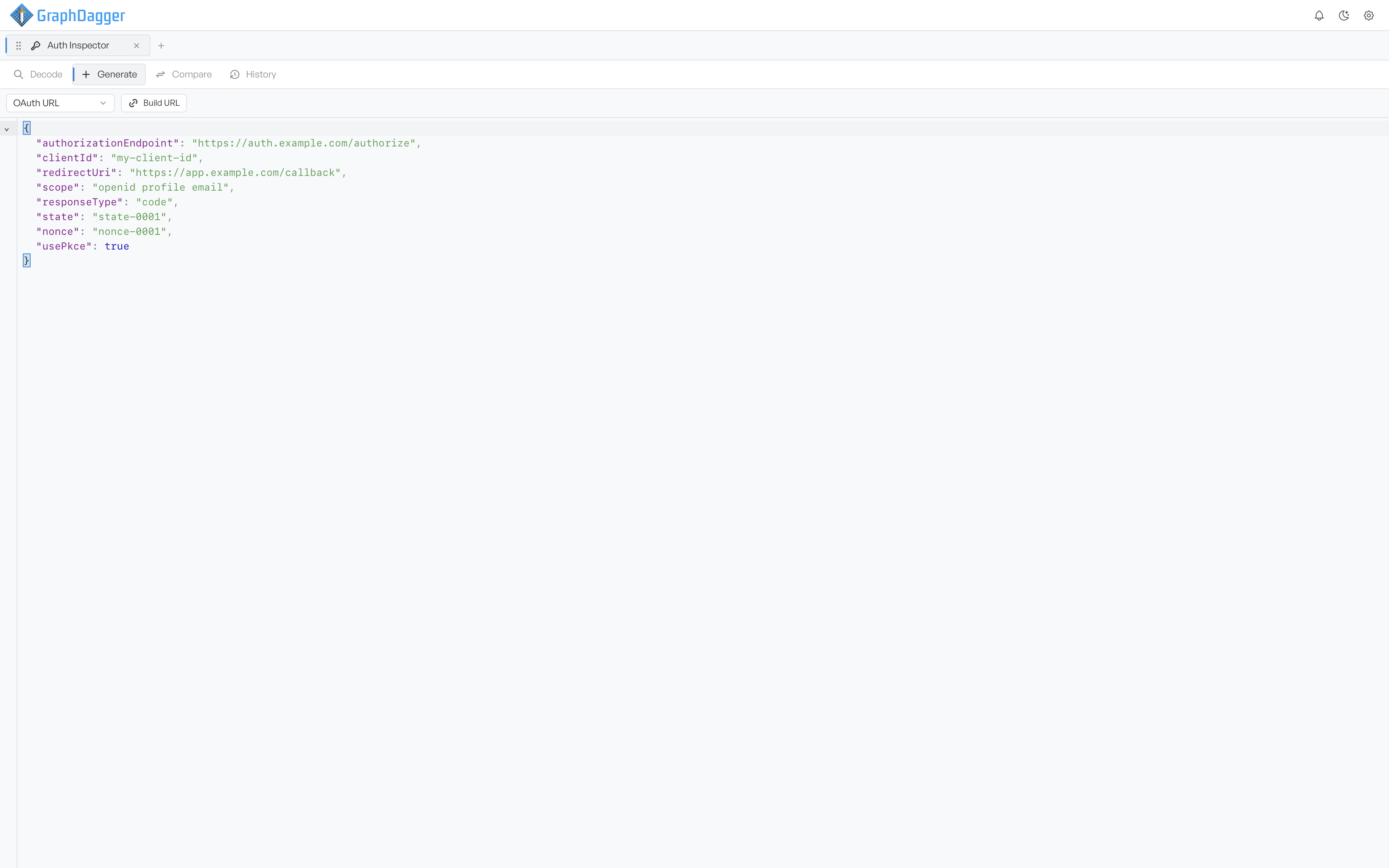
Set the request parameters#
The default document is a standard OpenID Connect authorisation code request.
| Key | What it sets |
|---|---|
authorizationEndpoint | Where the request is sent. Required; nothing is built without it |
clientId | The client making the request |
redirectUri | Where the authorisation server sends the user back |
scope | The scopes being asked for |
responseType | The grant being requested, defaulting to code |
state | The value that protects against cross-site request forgery |
nonce | Ties an identity token back to this request |
usePkce | Whether to add a code challenge |
Autocomplete offers the enumerated values with plain labels, so responseType suggests Auth Code, Implicit, Hybrid, and OIDC Implicit rather than the raw strings. prompt and acrValues are available when you test forced re-authentication.
Add a PKCE challenge#
Set usePkce to true. Auth Inspector generates a fresh verifier, hashes it into a challenge, and adds it to the URL as code_challenge alongside code_challenge_method. The default method is S256.
The verifier itself never travels in the URL, which is the entire point of PKCE, so the output gives it to you separately. A PKCE panel appears under the URL with both values and a Copy Verifier button. You need that verifier later to complete the token exchange, and you cannot recover it from the URL afterwards.
Set codeChallengeMethod to plain for a deliberately weaker request. Use it to check that an authorisation server rejects it.
Read the built URL#
Select Build URL, and the finished URL appears in the Generated URL panel, fully encoded. Copy takes it to the clipboard. Decode reads it back, so you can confirm the parameters and see the security audit verdict on the request you have built.