Make a SAML response#
Set the issuer, subject, audience, and attributes, then post the encoded response at a service provider and watch how it answers.
The SAML generator builds a complete response with a signed-shaped assertion. It then encodes the response the way a real identity provider does, so you can post it at a service provider and watch what happens.
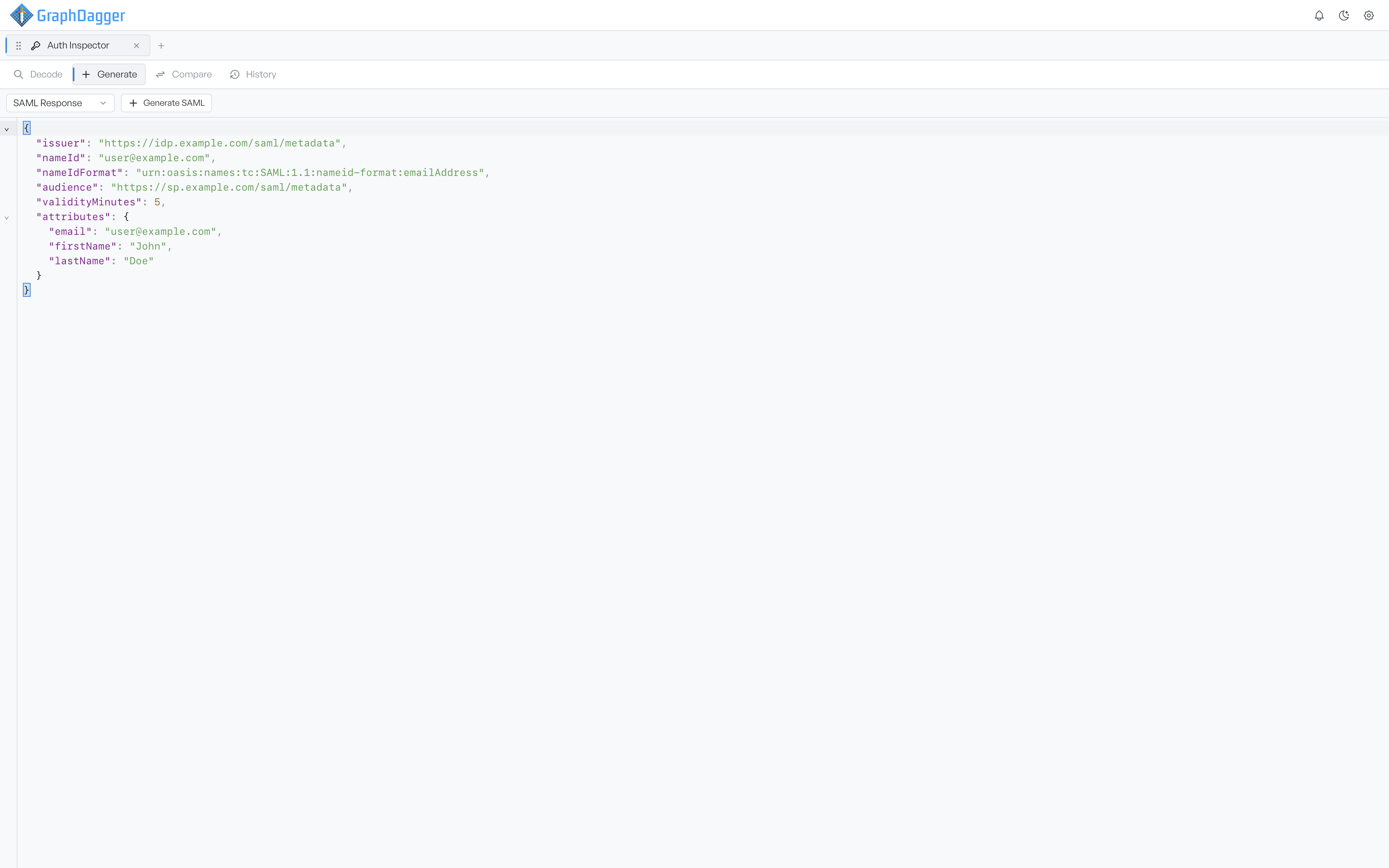
Set the assertion fields#
The default document covers the fields a service provider checks.
| Key | What it sets |
|---|---|
issuer | The identity provider the assertion claims to come from |
nameId | The subject being asserted, usually an email address |
nameIdFormat | How that subject should be interpreted |
audience | The service provider the assertion is restricted to |
validityMinutes | How long the assertion stays inside its conditions window, defaulting to 5 |
attributes | A map of attribute names to values, becoming the attribute statement |
Autocomplete carries the awkward values, so you do not have to remember them. The name identifier formats and authentication context classes are long URNs, and the editor offers them with readable labels such as Email, Persistent, Password, and Kerberos. Add authnContextClassRef to claim a particular authentication strength. sessionIndex matters when you test single logout.
Auth Inspector fills in the identifiers and timestamps on each generation, so two runs never collide.
Read the Base64 and XML#
Select Generate SAML, and two panels appear. Base64 is the encoded response, which is what you paste into a form post or a test fixture. XML Preview is the same assertion in readable form. Check there that the audience, conditions, and attributes came out as you meant, before you send the response anywhere.
Each panel copies independently, and you can send the Base64 into Decode to read it back as a service provider does.
Note The assertion is assembled without an XML signature. That is what makes it useful for testing rejection: a service provider that accepts it is not verifying signatures, which the security audit treats as a critical problem on the receiving side.