Open a region's bytes#
Pick a rectangle out of the treemap to open its hex dump, then copy the bytes as hex, ASCII, Base64, or a C array.
The Breakdown surface at the bottom of the Carving tab is where you look at the suspicious bytes. It has two views: a treemap of every region in the file, and a hex bytes view of a single region.
Treemap#
The treemap is the default view. Each rectangle is one region from the carving pass. Its size is roughly in proportion to its byte length. Its colour comes from the same legend as the Address map.
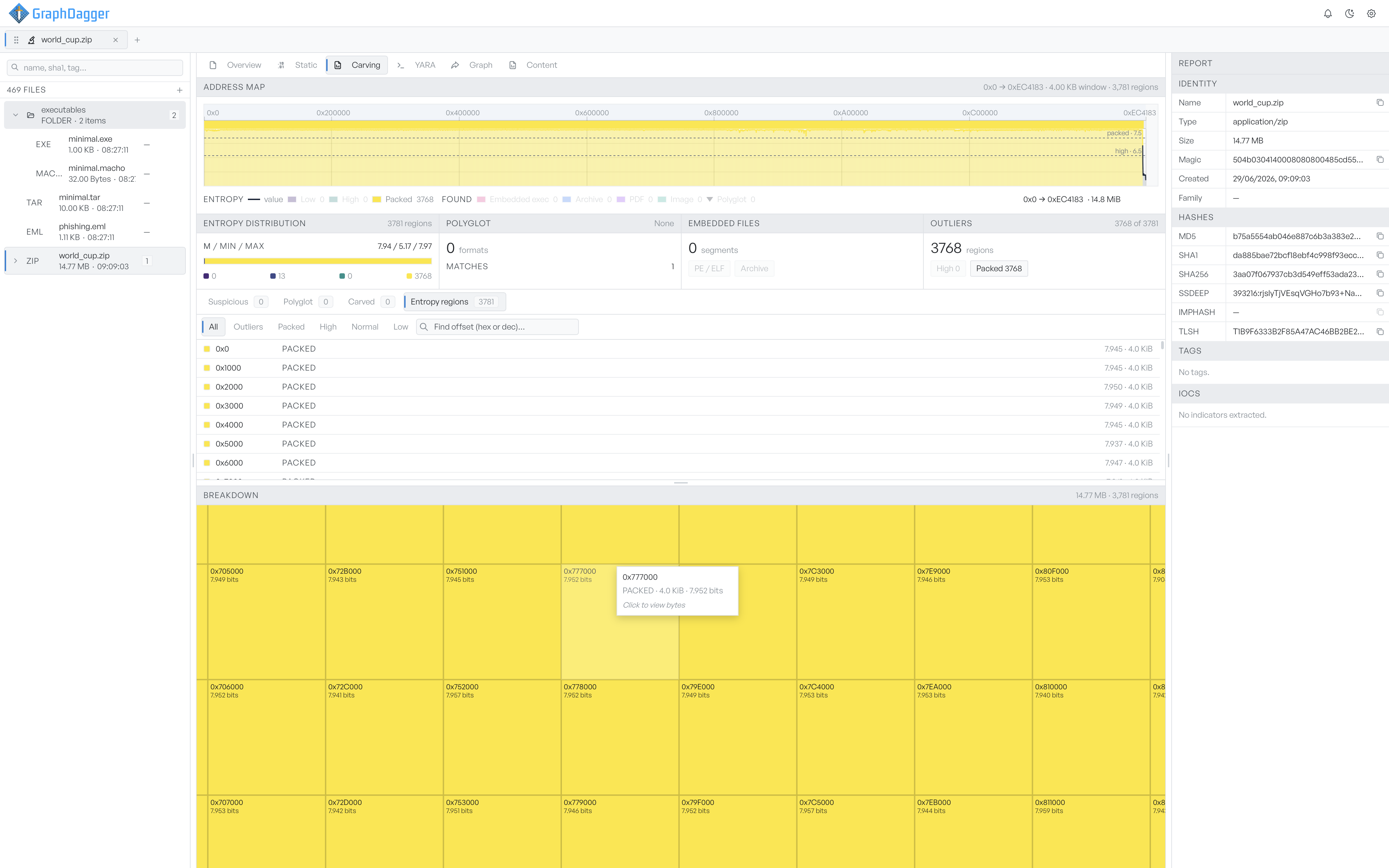
Hover any rectangle to see a tooltip with the offset, the bucket label, the byte length, and the entropy in bits.
Hex bytes view#
Click a rectangle in the treemap to open that region in the hex bytes view. Any linkable row in the Findings list does the same. The view replaces the treemap.
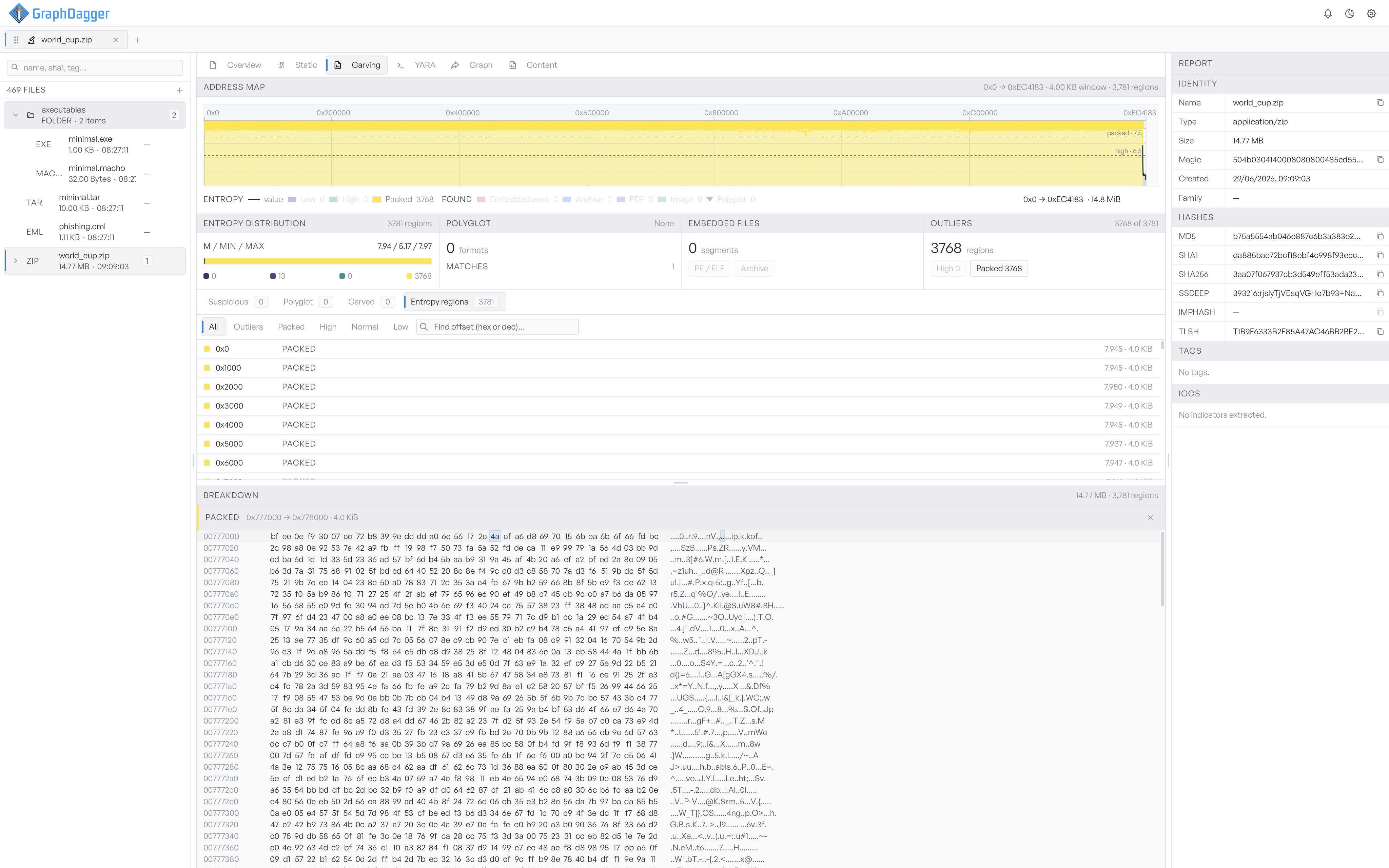
A close button returns to the treemap.
Copy bytes from the dump#
Right-click anywhere in the hex bytes to open a context menu. The menu copies the selected bytes in several formats. It also copies the offset range.
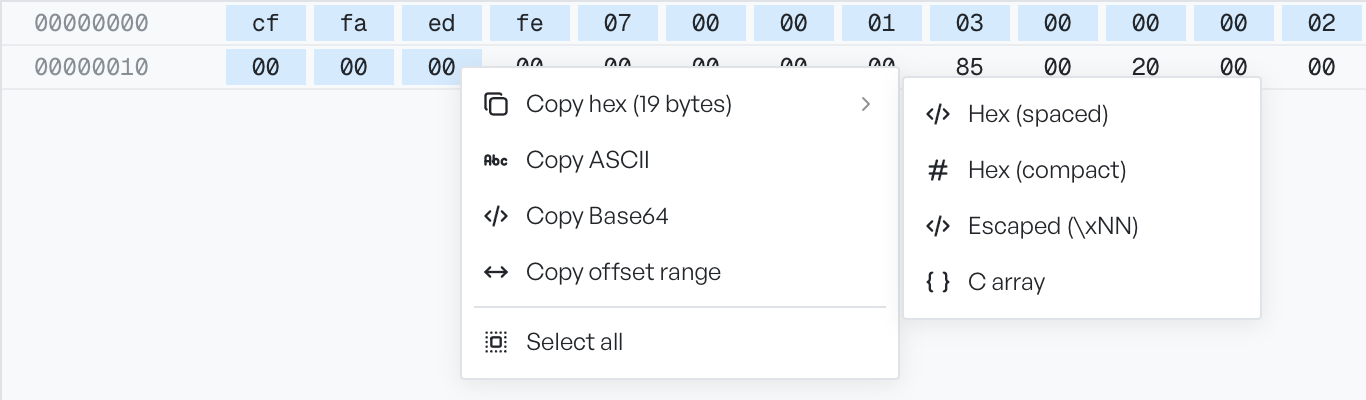
- Copy hex opens a submenu with four encodings:
Hex (spaced),Hex (compact),Escaped (\xNN), andC array. - Copy ASCII copies the printable representation. It shows non-printable bytes as a dot.
- Copy Base64 copies the bytes Base64-encoded.
- Copy offset range copies the offsets as text, for example
0x9000-0xA000. - Select all selects every byte in the visible region.
The menu header shows the byte count of the current selection in parentheses, for example Copy hex (19 bytes). With nothing selected, it uses the full region length.