Analysis blocks#
Measure how random a sample looks, count how often each character appears, and read a timestamp written in any common format.
Analysis blocks answer questions about the shape of a piece of data rather than changing it. Each one takes text on Input and emits a labelled report on Output, so you can read the result on the canvas or pass it to another block.
Multi-Format Timestamp#
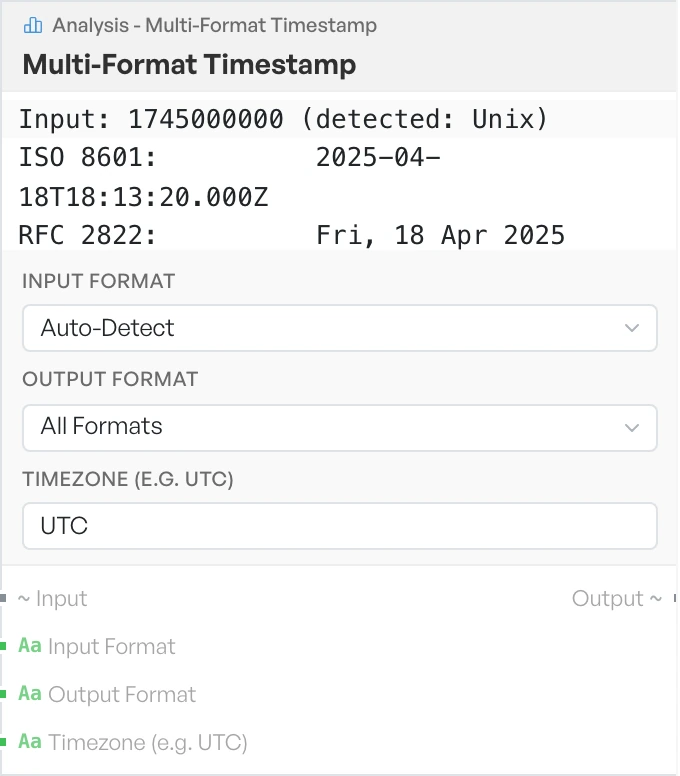
Reads and writes every common timestamp format. Different systems count time from different starting points and in different units. The same moment can therefore appear as several unrelated-looking numbers. This block moves between them. It handles one timestamp per line, so you can paste a list and convert the lot in one run.
All Formats emits every representation at once, plus a human-readable line. This is the quickest way to work out what an unfamiliar number means.
- Input Format - the format the value is already in. Options:
Auto-Detect,Windows FILETIME,LDAP,Mac Absolute,HFS+,Chrome,Firefox,Unix,Unix (ms),Unix (us),Unix (ns),ISO 8601,RFC 2822(defaultAuto-Detect). - Output Format - the format to convert to. Options:
All Formats,ISO 8601,RFC 2822,Unix,Unix (ms),Windows FILETIME,Mac Absolute,HFS+,Chrome,Firefox(defaultAll Formats). Microsecond and nanosecond Unix values can be read but not written. - Timezone (e.g. UTC) - the timezone to display. Default
UTC.
Note The Timezone field currently has no effect. All output is in UTC.
Shannon Entropy#
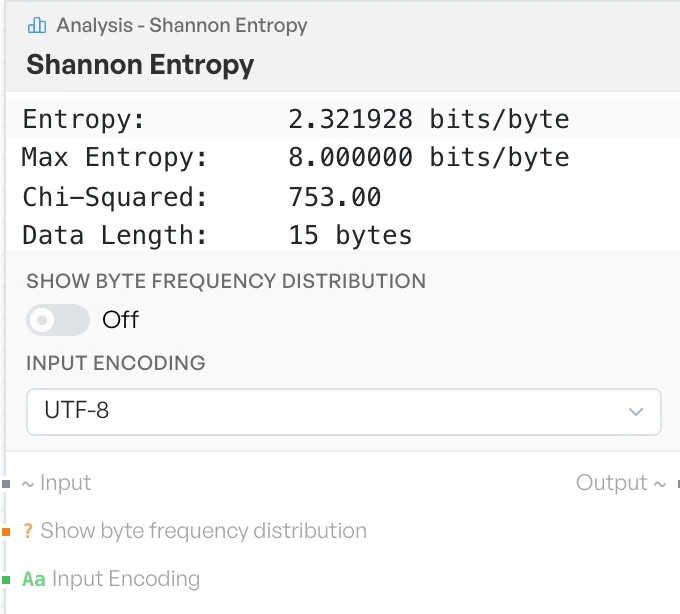
Measures how random the data looks. It is the quick way to spot packed or encrypted regions inside a sample. Compressed and encrypted bytes look far more random than text or code.
The report gives entropy in bits per byte, where 8 is the maximum. It also gives a chi-squared figure, the length of the data, the count of unique bytes, and a plain-English characterisation.
- Show byte frequency distribution - adds a full table of byte counts below the report. Default OFF.
- Input Encoding - how the incoming data is represented. Options:
UTF-8,Base64,Hex(defaultUTF-8).
The characterisation follows these bands.
| Entropy | Characterisation |
|---|---|
| Above 7.9 | Encrypted or compressed (very high entropy) |
| Above 7.0 | Compressed or encrypted data |
| Above 5.5 | Encoded data (Base64, etc.) |
| Above 3.5 | Natural language / plaintext |
| Above 1.5 | Structured data (low entropy) |
| 1.5 and below | Very low entropy (repetitive data) |
Frequency Analysis#
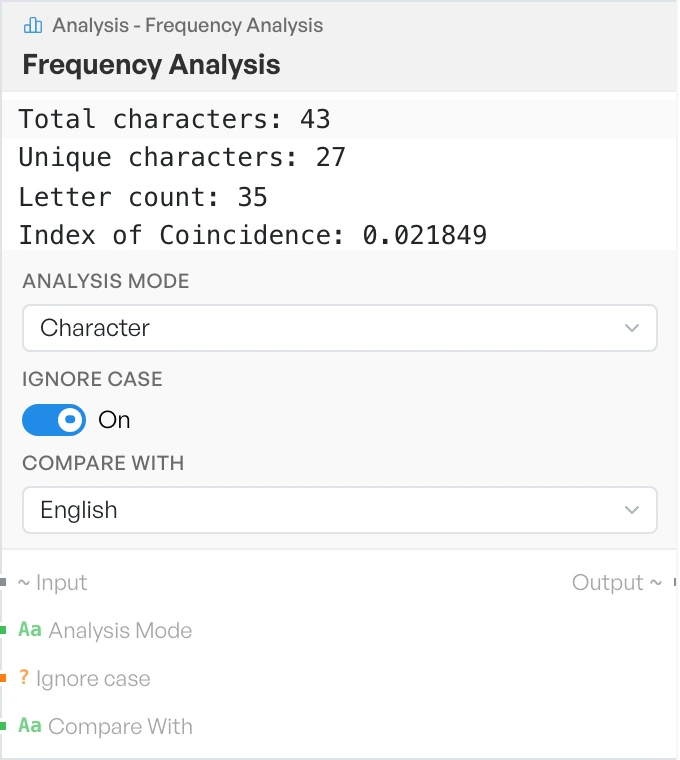
Counts how often each character, byte or pair of characters appears. It can also set the result against the expected distribution for English. Character mode reports an Index of Coincidence, which is useful in classical cryptanalysis. Bigram mode shows only the top 50 pairs, then tells you how many more there were.
- Analysis Mode - what to count. Options:
Character,Byte,Bigram(defaultCharacter). - Ignore case - folds capitals to lower case before counting. Default ON.
- Compare With - the reference distribution to show alongside the counts. Options:
English,None(defaultEnglish).