Binary blocks#
Read raw bytes as a hex dump, compress or expand them, pull the readable strings out, and identify a blob from its leading bytes.
Binary blocks work with raw bytes that a flow carries as text. Raw bytes do not survive as plain text. Most of these blocks therefore ask you how the input is encoded, and how you want the result encoded on the way out.
Compress / Decompress, Extract Strings and Detect File Type do their work outside the browser. If that call fails, the block returns a message beginning 'Error:' instead of a result.
Hex Dump#
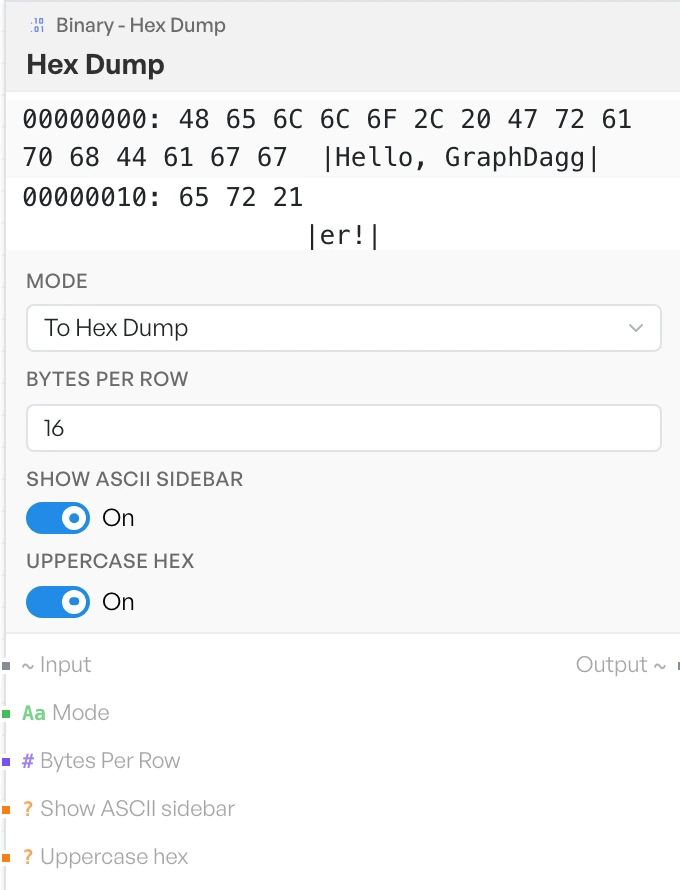
Turns bytes into a classic hex dump, with an offset at the start of each row and the hex bytes laid out in columns. Offsets are 8 hex digits. The sidebar shows a full stop in place of any byte that falls outside the printable range.
Reverse mode reads a dump back into bytes. It accepts only lines that still carry their offset: prefix, and it ignores anything else without a warning. Paste the dump exactly as the block produced it.
- Mode - whether to build a dump or read one back. Options:
To Hex Dump,From Hex Dump(defaultTo Hex Dump). - Bytes Per Row - how many bytes to show on each row. Default
16. - Show ASCII sidebar - adds the readable rendering to the right of each row. Default ON.
- Uppercase hex - prints
0Frather than0f. Default ON.
Compress / Decompress#
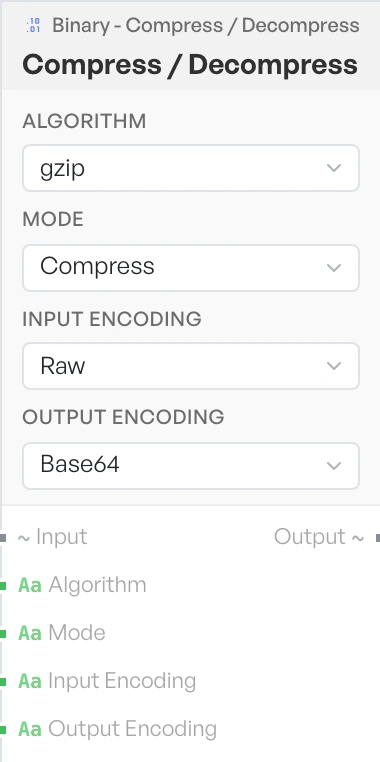
Compresses or expands data using one of four common algorithms. Set the input and output encodings together, so the block knows what it is reading and what you want back.
- Algorithm - the compression algorithm to use. Options:
gzip,deflate,zlib,brotli(defaultgzip). - Mode - the direction to run in. Options:
Compress,Decompress(defaultCompress). - Input Encoding - how the incoming data is represented. Options:
Raw,Base64,Hex(defaultRaw). - Output Encoding - how the result should be represented. Options:
Base64,Hex,UTF-8(defaultBase64).
Extract Strings#
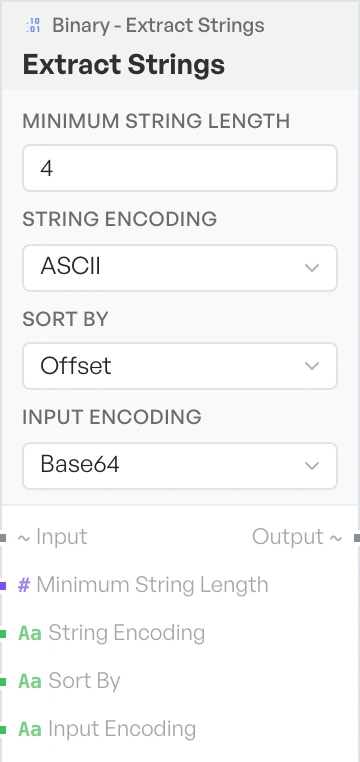
Pulls readable text out of a binary. It is the quickest way to find file paths, URLs, error messages and other clues inside a sample. Raise the minimum length to cut down on noise.
- Minimum String Length - the shortest run of readable characters to report. Default
4. - String Encoding - the text encoding to look for. Options:
ASCII,UTF-16,Both(defaultASCII). - Sort By - the order of the results. Options:
Offset,Length,Alpha(defaultOffset). - Input Encoding - how the incoming data is represented. Options:
Base64,Hex,Raw(defaultBase64).
Detect File Type#
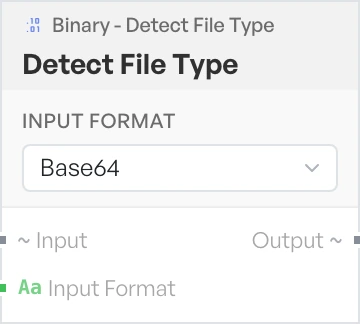
Identifies a file from its leading bytes, so you can tell what a blob actually is without trusting a filename. It emits three labelled lines: File Type, MIME Type and Extension.
- Input Format - how the incoming data is represented. Options:
Base64,Hex(defaultBase64).